
Quantum Tunnelling Through Potential Barrier
Step 1: Understanding the Interface
Open the simulation and familiarize yourself with the control panels:
- Left Panel: Wavepacket Parameters and Potential Barrier controls
- Center: Visualization canvas showing the quantum wavefunction
- Right Panel: Learning Scenarios and Physics Data
Step 2: Set Initial Parameters
| Parameter | Recommended Initial Value | Purpose |
|---|---|---|
| Particle Energy (E) | 0.030 | Energy of incoming wavepacket |
| Barrier Height (V₀) | 0.040 | Height of potential barrier |
| Barrier Width (L) | 20 | Width of the barrier region |
| Ramp Gradient | 0 | Keep sharp edges initially |
Step 3: Start the Simulation
- Click the ▶️ Play button to start the animation
- Observe the wavepacket moving towards the barrier
- Watch the Reflected % and Transmitted % values change in real-time.
Step 4: Explore Learning Scenarios
Try each preset scenario from the right panel:
- 🟢 Easy Tunnel - Observe high transmission
- 🟡 Balanced - See wave splitting
- 🔴 Hard Tunnel - Notice low transmission
- 📚 Classical - Compare with classical behavior
- 📏 Wide Barrier - Observe exponential decay
- 📶 Step Potential - Study step function behavior
Step 5: Display Options
Use the display options in the visualization panel:
- Density: Shows probability density |Ψ|² with phase as color
- View: Shows Real and Imaginary parts of the wavefunction
- Grid: Enable grid for reference measurements
Step 6: Collect Data
Record your observations in the table below:
| S.No | Particle Energy (E) | Barrier Height (V₀) | Barrier Width (L) | Transmission % | Reflection % |
|---|---|---|---|---|---|
| 1 | 0.030 | 0.040 | 20 | 1.04% | 98.96% |
| 2 | 0.060 | 0.020 | 15 | 96.79% | 3.21% |
| 3 | 0.035 | 0.035 | 25 | 8.38% | 91.62% |
| 4 | 0.020 | 0.050 | 30 | ≈ 0.00% | ≈ 100.00% |
| 5 | 0.070 | 0.050 | 10 | 73.04% | 26.96% |
| 6 | 0.045 | 0.030 | 40 | 89.25% | 10.75% |
Step 7: Analyze the Effect of Barrier Width
Keep E and V₀ constant, vary only the Barrier Width (L):
| S.No | Barrier Width (L) | Transmission % | Observation |
|---|---|---|---|
| 1 | 10 | 16.69% | High transmission with thin barrier |
| 2 | 20 | 1.04% | ~16x drop from L=10 — exponential decay begins |
| 3 | 30 | 0.062% | Exponential decay clearly observed (T ∝ e-2κL) |
| 4 | 40 | 0.0037% | Very low transmission with thick barrier |
| 5 | 50 | 0.0002% | Near-zero transmission, confirms T ∝ e-2κL |
Step 8: Plot the Graph
Using your collected data, plot a graph with:
- X-axis: Barrier Width (L)
- Y-axis: Transmission Percentage (%)
Observe the exponential relationship: T ∝ e-2κL
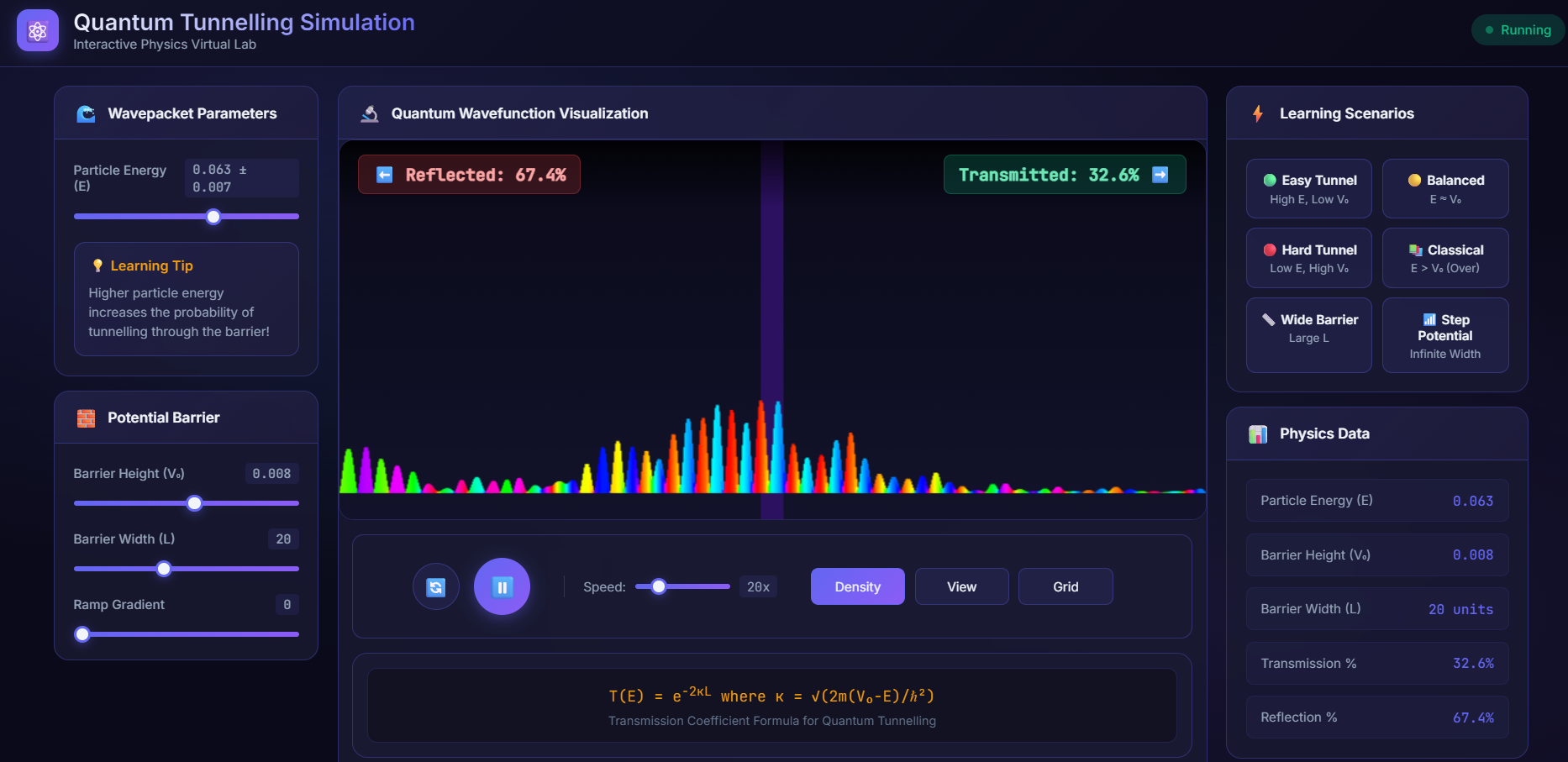
Fig.1 Quantum Wavefunction Visualization in Density form
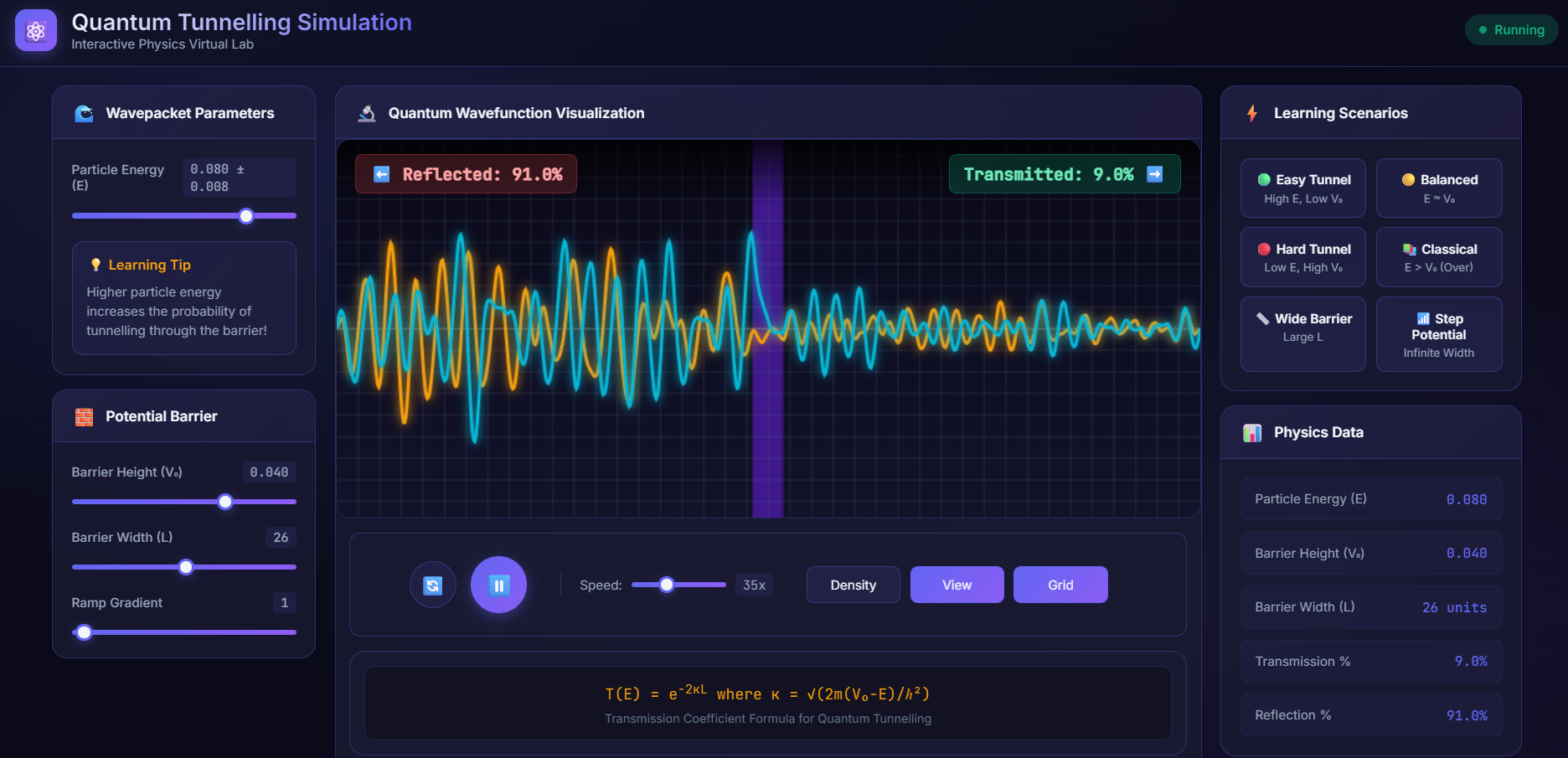
Fig.2 Quantum Wavefunction Visualization in frequency form
Step 9: Conclusions
Based on your observations, answer:
- How does particle energy affect tunnelling probability?
- How does barrier width affect transmission coefficient?
- What happens when E > V₀ (classical regime)?
- Why does tunnelling probability never become exactly zero?