Variational Quantum Eigen solver
1. Define Jobs
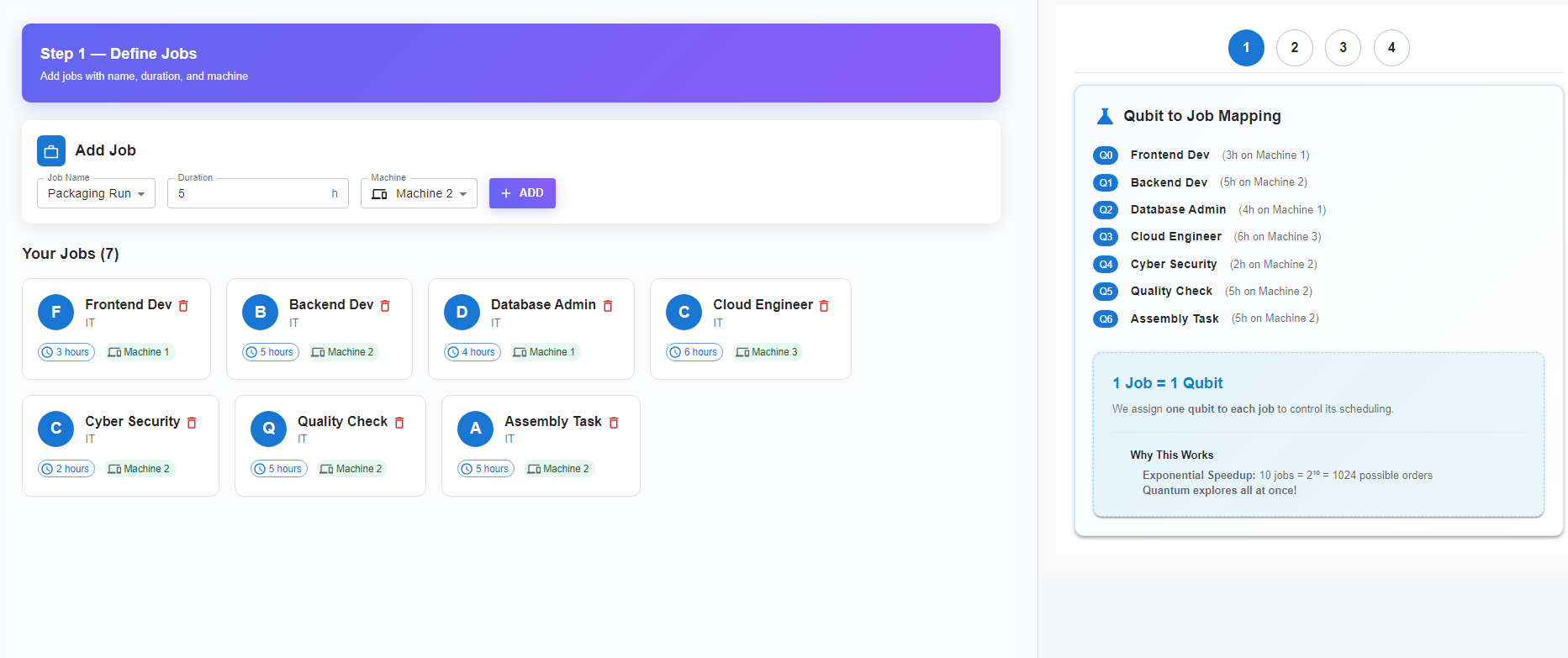
Begin by defining the jobs that need to be scheduled.
Use the Add Job section to enter the following details:
- Job Name – Select or enter the job identifier.
- Duration – Specify the time required to complete the job.
- Machine – Choose the machine where the job will run.
Click ADD to include the job in the job list.
Once added, the system displays all jobs with their duration and assigned machines.
Each job is also mapped to a qubit, meaning 1 job corresponds to 1 qubit in the quantum model.
This mapping allows the quantum system to represent different job scheduling possibilities.
2. Define Ordering Rules (Constraints)
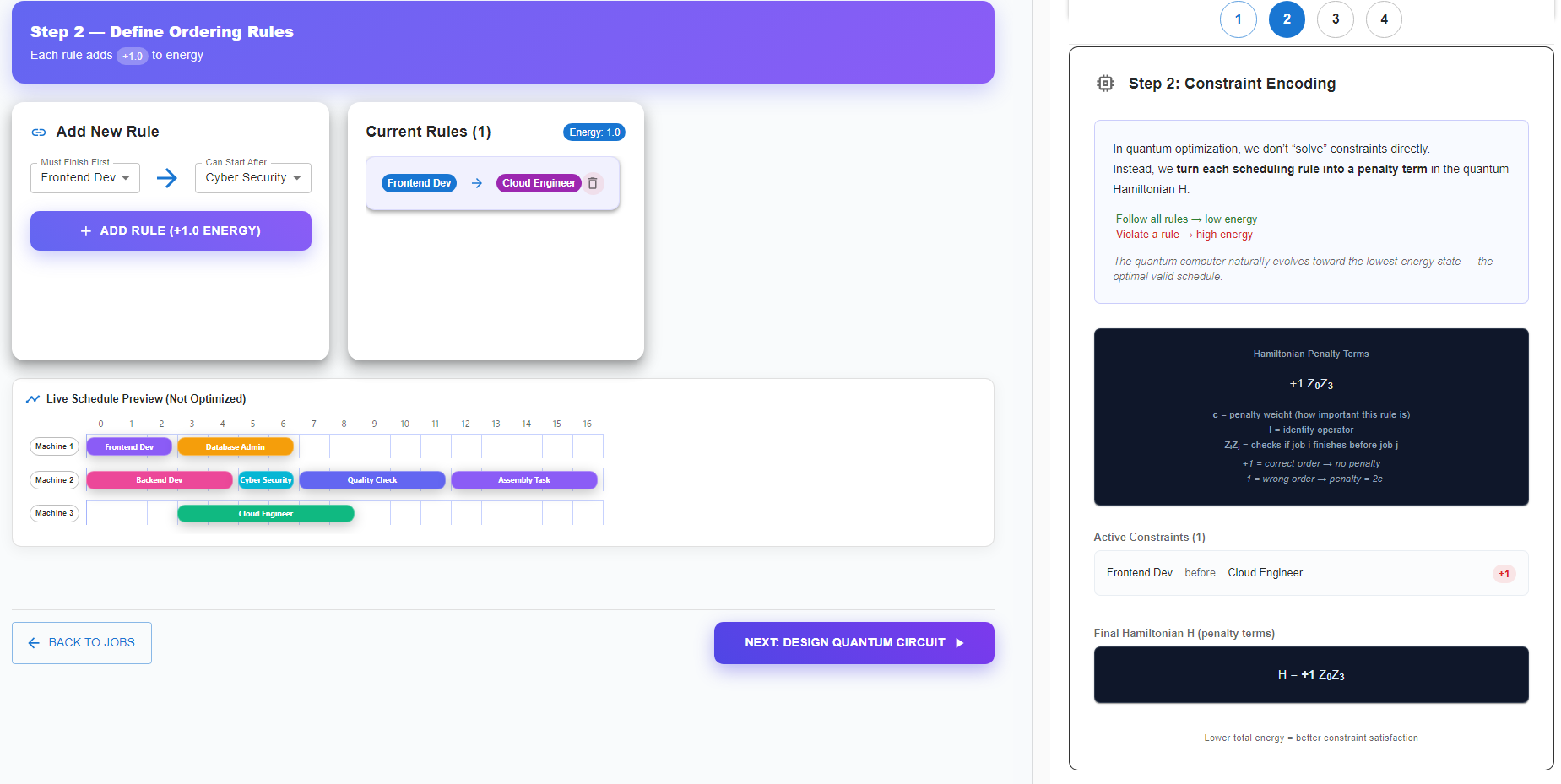
Next, define the scheduling rules that specify dependencies between jobs.
Use the Add New Rule panel to create constraints such as:
- A job must finish before another job starts.
Select:
- Must Finish First – the job that must complete first.
- Can Start After – the job that must start later.
Click ADD RULE to add the constraint.
Each rule adds a penalty term to the Hamiltonian energy function:
- Following all rules → lower energy
- Violating a rule → higher energy
The Live Schedule Preview shows the current schedule before optimization.
3. Construct the Ansatz Circuit
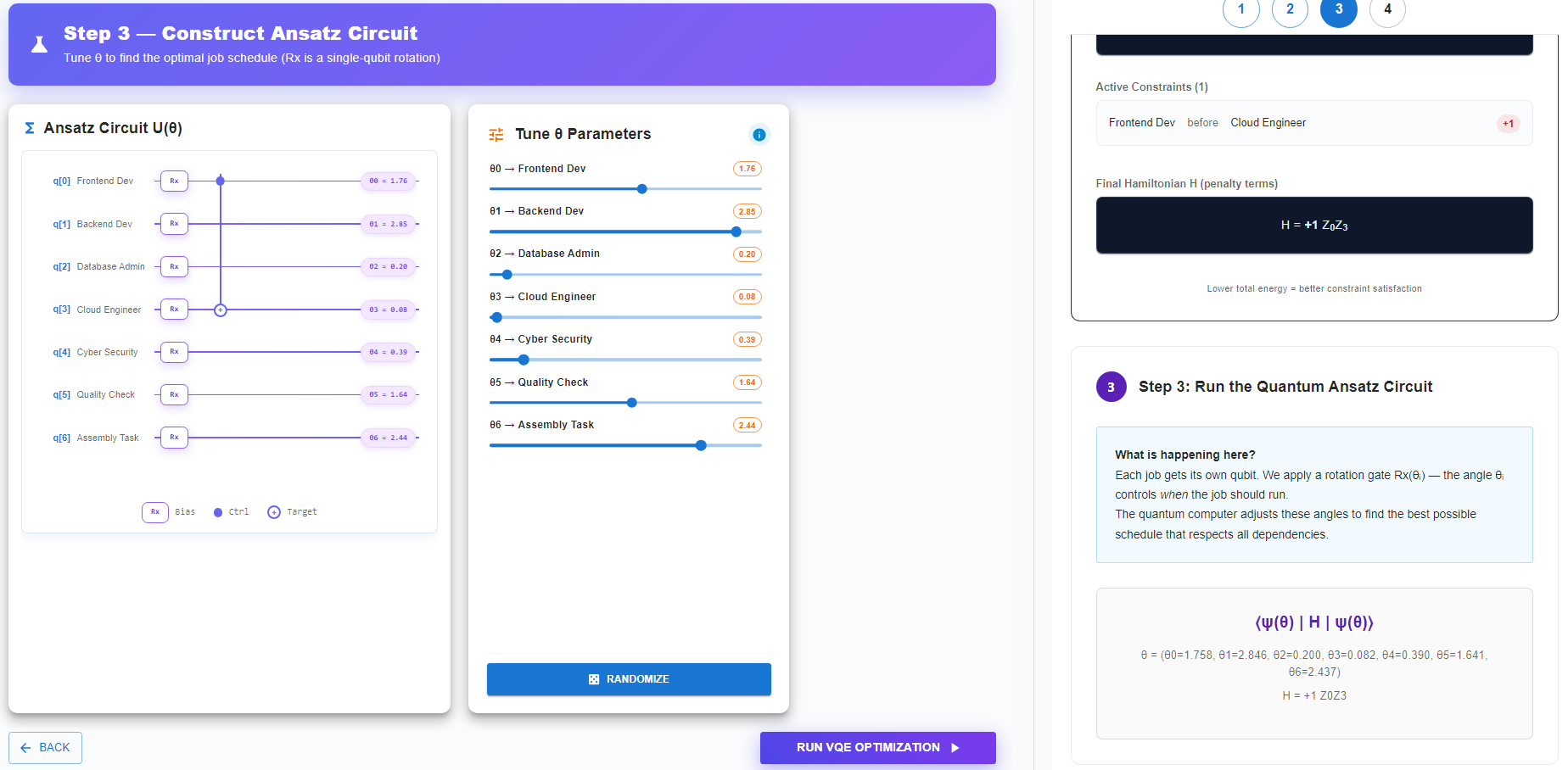
In this step, a parameterized quantum circuit (ansatz) is created to represent possible scheduling solutions.
Each job corresponds to a qubit, and a rotation gate $R_x(\theta)$ is applied to each qubit.
The parameters $\theta$ control the scheduling bias for each job.
Use the $\theta$ parameter sliders to adjust the rotation angles for different jobs.
The ansatz circuit diagram shows:
- Qubits representing jobs
- Rotation gates $R_x(\theta)$ applied to each qubit
- Entanglement connections representing job dependencies
These parameters will later be optimized to find the best schedule.
4. Run VQE Quantum Optimization
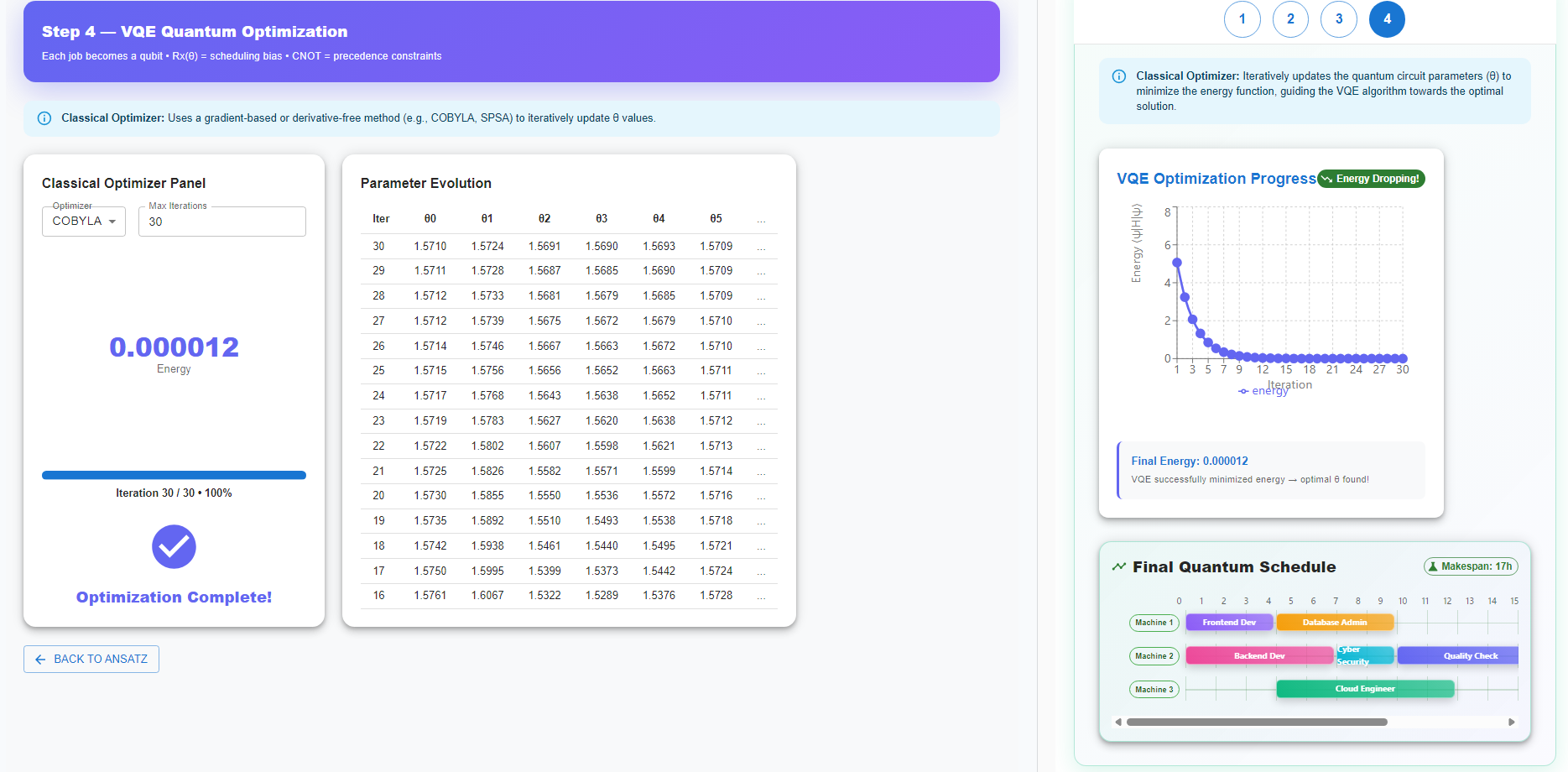
Finally, run the Variational Quantum Eigensolver (VQE) to find the optimal schedule.
Click Run VQE Optimization to start the process.
During optimization:
- A classical optimizer (such as COBYLA or SPSA) updates the circuit parameters.
- The algorithm minimizes the Hamiltonian energy function, which represents scheduling constraints.
The system displays:
- Parameter evolution across iterations
- Energy reduction during optimization
- Final optimized energy value
Once optimization completes, the system outputs the final optimized job schedule.
The optimal schedule corresponds to the lowest energy configuration, meaning all constraints are satisfied as effectively as possible.