
Implementation and Analysis of User Authentication Mechanisms in Database Systems
Registration & Security Policies
Configure Security Policies
Navigate to the Registration & Security Policies tab.
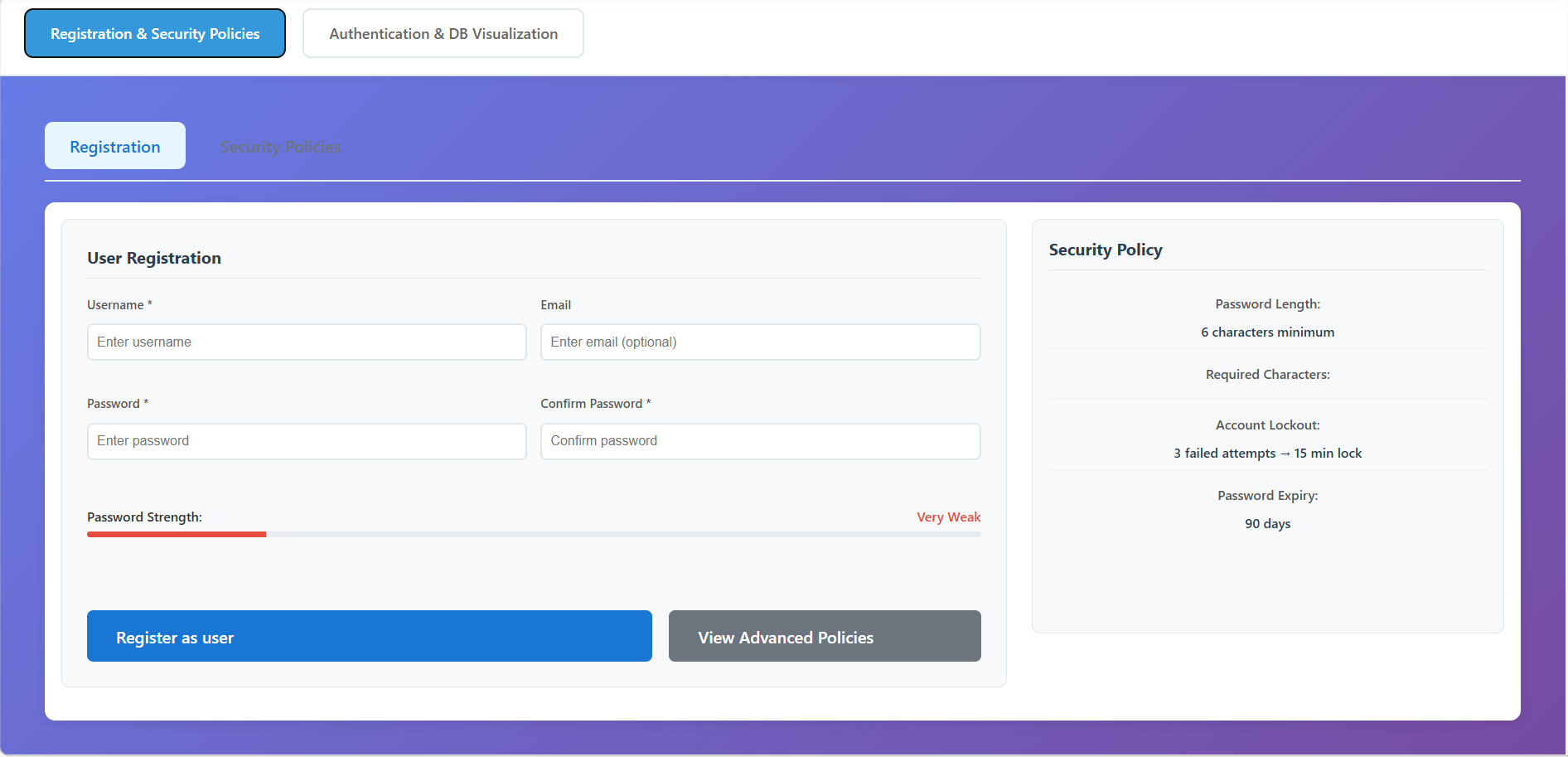
Click View Advanced Policies to see the detailed configuration.
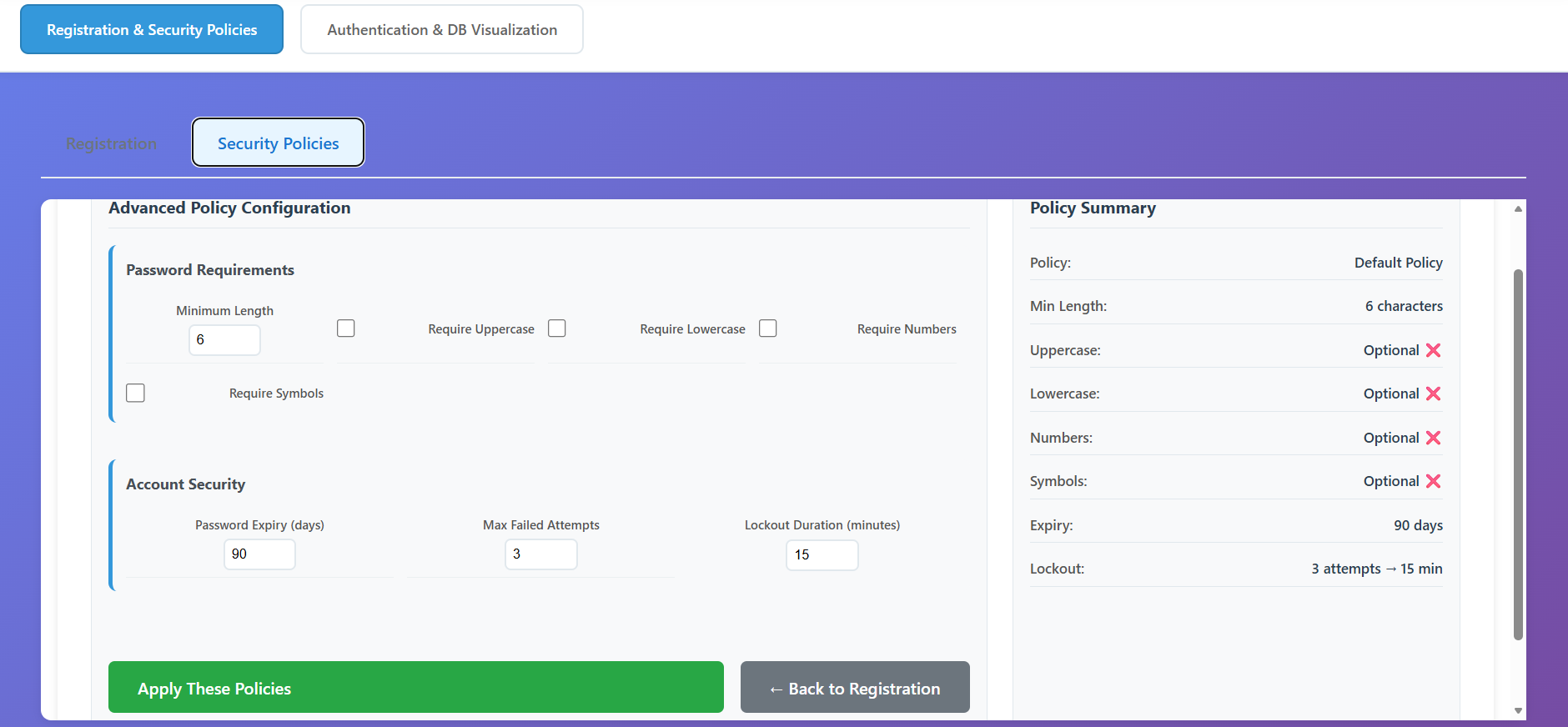
- Set minimum password length, required characters (uppercase, numbers, etc.), and account lockout rules (e.g., 3 attempts) then on Click Apply These Policies to update the system rules.
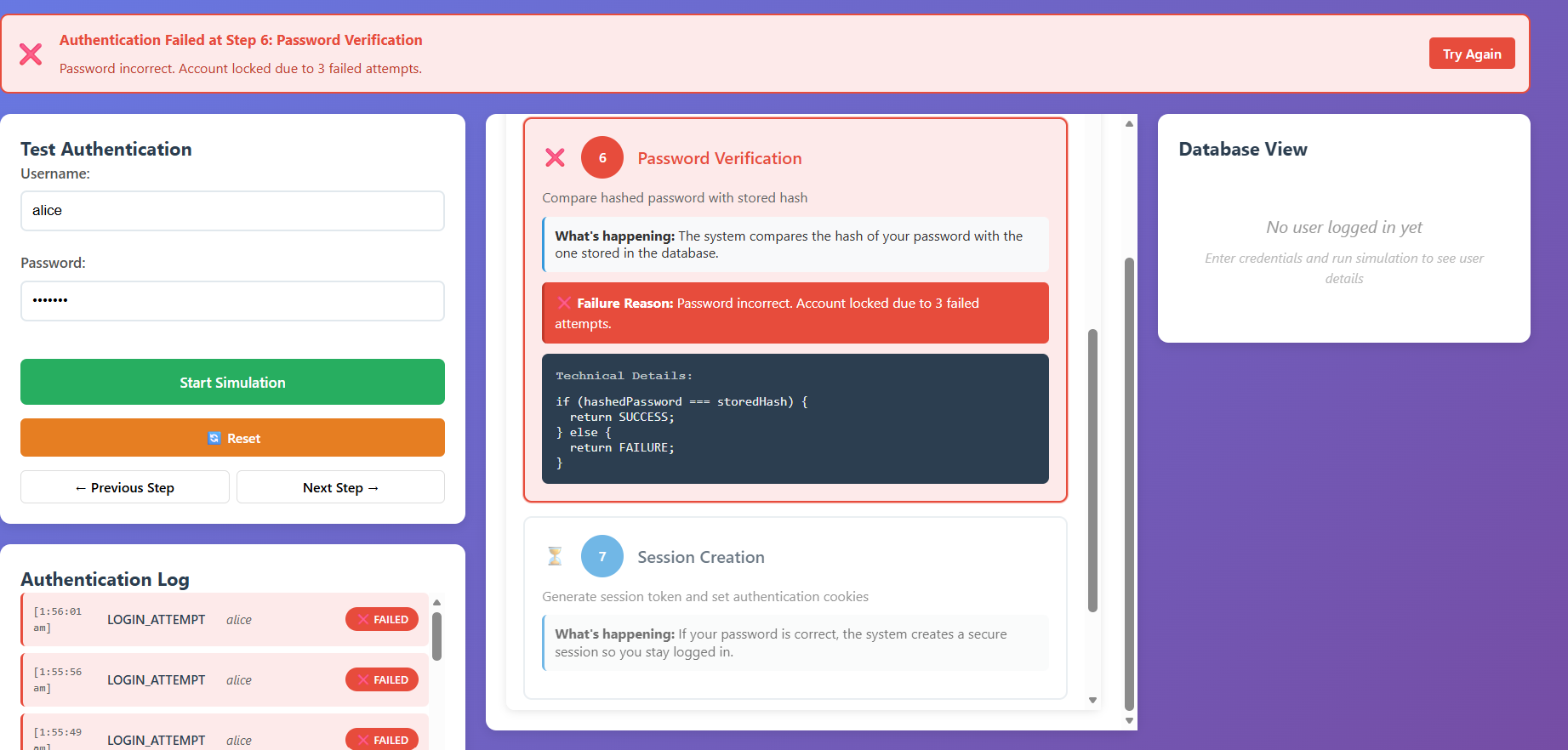
Register a New User
- Return to the Registration sub-tab.
- Username: Enter a unique name for your account.
- Email: Provide an optional email address.
- Password: Type a password while monitoring the Password Strength meter. It must match the current security policies.
- Verification: Re-type the password in the Confirm Password field.
- Click Register as user. You will see a success message if the inputs are valid.
Authentication & DB Visualization
Start the Authentication Simulation and Observe the Verification Steps
- Switch to the Authentication & DB Visualization tab.
- Login Request: User credentials are submitted to the server.
- Input Validation: The system checks for empty fields or invalid formats.
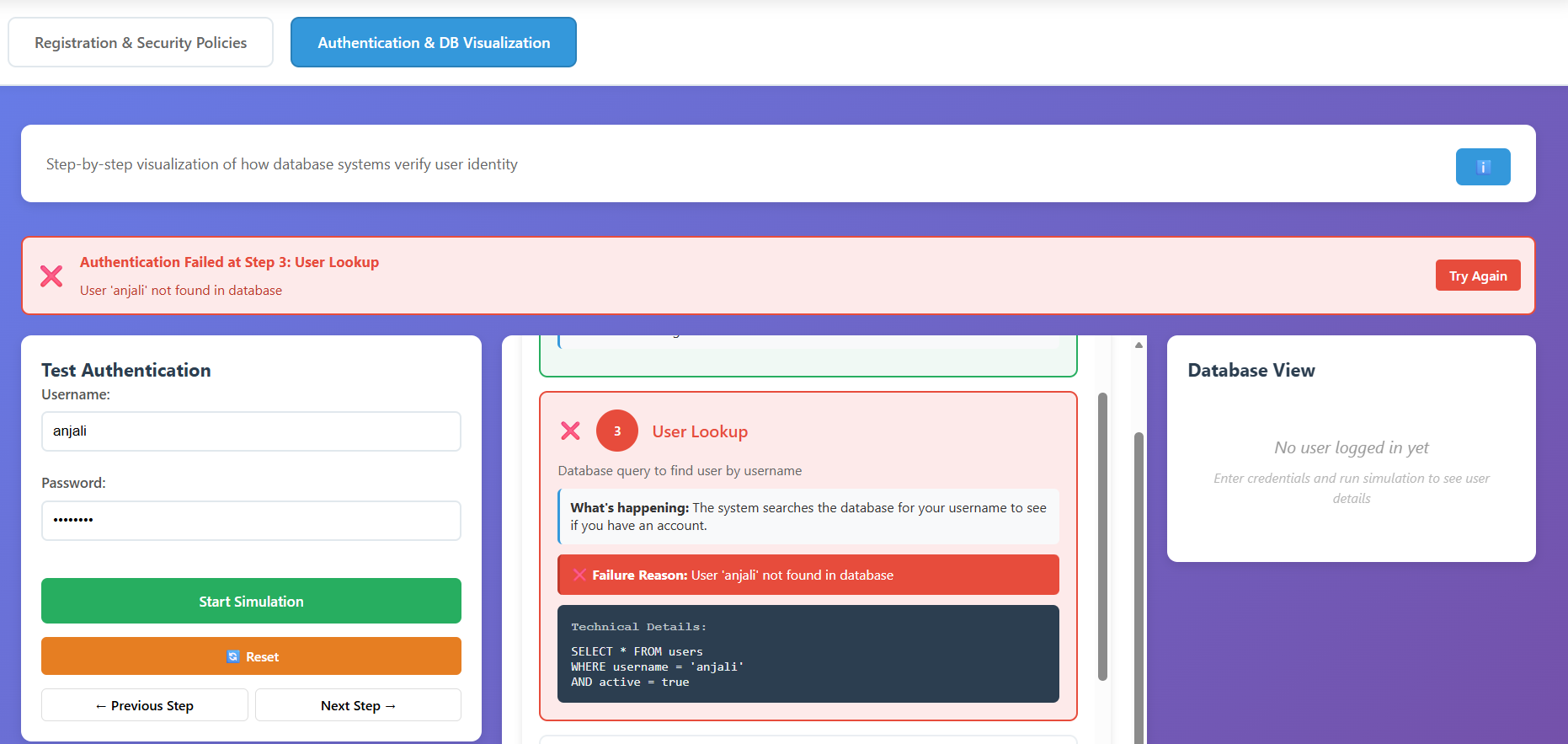
- User Lookup: A database query (
SELECT) is run to find the user. - Status Check: Verifies if the account is active or locked.
- Password Hashing: The entered plaintext password is hashed (SHA-256).
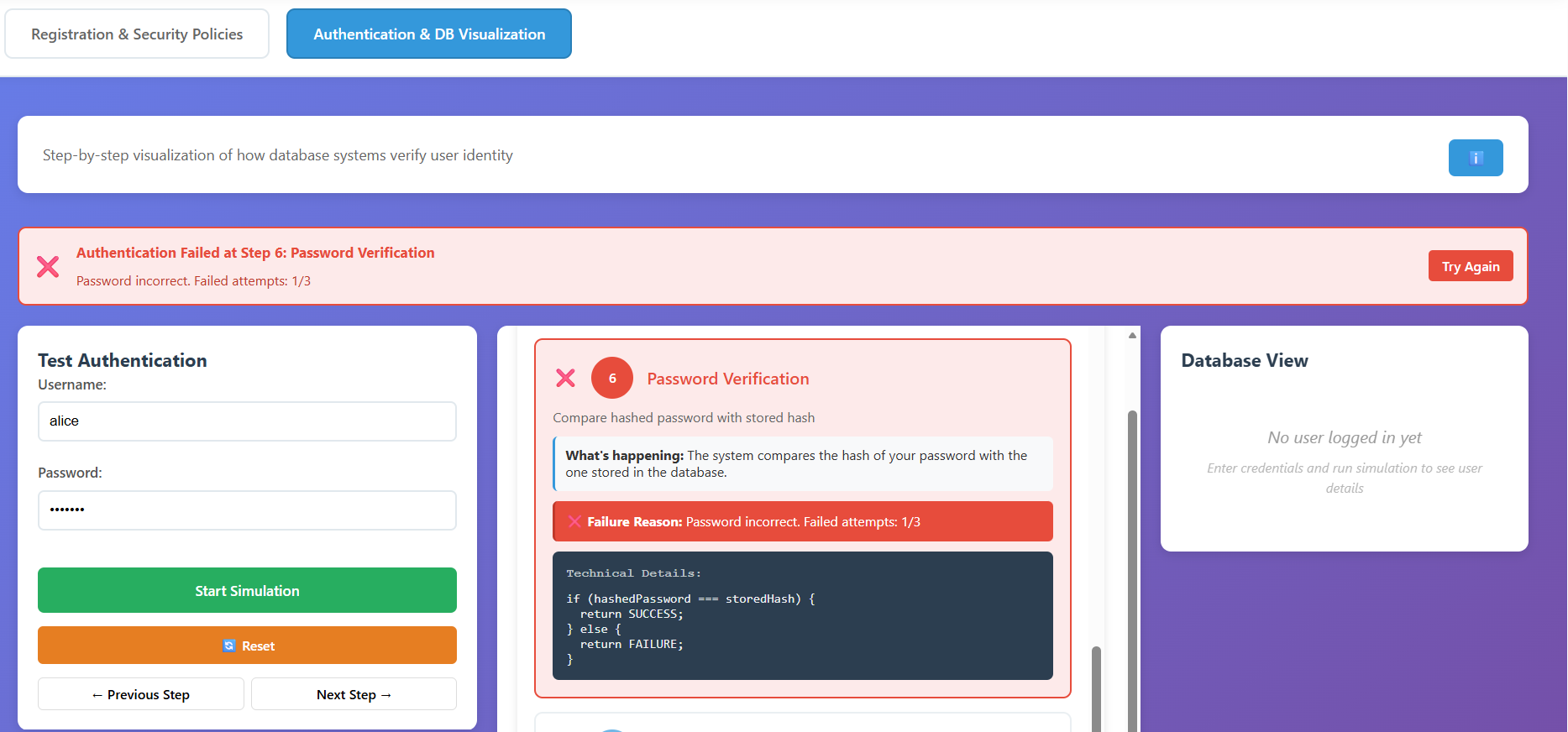
- Password Verification: The new hash is compared against the stored hash.
- Session Creation: On success, a secure session token is generated.
- Access Granted: The user is redirected to the dashboard.
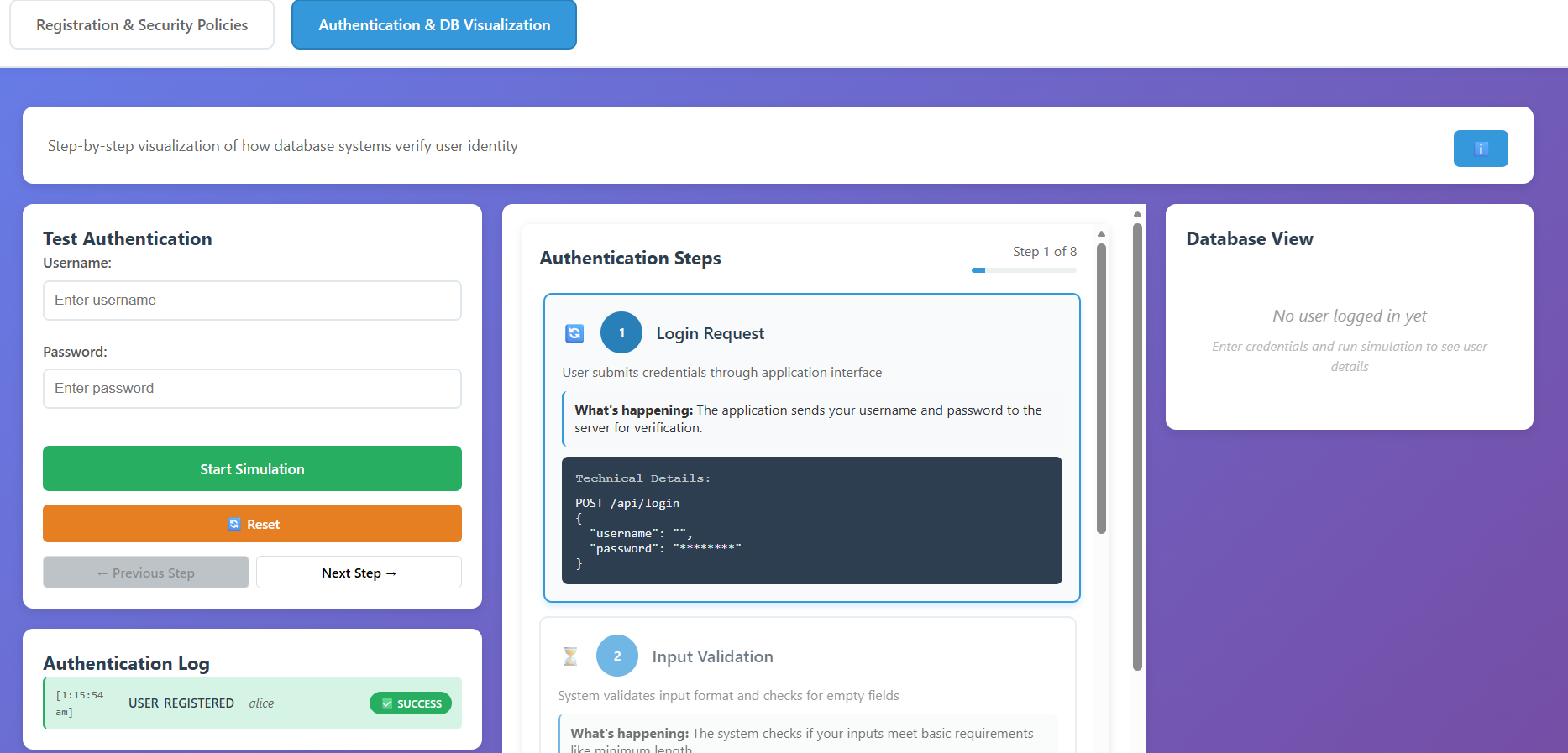
- Successful Login: Enter the correct credentials for your registered user and observe the access being granted.
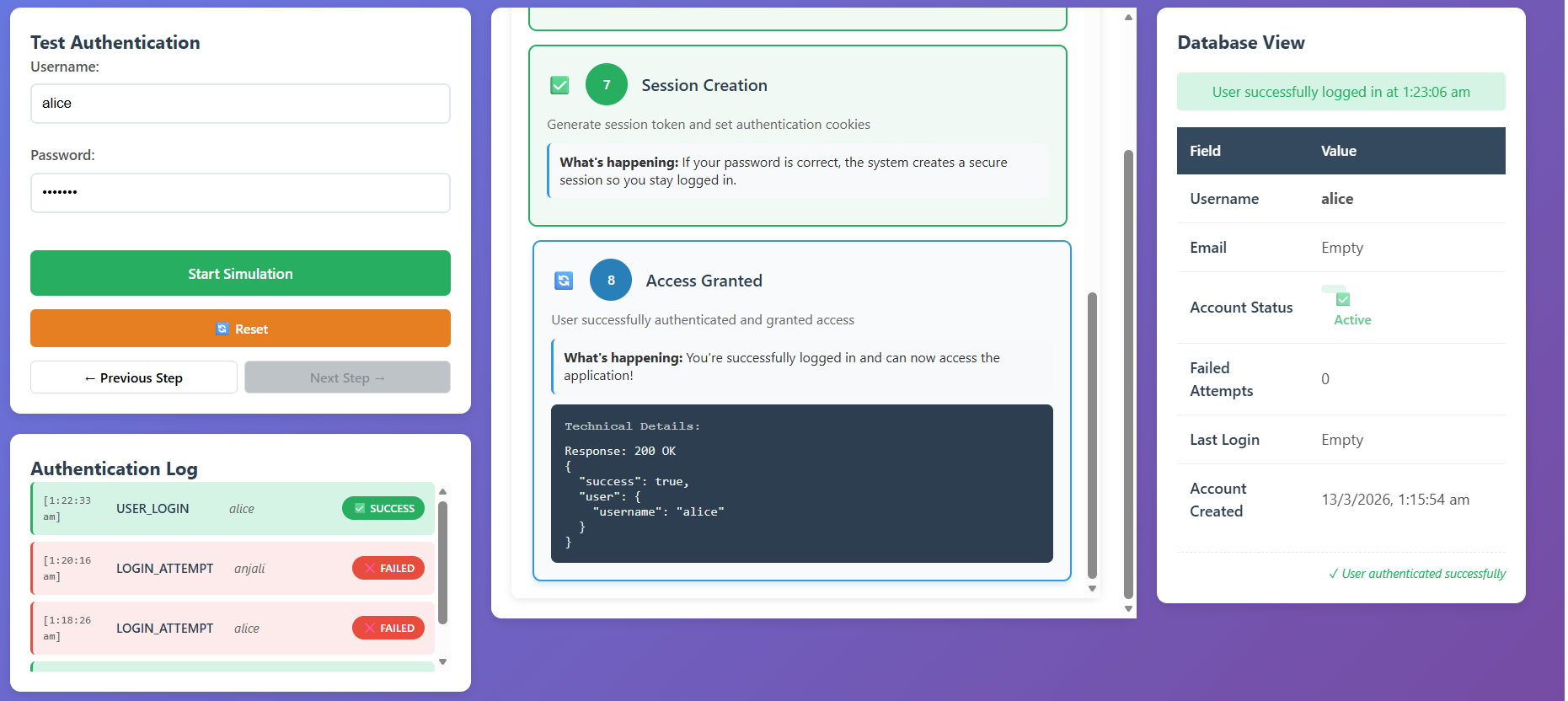
Test Failure Scenarios
- Non-Existent User: Enter a username that hasn't been registered. Observe the failure at Step 3 (User Lookup).
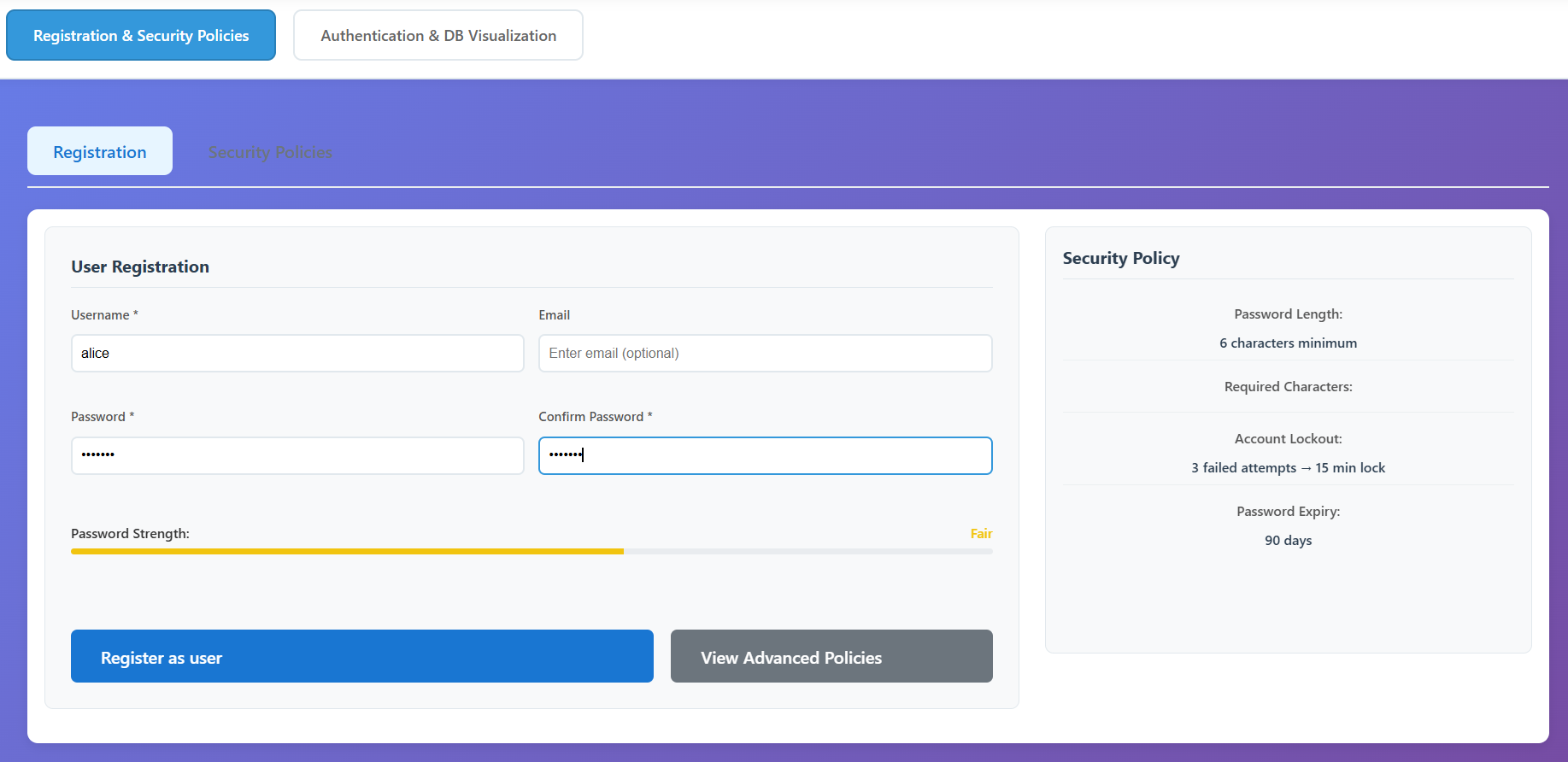
- Incorrect Password: Use a valid username but the wrong password. Observe the failure at Step 6 (Password Verification) and note the Failed Attempts counter increasing in the logs.
- Account locked: Repeat incorrect logins until the maximum attempts are reached (e.g., 3). Verify that the account status changes to Locked.