Statistical Inference Control
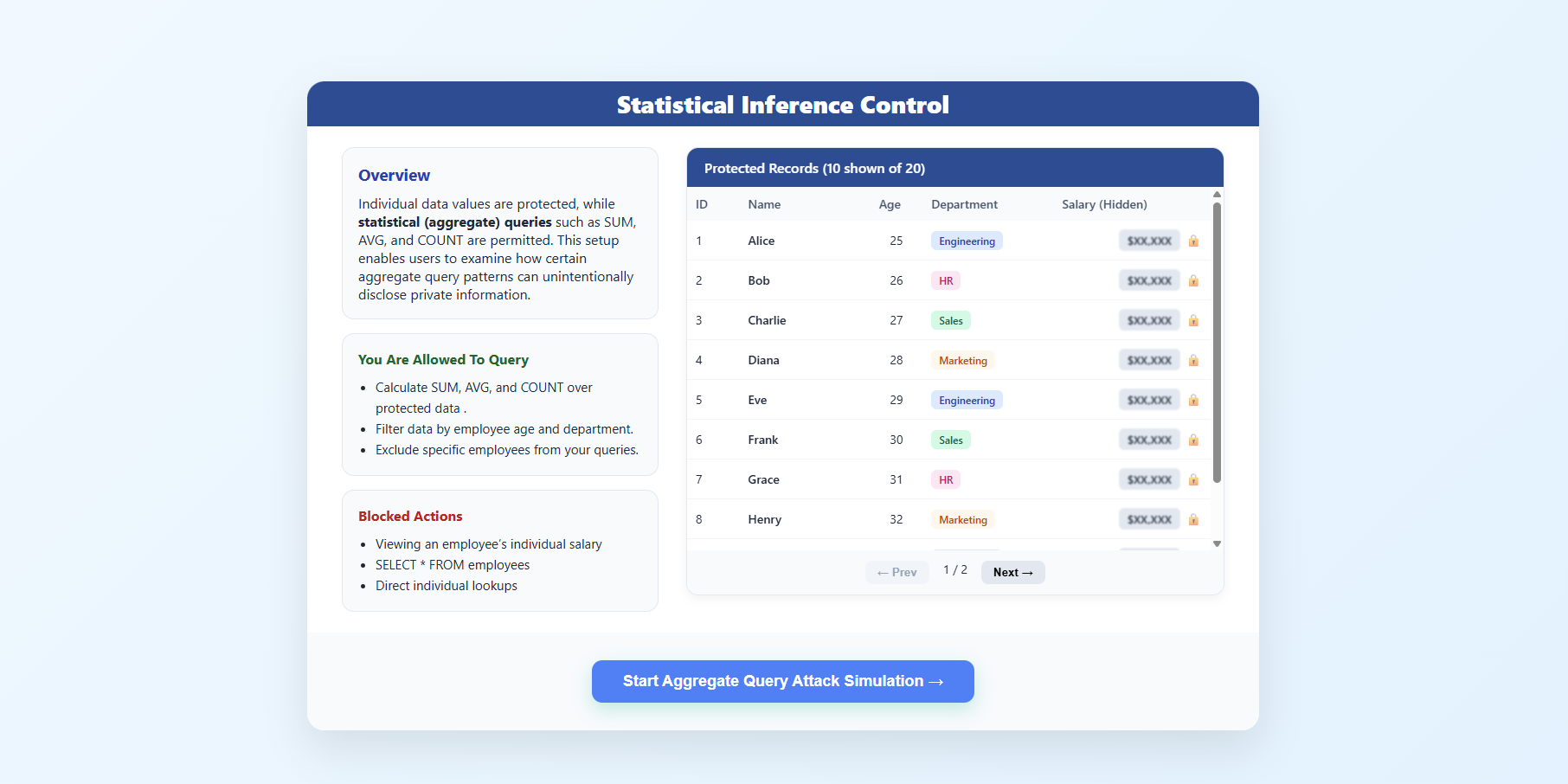
This simulation demonstrates how aggregate queries can unintentionally leak individual-level private information through a differencing attack, highlighting the importance of statistical inference control mechanisms.
Step 1: Introduction to Statistical Inference Control
- The overview screen explains that individual salary values are protected, while only aggregate queries such as
SUM,AVG, andCOUNTare allowed. - It highlights that certain aggregate query patterns can still lead to privacy leakage.
- Review the Simulation Scenario, Allowed Actions, and Blocked Actions sections.
- Click Start Attack → to begin.
Step 2: Attacker Page - Aggregate Query Privacy Attack
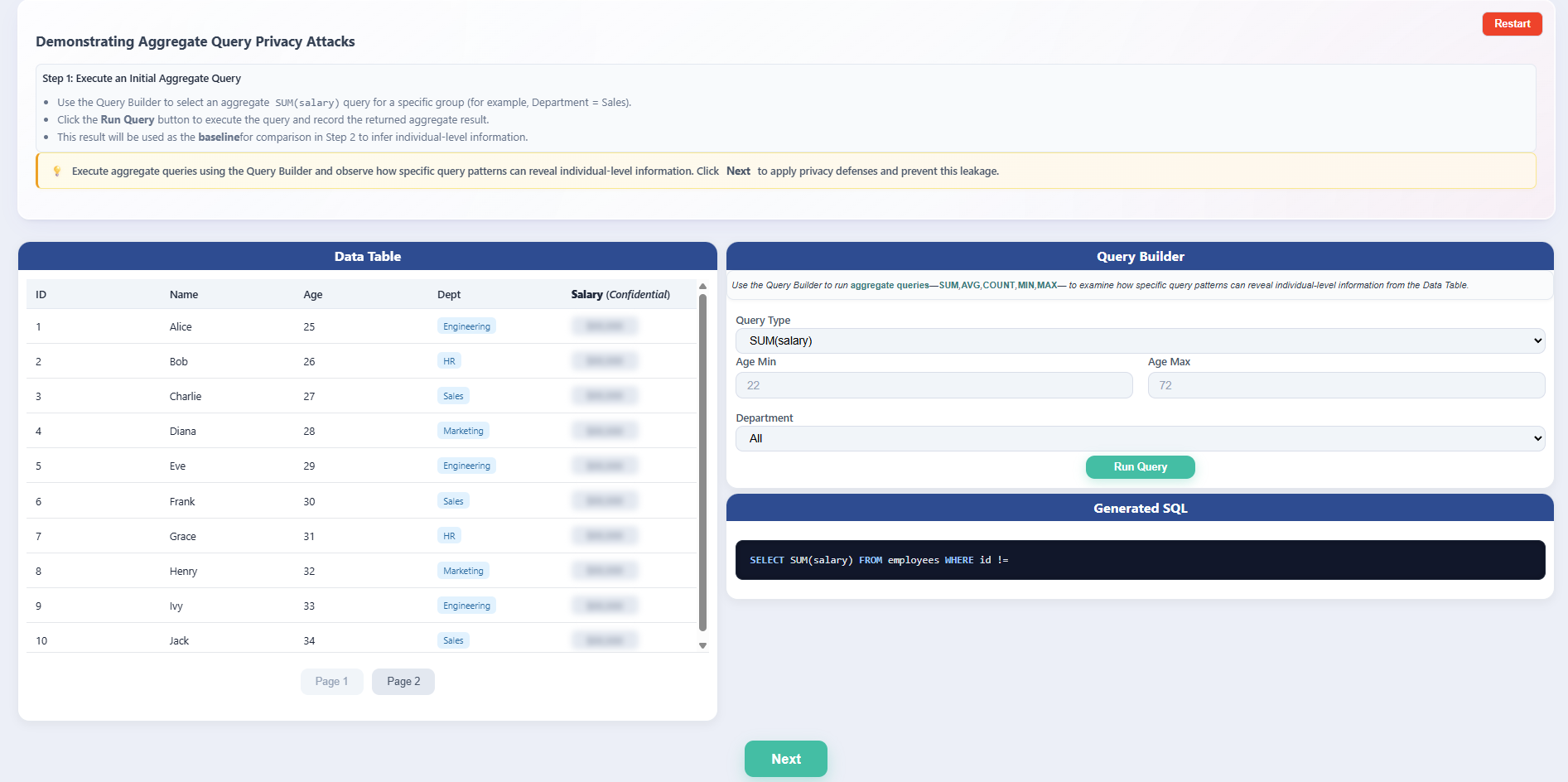
- The Demonstrating Aggregate Query Privacy Attacks page introduces the attacker’s perspective, where only aggregate queries are permitted.
- Follow the on-screen instructions to execute an initial aggregate query and note the result as the baseline.
- Observe the available components:
- Data Table with confidential salary values hidden.
- Query Builder to construct aggregate SQL queries.
Step 3: Execute Initial Aggregate Query (Baseline Query)
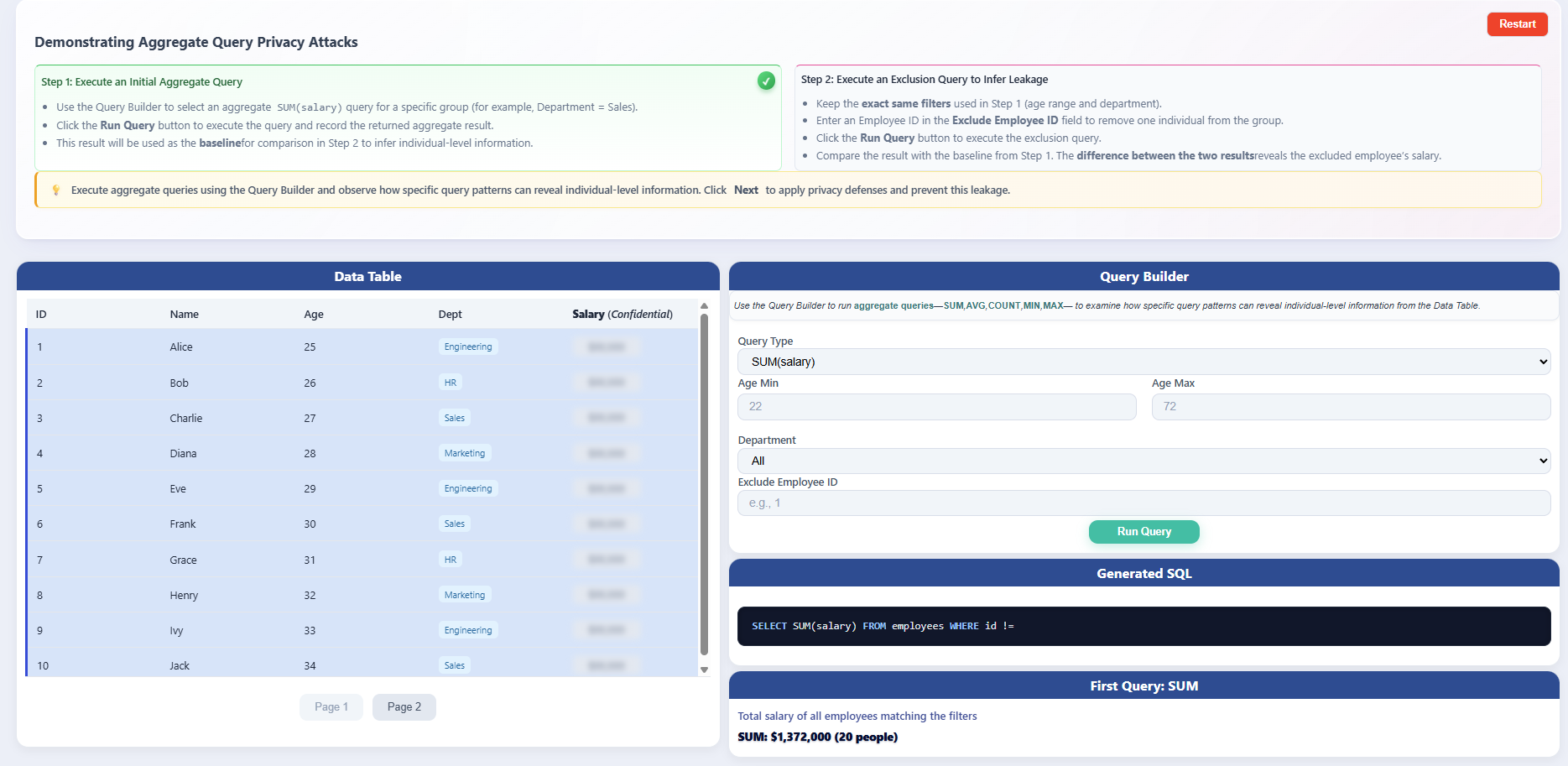
- In the Query Builder, select the Query Type as
SUM(salary)using the default filter settings, or apply specific custom filters if required. - Click Run Query to execute the query.
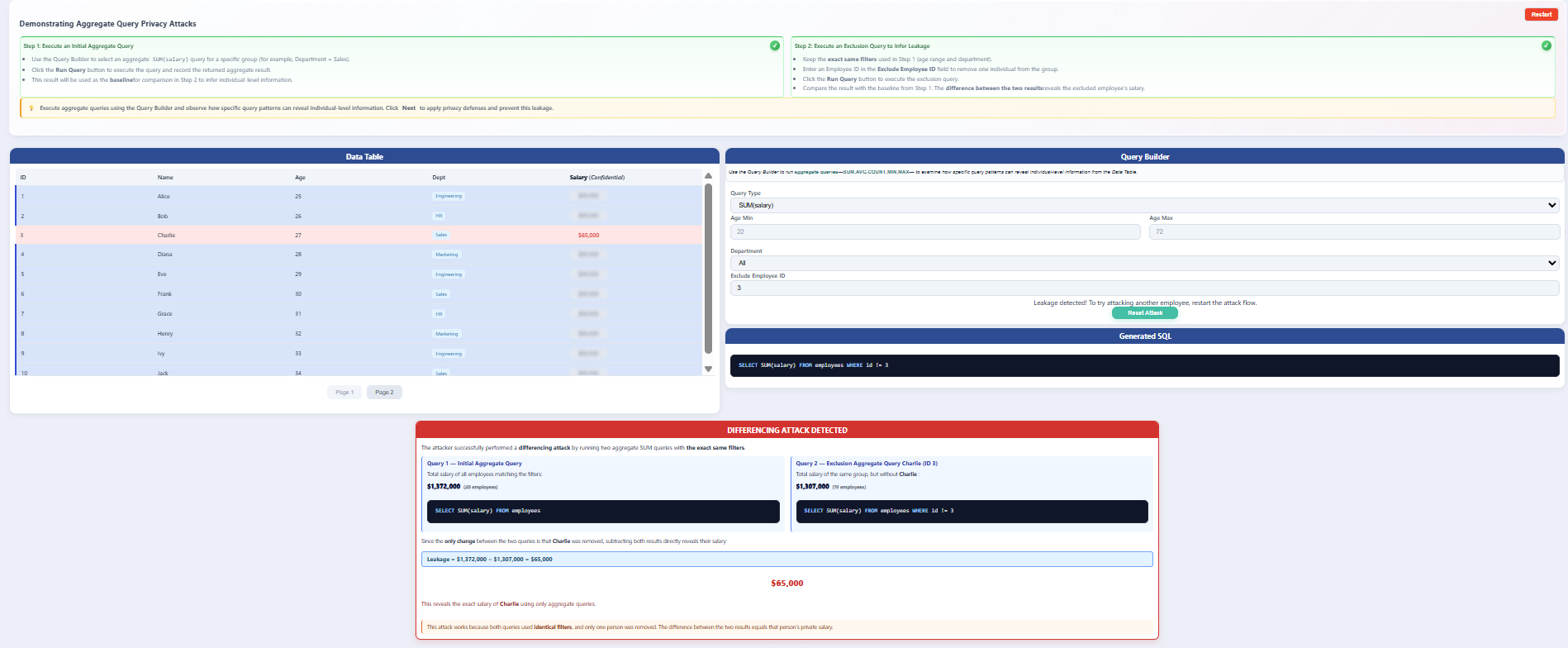
- The system displays the total salary of all employees matching the selected filters, which serves as the baseline aggregate result.
- No individual salary is revealed, as the query uses aggregation.
Step 4: Execute Exclusion Query and Observe Leakage
- Using the same filter settings as the baseline query (ensure all filters such as department, role, or time range remain identical):
- Enter an Employee ID in the Exclude Employee ID field.
- Click Run Query again.
- The system executes a second aggregate query that excludes the specified employee while keeping all other filters unchanged.
- Compare:
- Query 1: Baseline
SUM(salary) - Query 2:
SUM(salary)excluding one employee
- Query 1: Baseline
- Observe the log and table results:
- The difference between the two results is calculated.
- This difference reveals the excluded employee’s exact salary (assuming no protection mechanisms are active).
Step 5: Apply Noise Addition Defense
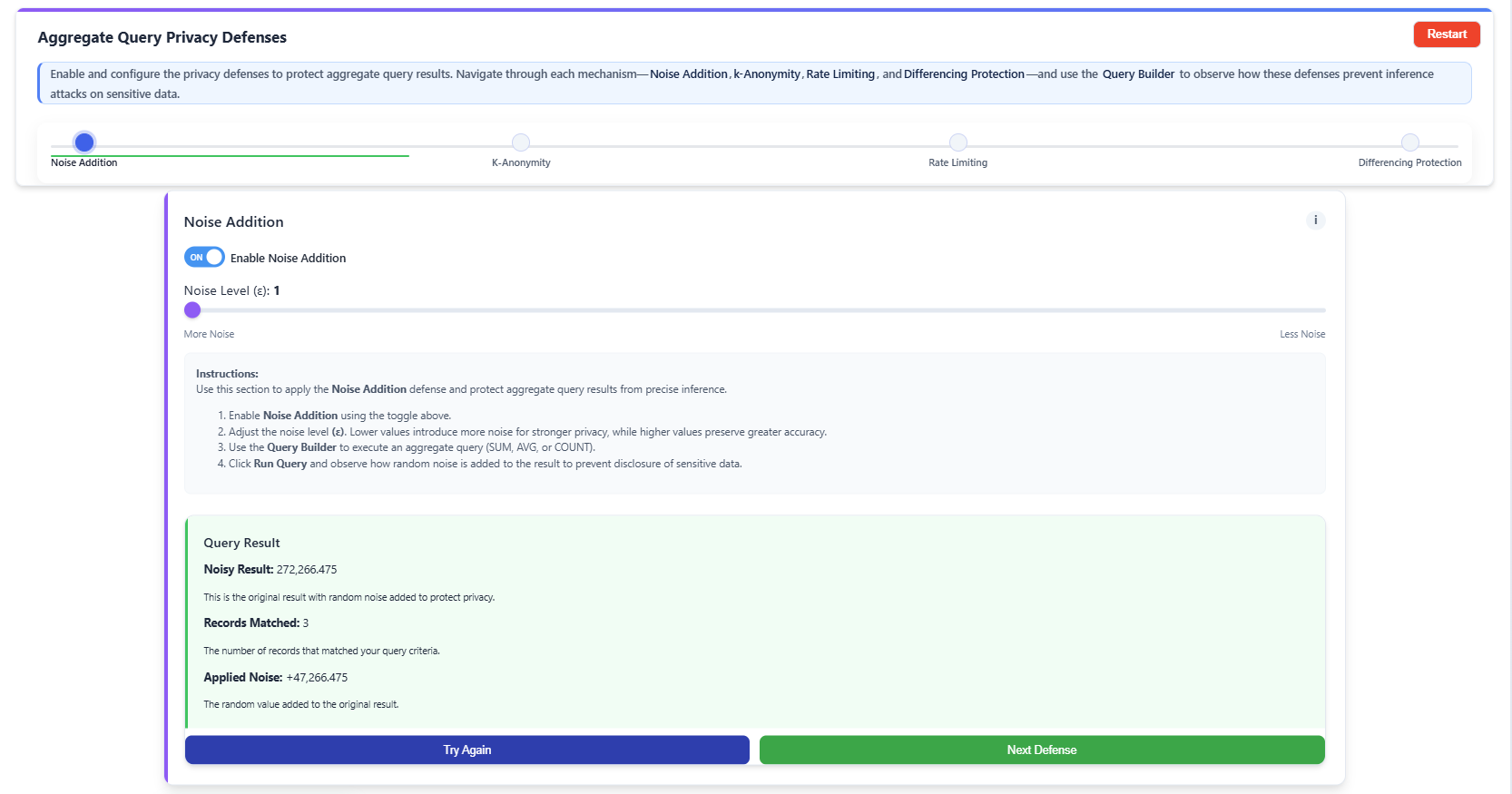
- Enable Noise Addition using the toggle.
- Adjust the Noise Level (ε) using the slider as required (a smaller ε adds more noise for higher privacy, while a larger ε adds less noise for higher accuracy).
- Execute an aggregate query using the Query Builder.
- Observe that random noise is added to the query result, reducing the accuracy of exact inference.
Step 6: Apply k-Anonymity Defense
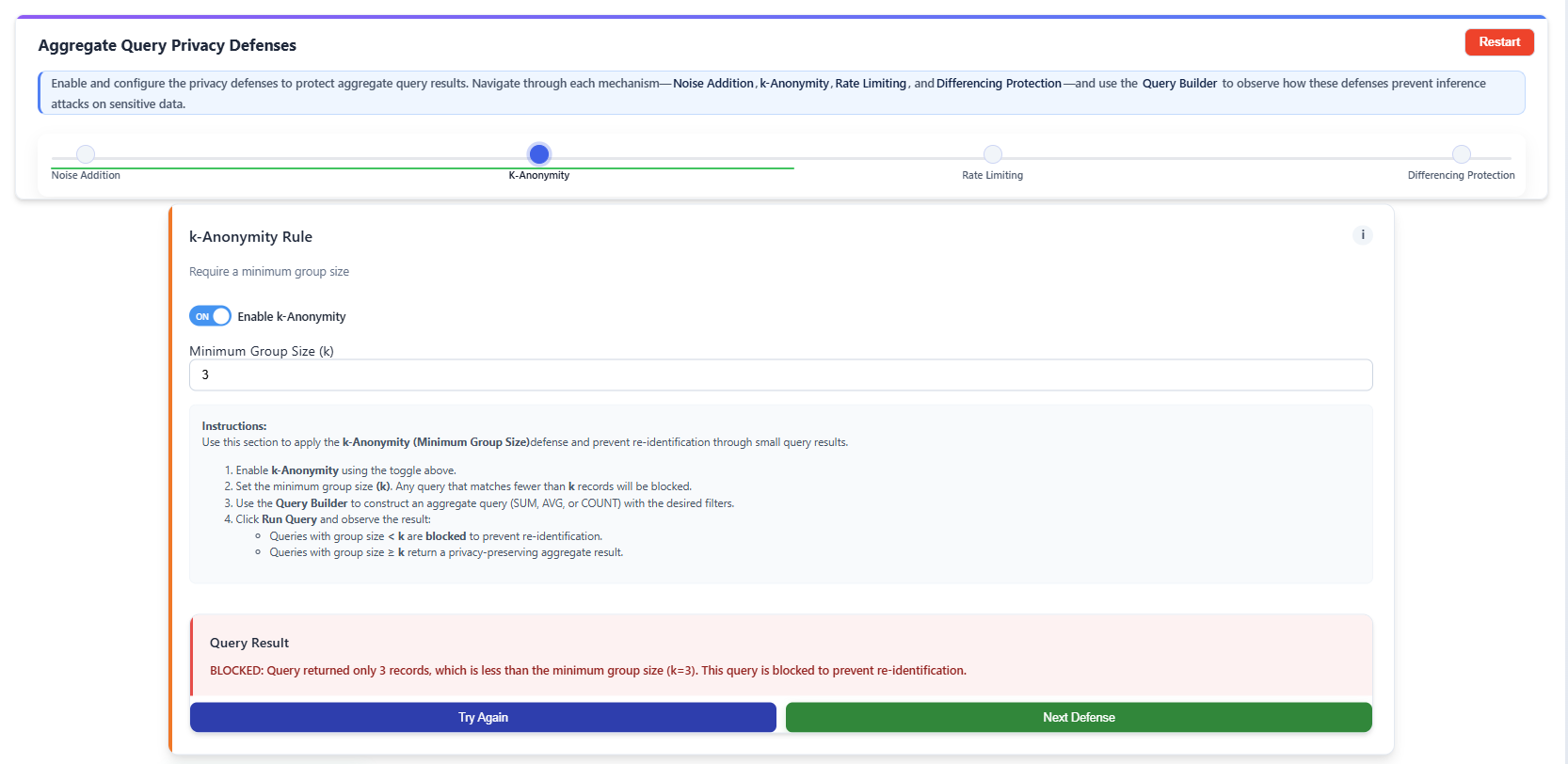
- Enable k-Anonymity using the toggle.
- Set the Minimum Group Size (k) threshold.
- Run an aggregate query using the Query Builder.
- Queries returning a total count of fewer than k records are blocked (this is k-thresholding, a simplified form of k-anonymity) to prevent re-identification.
Step 7: Apply Rate Limiting Defense
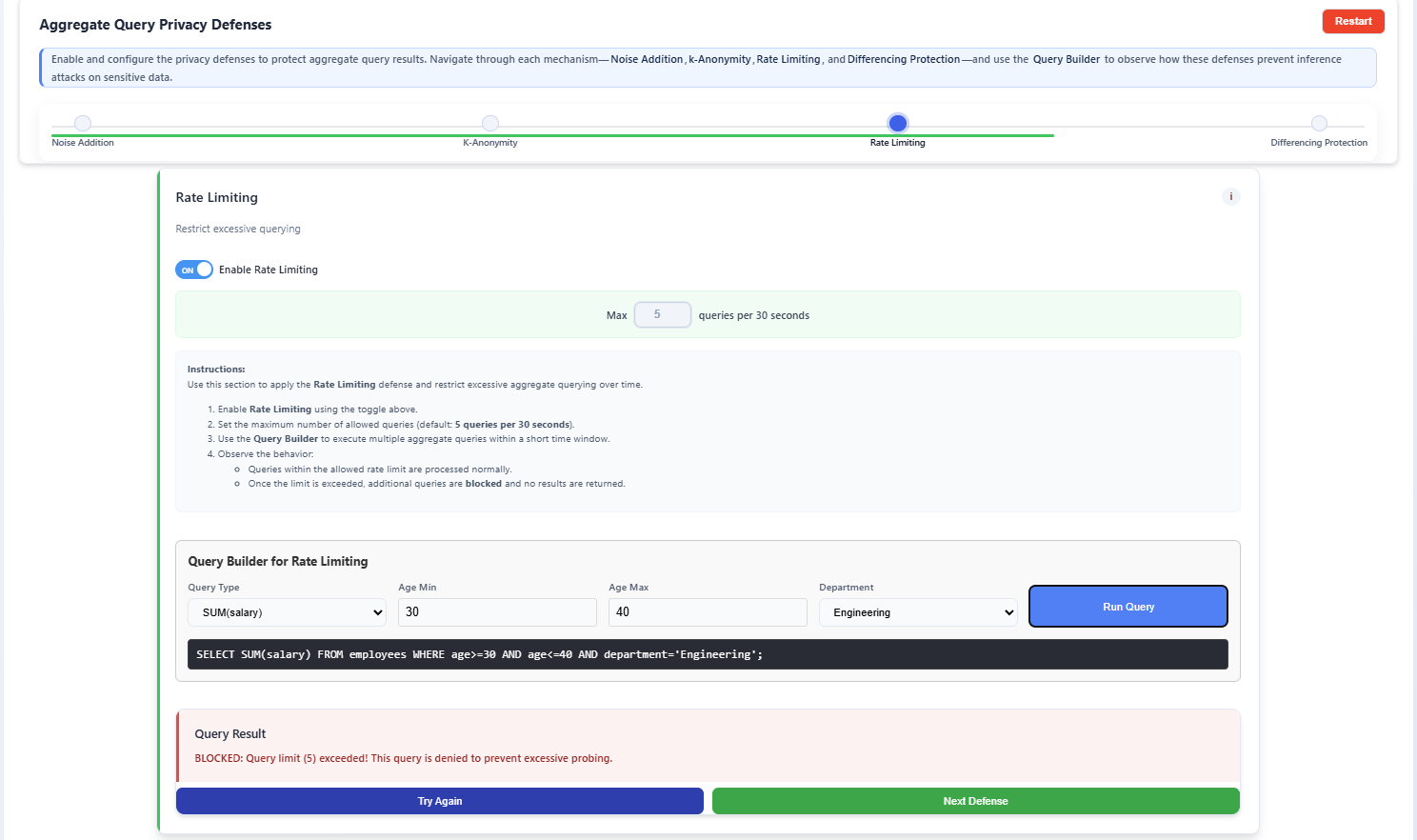
- Enable Rate Limiting using the toggle.
- Set the Max queries per 30 seconds per user session (this limit is user-editable, for example, a limit of 5).
- Execute multiple aggregate queries within the specified time interval.
- Observe that once the user-defined query limit is exceeded, further queries are blocked or temporarily restricted to prevent excessive probing.
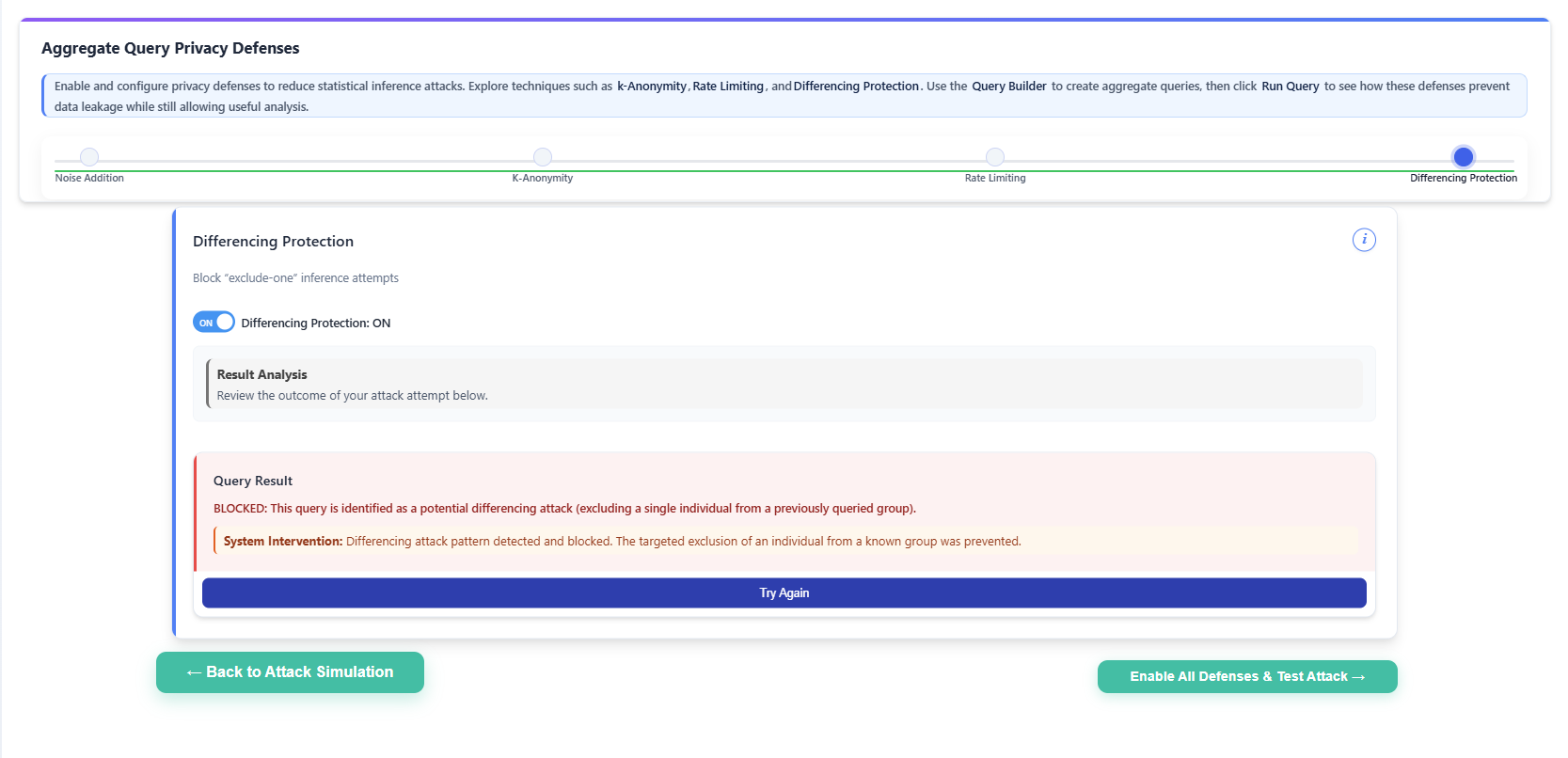
Step 8: Apply Differencing Protection Defense
- Enable Differencing Protection using the toggle.
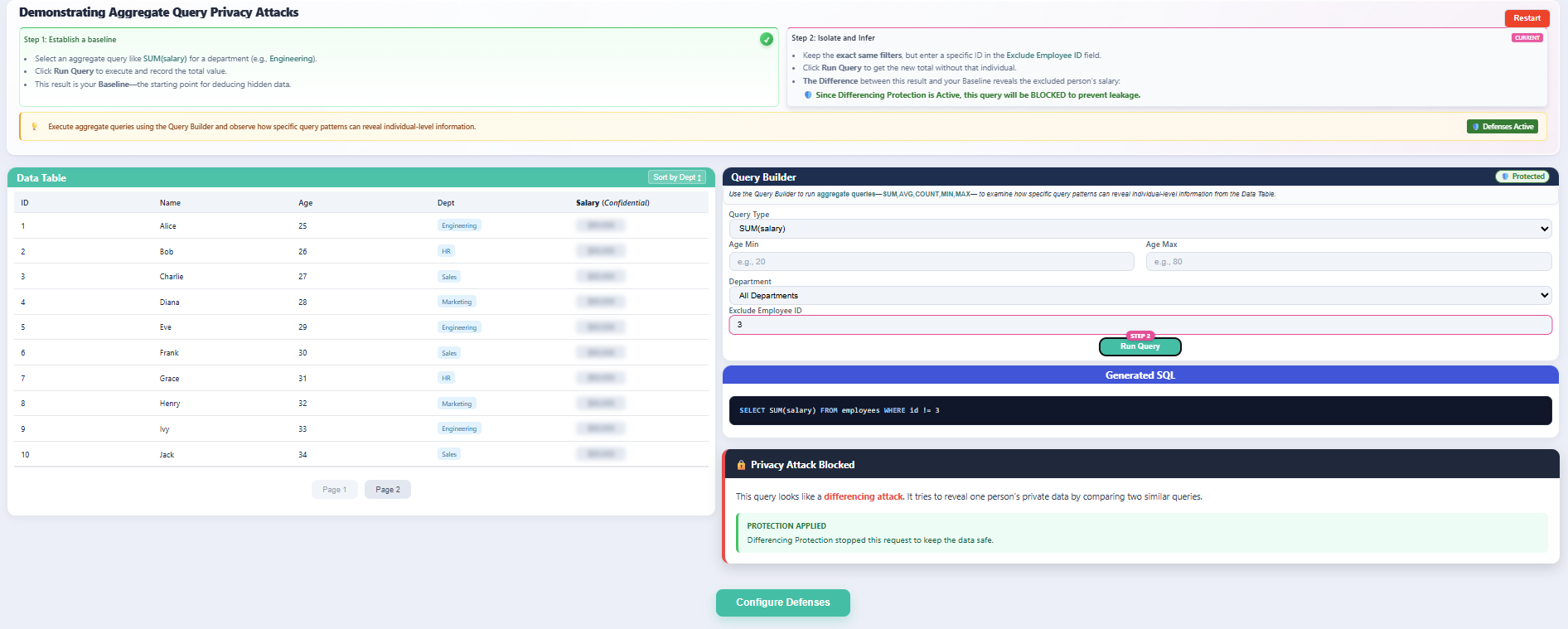
- Execute an aggregate query and attempt an exclude-one query pattern by excluding a single employee.
- Queries identified as potential differencing attacks (detected by identifying sequential queries with almost identical filters differing by only a single exclusion) are blocked, while safe aggregate queries return protected aggregate results.
Once all individual defenses have been explored, click the Enable All Defenses & Test Attack → button on the Defenses page.
Step 9: Final Systematic Testing
- After enabling all defenses, the system automatically navigates to Attacker Mode, with Noise Addition, k-Anonymity (Query-Set-Size Control), Rate Limiting, and Differencing Protection activated simultaneously.
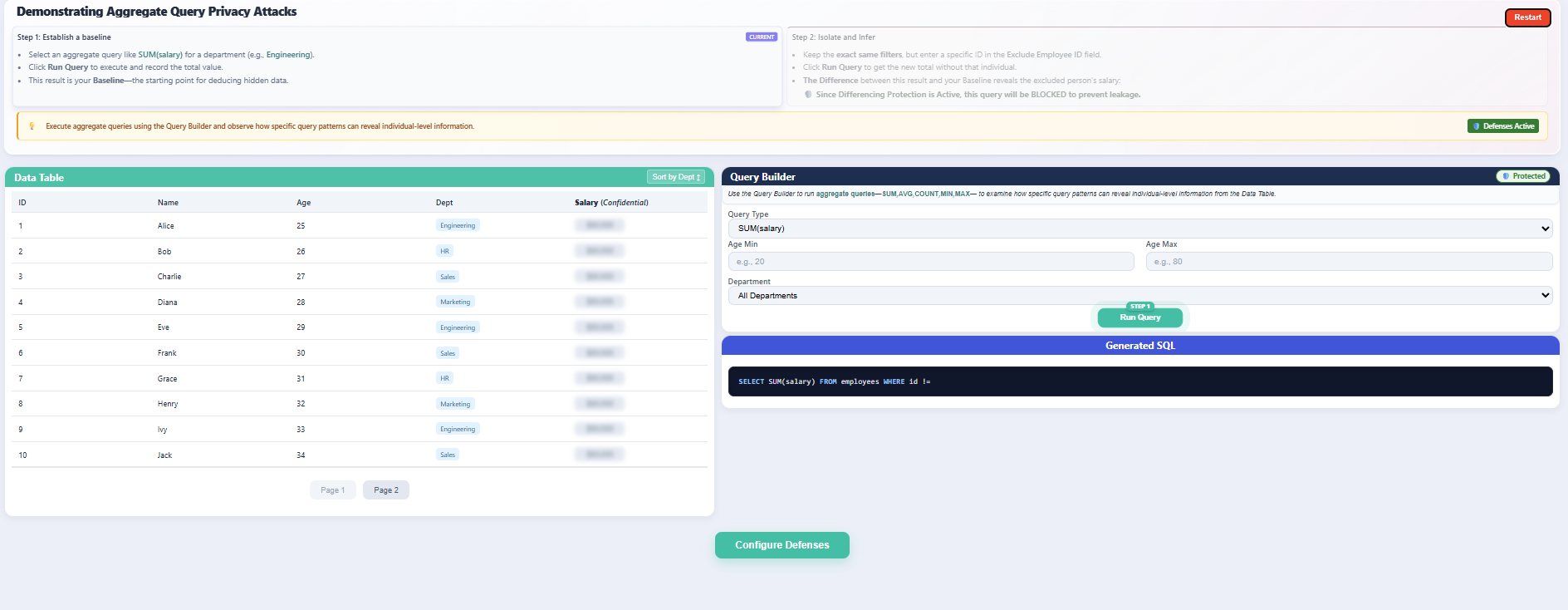
Using the Query Builder, attempt to perform a sequence of inference attacks, including:
- Running baseline aggregate queries.
- Executing exclude-one query patterns.
- Repeating similar queries to attempt differencing attacks.
Observe the system behavior under combined protection:
- Noise Addition modifies aggregate results to prevent exact value extraction.
- k-Anonymity blocks queries involving fewer than the defined threshold k records.
- Rate Limiting restricts excessive or repeated query execution.
- Differencing Protection detects and blocks suspicious query patterns that attempt to isolate individual data.
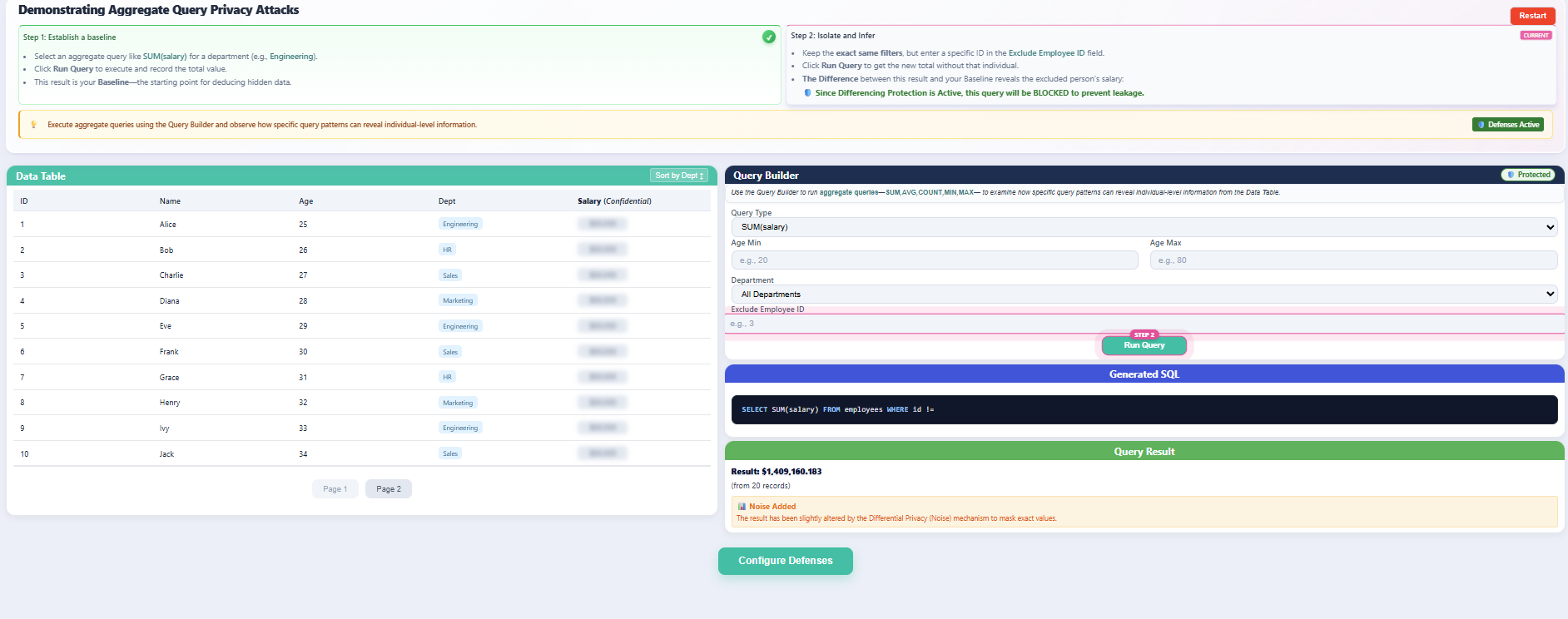
- Verify that while inference attempts are blocked or protected, legitimate aggregate queries continue to return valid statistical results without exposing individual-level information.