
Configuring Secure Connectivity for Encrypted Client–Server Database Communication
Stage 1: No SSL/TLS (HTTP)
In this stage, communication between the client and the server occurs over an unencrypted channel.
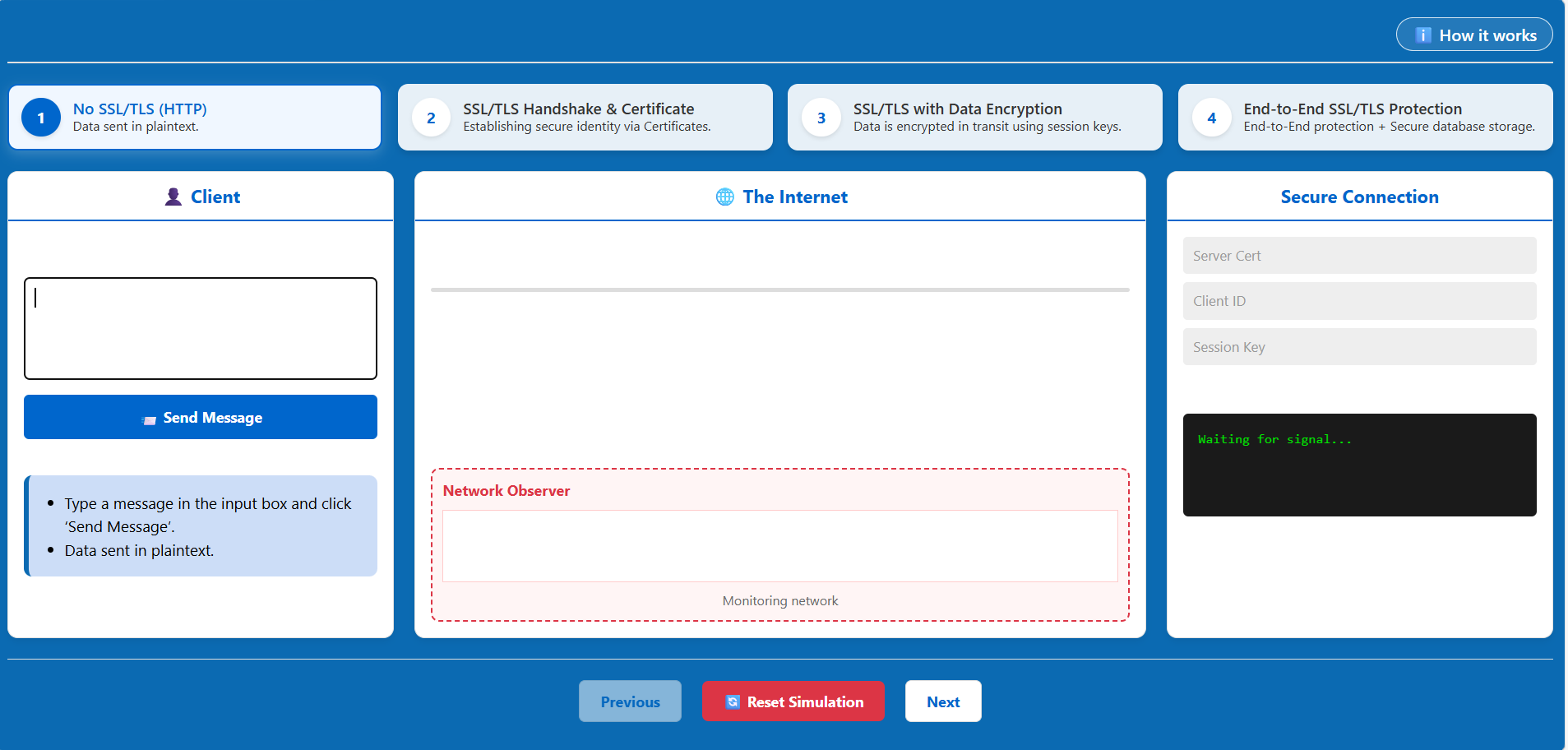
- Input Message: In the 'Client' section, type a sample message (e.g., a username or a database query) into the input box.
- Send Message: Click the 'Send Message' button.
- Observe Network: Look at the 'Network Observer' section in the middle. You will see the message being transmitted in plaintext.
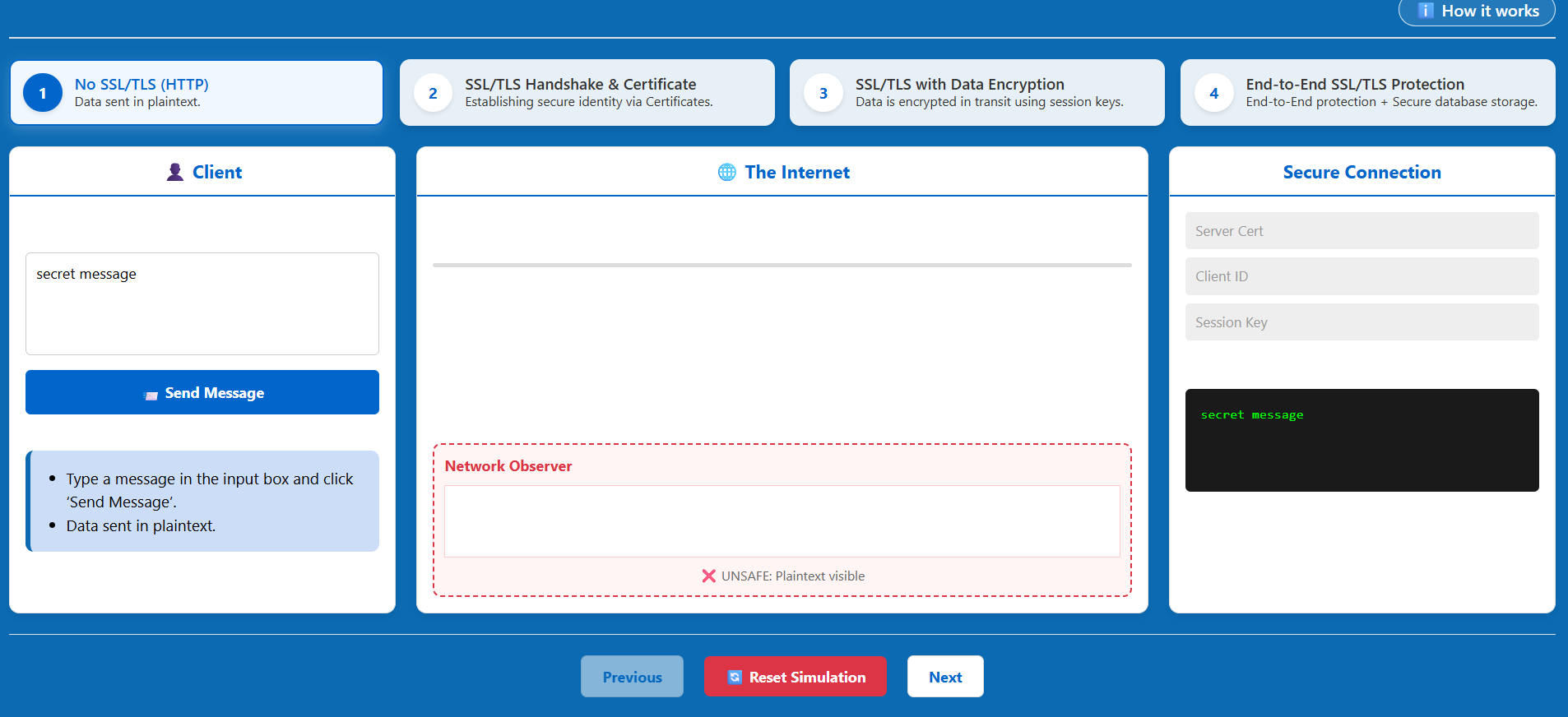
- Result: An eavesdropper monitoring the network can easily read the sensitive data being transmitted.
Stage 2: SSL/TLS Handshake & Certificate
This stage demonstrates the process of establishing a secure connection.
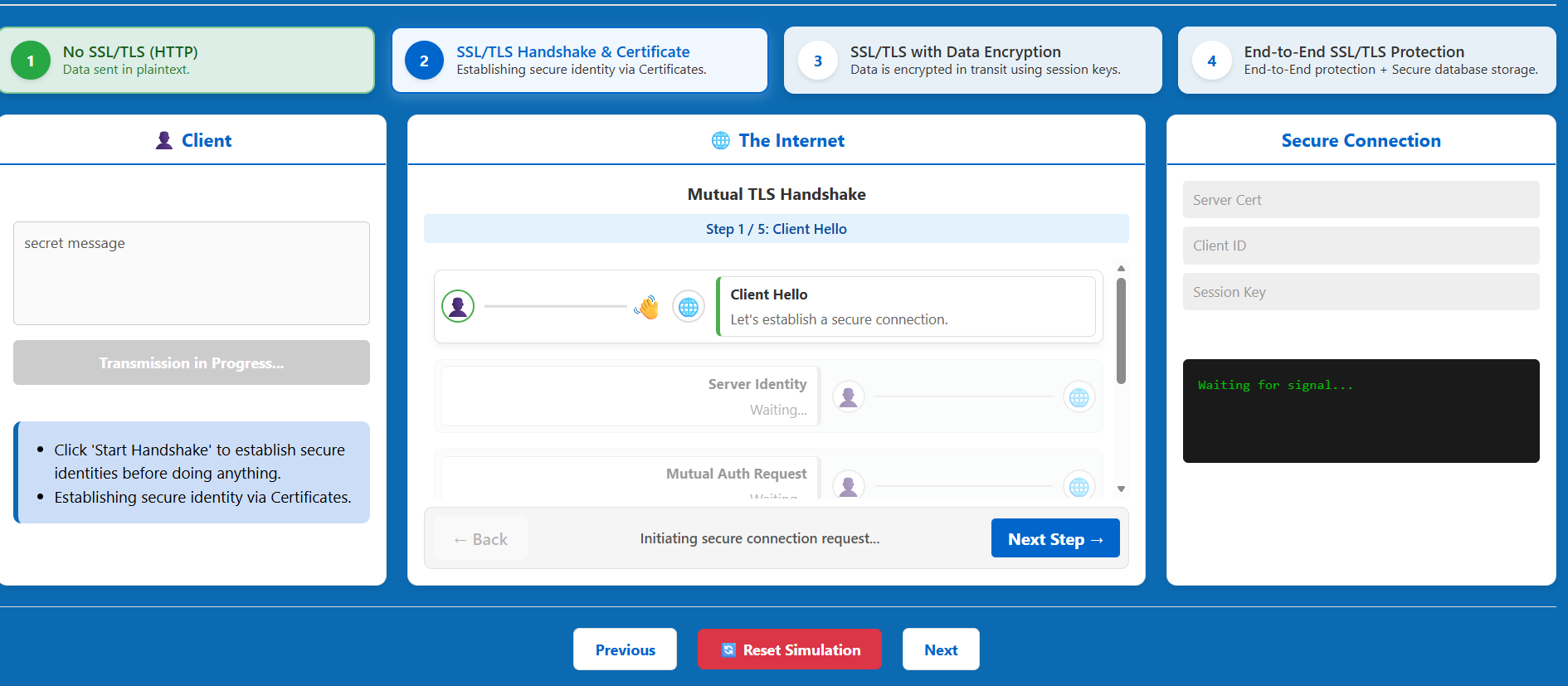
- Initiate Next Stage: Click the 'Next' button to move to the Handshake phase.
- Observe Handshake: Watch the simulation as the client and server exchange certificates.
- Authentication: The server presents its Digital Certificate to prove its identity to the client.
- Identity Verification: Observe the 'Secure Connection' panel on the right, which will display the Server Cert and Client ID once verified.
Stage 3: SSL/TLS with Data Encryption
Once the identity is verified, a secure session is established.
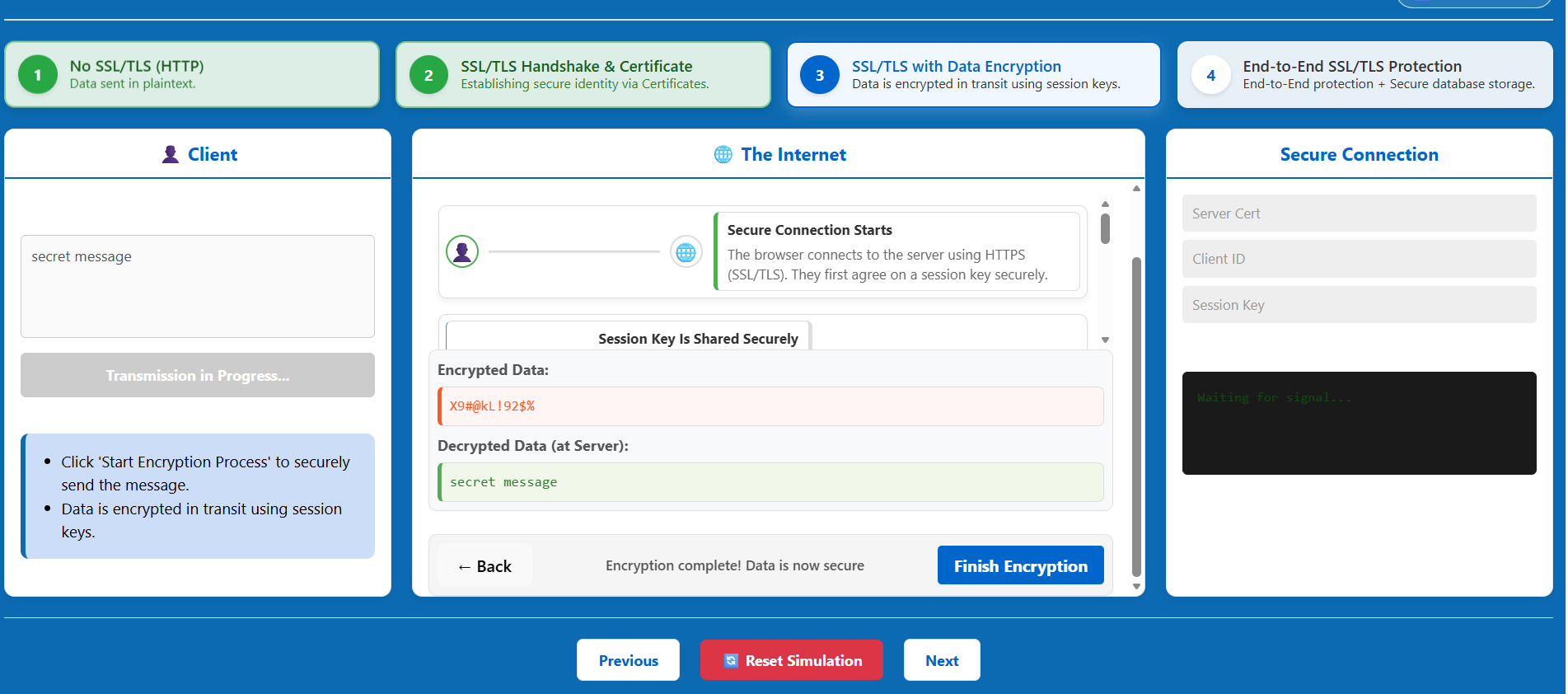
- Click Next: Move to the Data Encryption stage.
- Key Exchange: Observe how the client and server agree on a Session Key.
- Encrypted Transmission: Type another message and click 'Send Message'.
- Observe Network: Check the 'Network Observer'. The data will now appear as Ciphertext (unreadable "garbage" text).
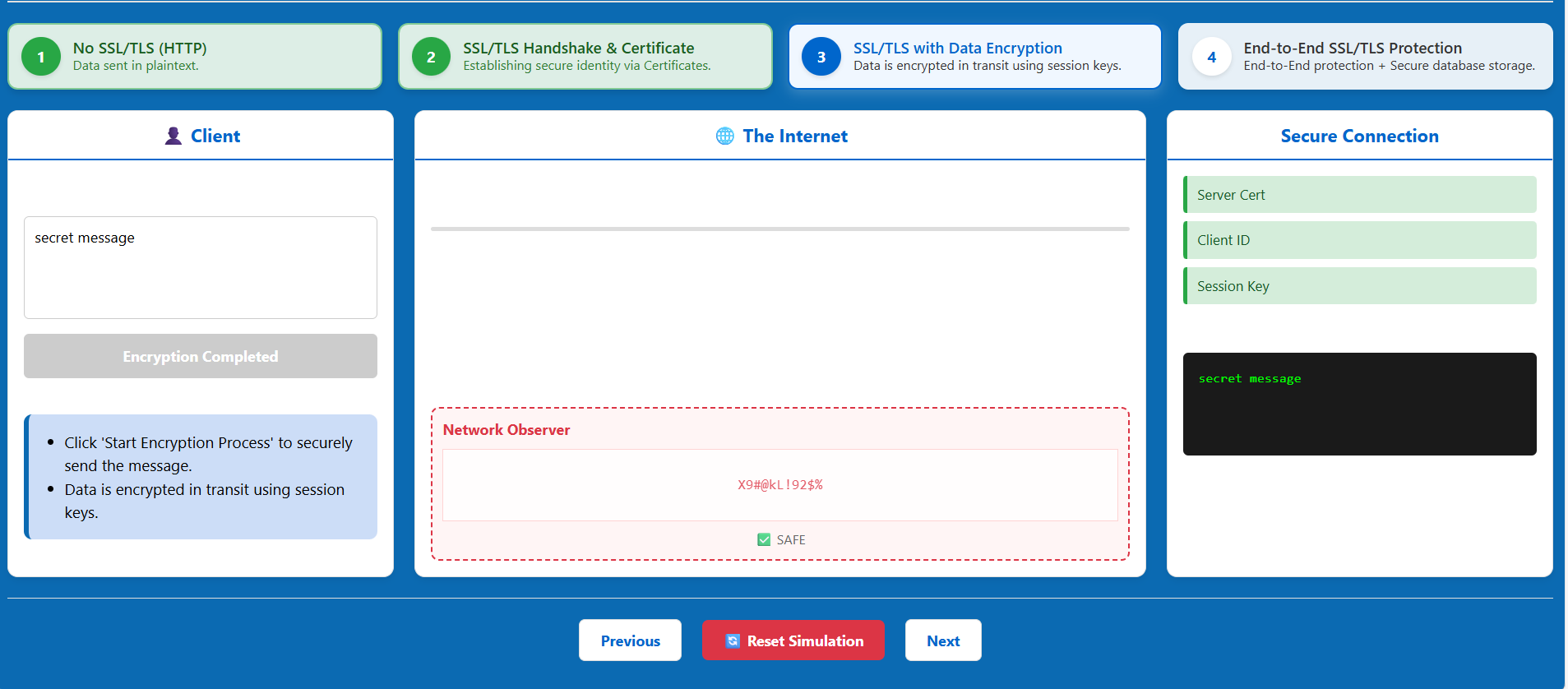
- Decryption: The server uses the shared session key to decrypt and read the message.
Stage 4: End-to-End SSL/TLS Protection
The final stage ensures security across the entire ecosystem.
- Click Next: Proceed to the final stage.
- End-to-End Protection: Observe that the connection is now secure from the Client to the Internet, and finally to the Database.
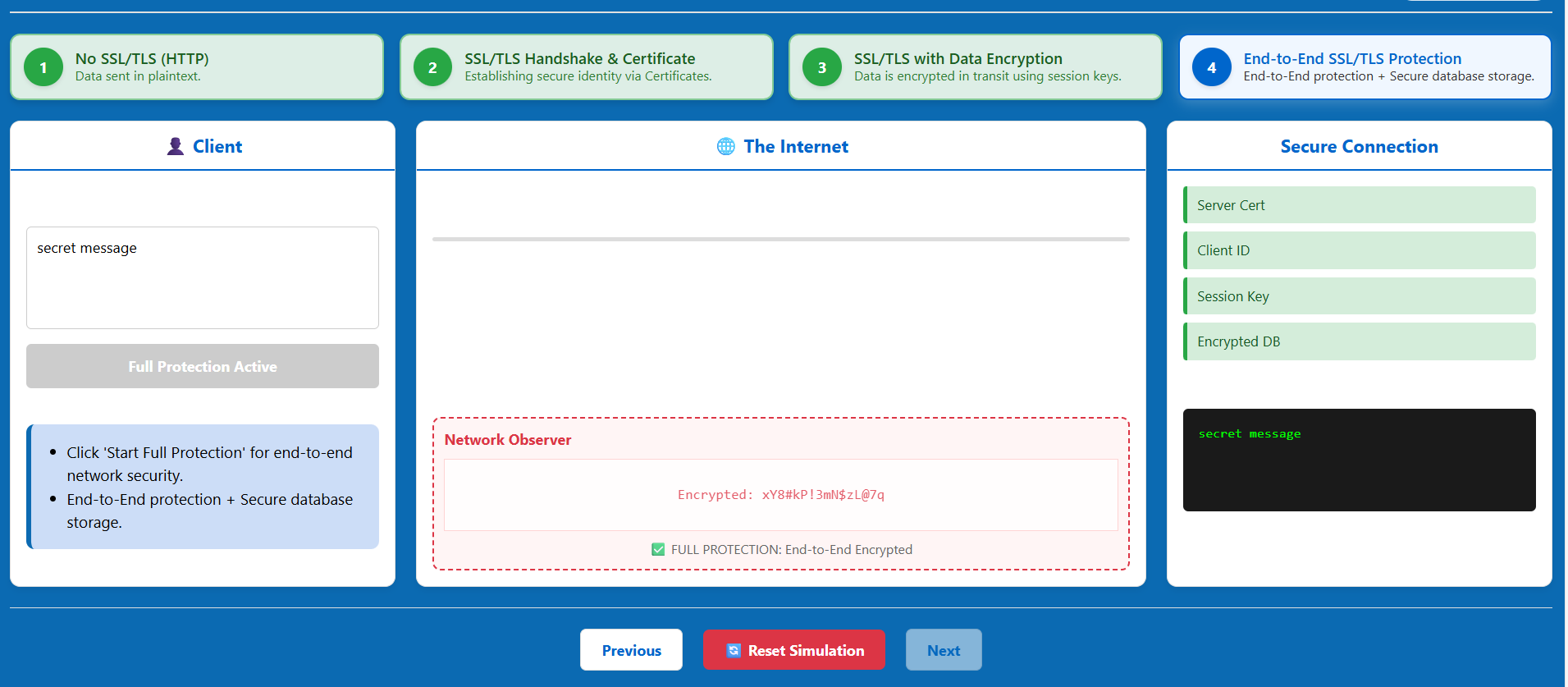
You can use the 'Reset Simulation' button at any time to return to the first stage and observe the differences again.