
Demonstrate Registration Management Procedures
Step 1: Deploy Core Network
Choose one of the following deployment options:
Option A (Docker-Terminal):
Option A (Terminal): Click on the Terminal button to open the terminal then from the project root directory, execute the following command:
This command starts all core network components (AMF, SMF, UPF, NRF, etc.) in detached mode
docker compose -f docker-compose.yml up -d
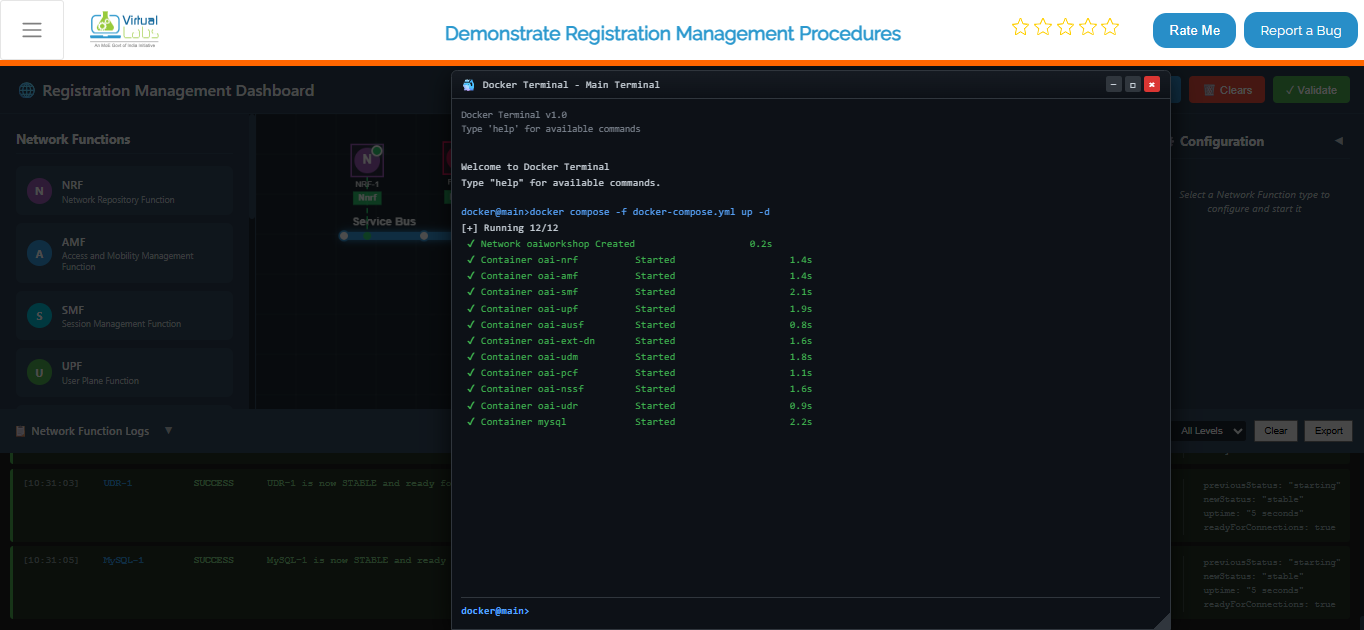
Once the core network is up and running, deploy the gNB services:
docker compose -f docker-compose-gnb.yml up -d
This command initializes the gNB and establishes connectivity with the core network.
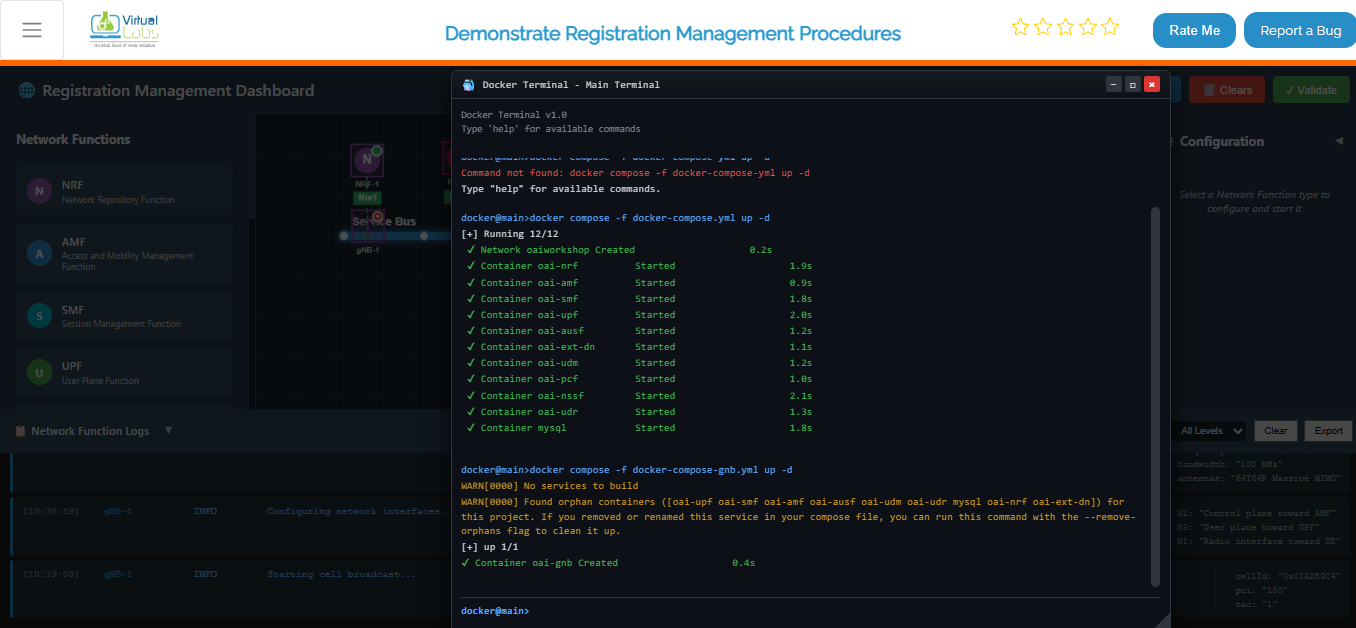
After the gNB deployment is complete, deploy the UE services:
docker compose -f docker-compose-ue.yml up -d
This starts the UE containers and attaches them to the gNB.
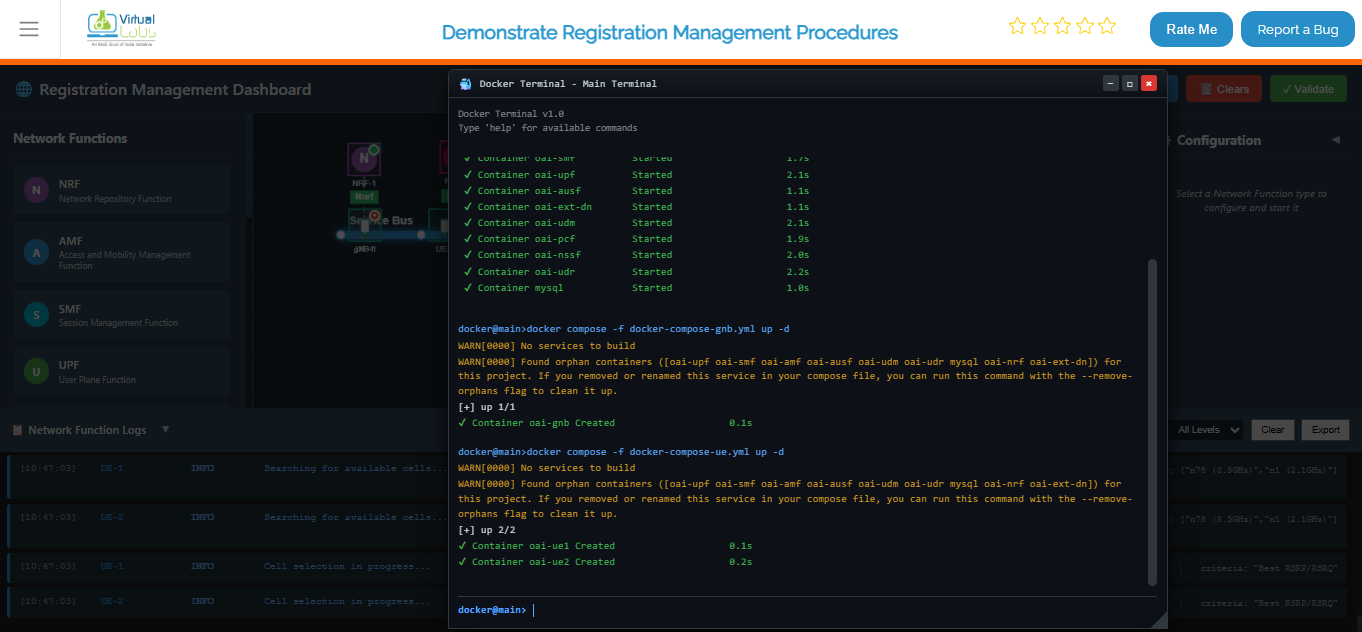
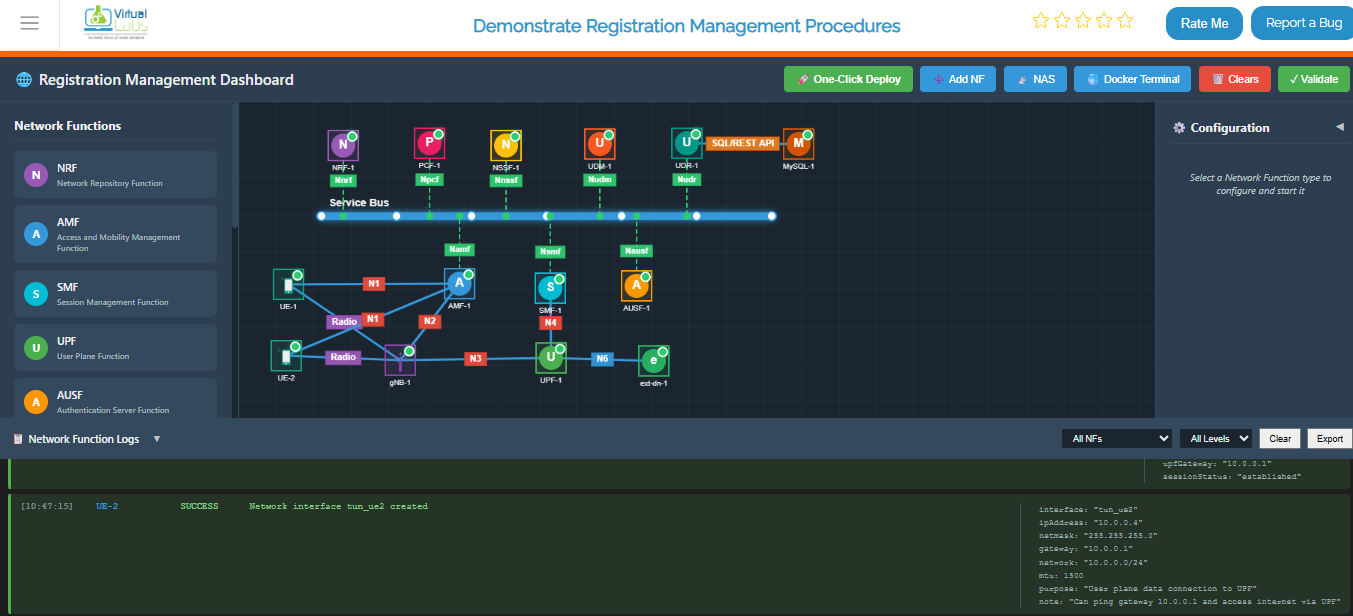
To verify that all containers are running successfully, execute:
docker ps
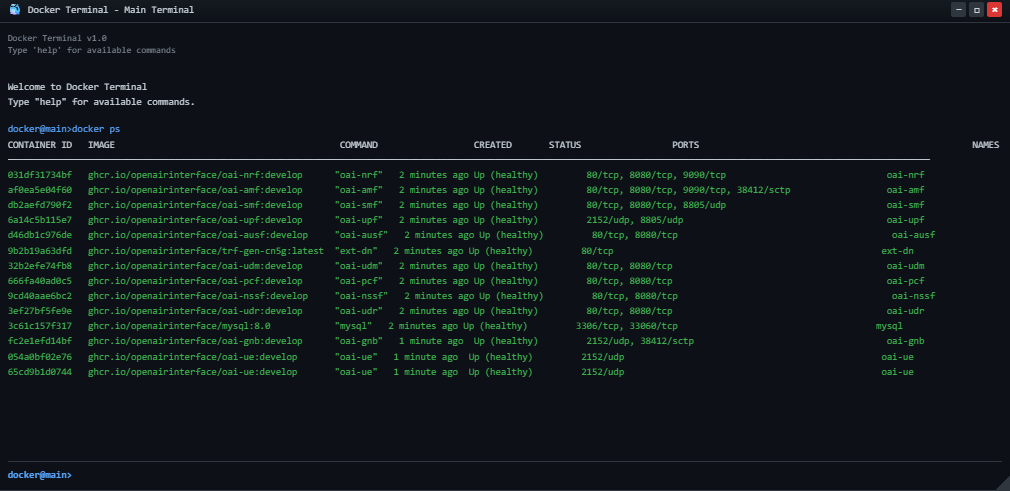
To continuously monitor the status of the core network containers, use:
watch docker compose -f docker-compose.yml ps -a
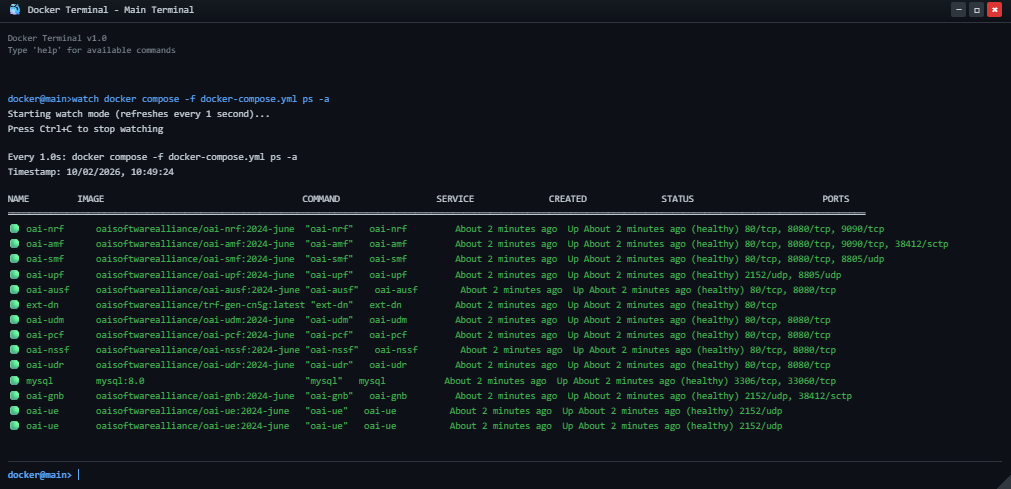
Option B (Automatic - Recommended):
- Click the One-Click Deploy button on the top toolbar.
- Confirm the deployment when prompted.
- Observation: The system will automatically clear any existing topology and sequentially deploy the Service Bus, then all Network Functions (NRF, AMF, SMF, UPF, AUSF, UDM, PCF, NSSF, UDR, MySQL, gNB, UE, ext-dn), and establish the necessary connections. NFs will appear one by one.
Option C (Manual):
Manually add each Network Function from the Network Function panel, then enter configuration details in the left configuration panel and start the NF.
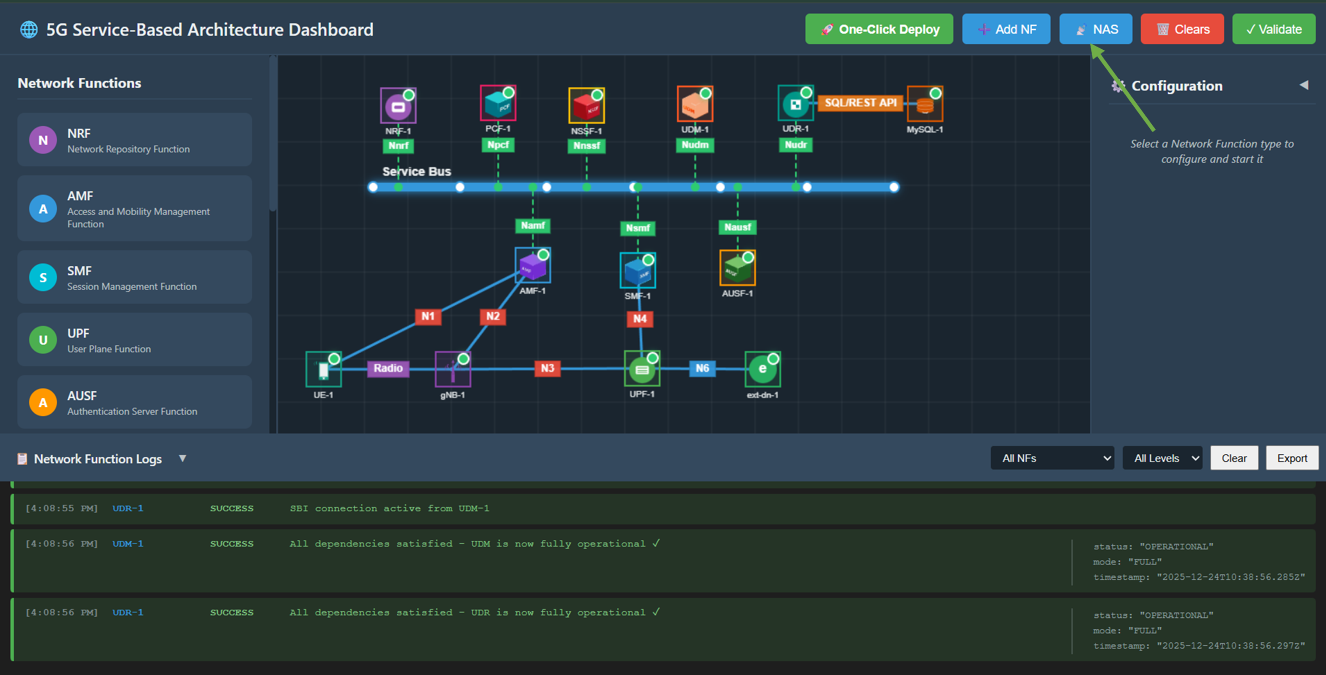
Fig: Core Network Deployment
Step 2: Enable NAS Registration Mode
Once the core network is successfully deployed (wait for the "One-Click Topology Deployed!" alert):
- Click on the NAS button in the top toolbar to switch the interface to the NAS Registration experiment mode.
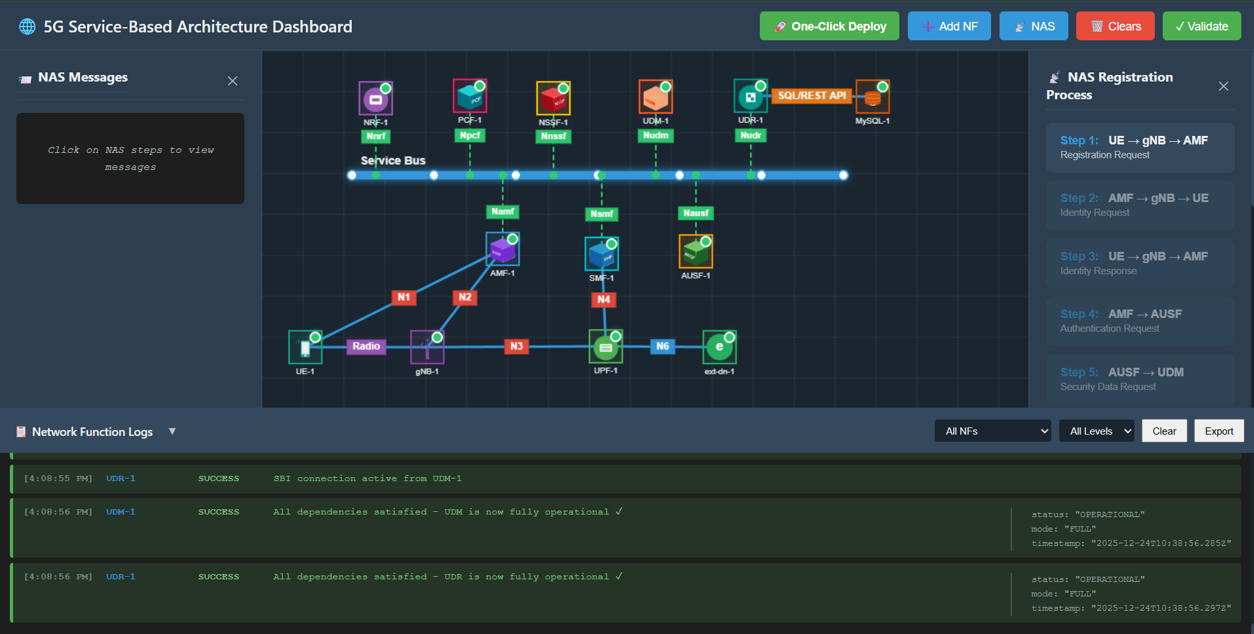
Fig: Enable NAS Registration Mode
Step 3: Observe Experiment Panels
You will now see the interface transform:
- Right Panel (NAS Registration Process): A list of 13 interactive steps representing the registration flow.
- Left Panel (NAS Messages): An inspector panel that displays the JSON content of every NAS message sent between NFs.
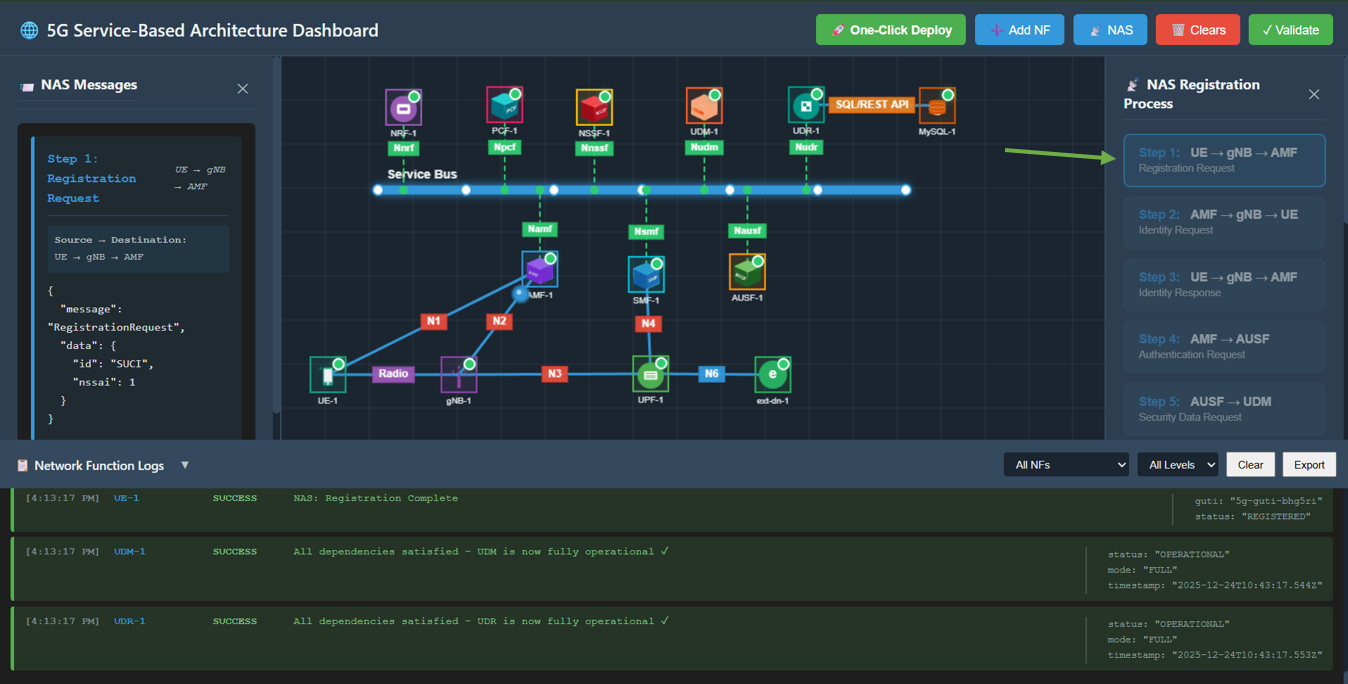
Fig: Experiment Panels Overview
Step 4: Perform Registration Procedure
Follow the steps in the right panel sequentially. Click each step button to execute the action.
Step 1: Registration Request
Action: Click Step 1: UE → gNB → AMF in the right panel.
Description: UE sends a Registration Request to the AMF via the gNB.
Observation: A packet travels from UE to gNB, then to AMF. The left panel displays the JSON message containing the RegistrationRequest with SUCI (Subscription Concealed Identifier).
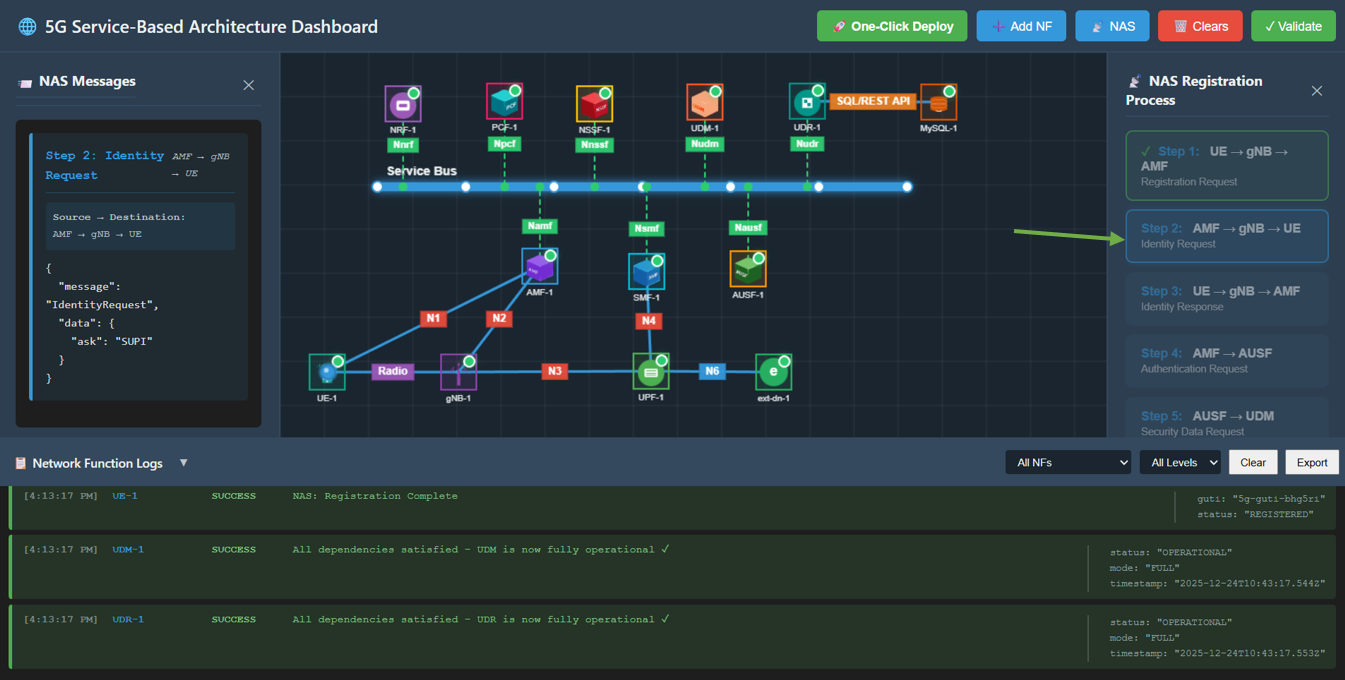
Fig: Step 1: Registration Request
Step 2: Identity Request
Action: Click Step 2: AMF → gNB → UE.
Description: AMF requests the UE's identity.
Observation: A packet travels from AMF to gNB, then to UE. The JSON message shows IdentityRequest.
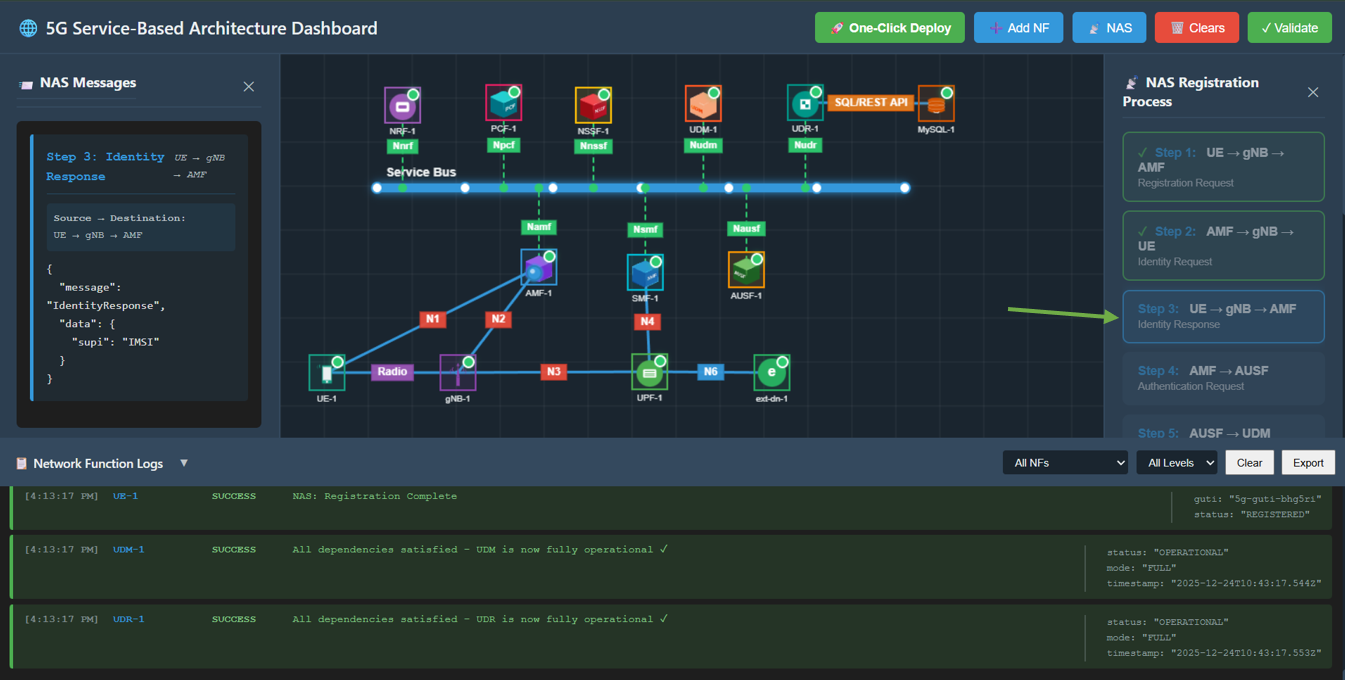
Fig: Step 2: Identity Request
Step 3: Identity Response
Action: Click Step 3: UE → gNB → AMF.
Description: UE responds with its identity (SUPI/IMSI).
Observation: A packet travels from UE back to AMF. The JSON message contains the IdentityResponse with supi.
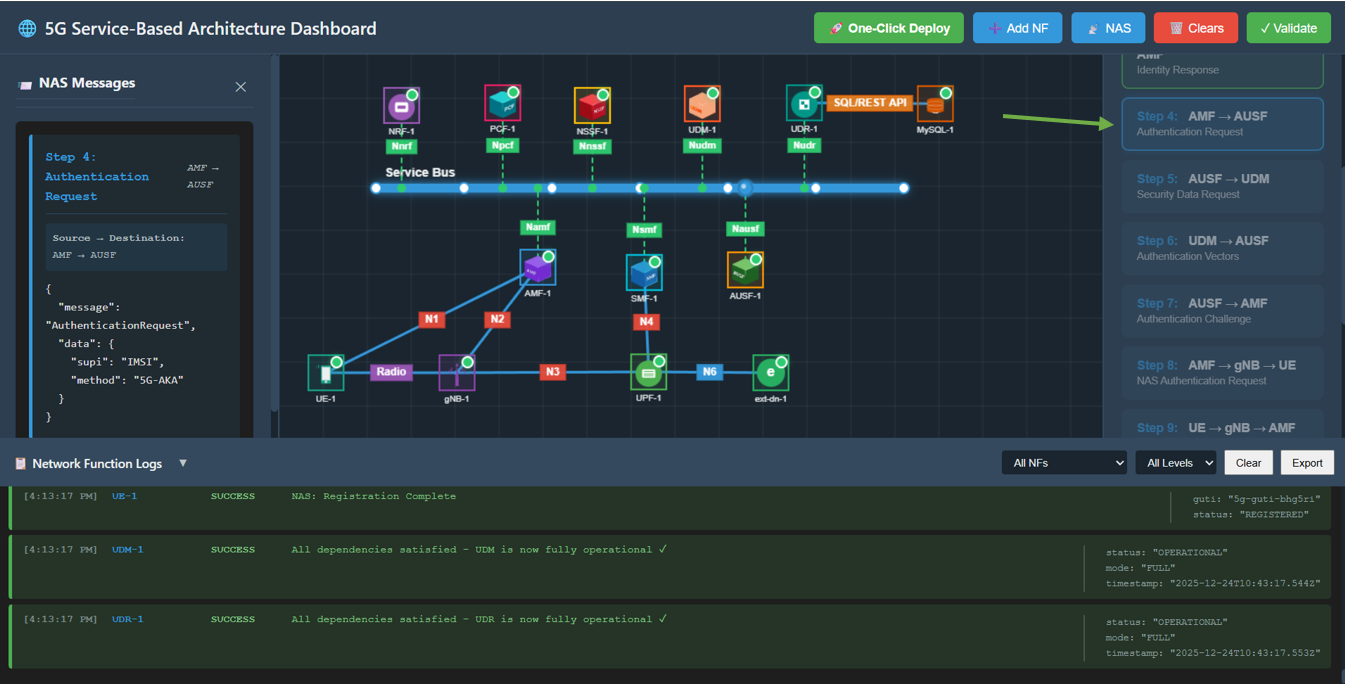
Fig: Step 3: Identity Response
Step 4: Authentication Request
Action: Click Step 4: AMF → AUSF.
Description: AMF initiates authentication with the AUSF (Authentication Server Function).
Observation: A packet travels from AMF to AUSF. The JSON message shows AuthenticationRequest using 5G-AKA.

Fig: Step 4: Authentication Request
Step 5: Security Data Request
Action: Click Step 5: AUSF → UDM.
Description: AUSF requests security data from the UDM (Unified Data Management).
Observation: A packet travels from AUSF to UDM.
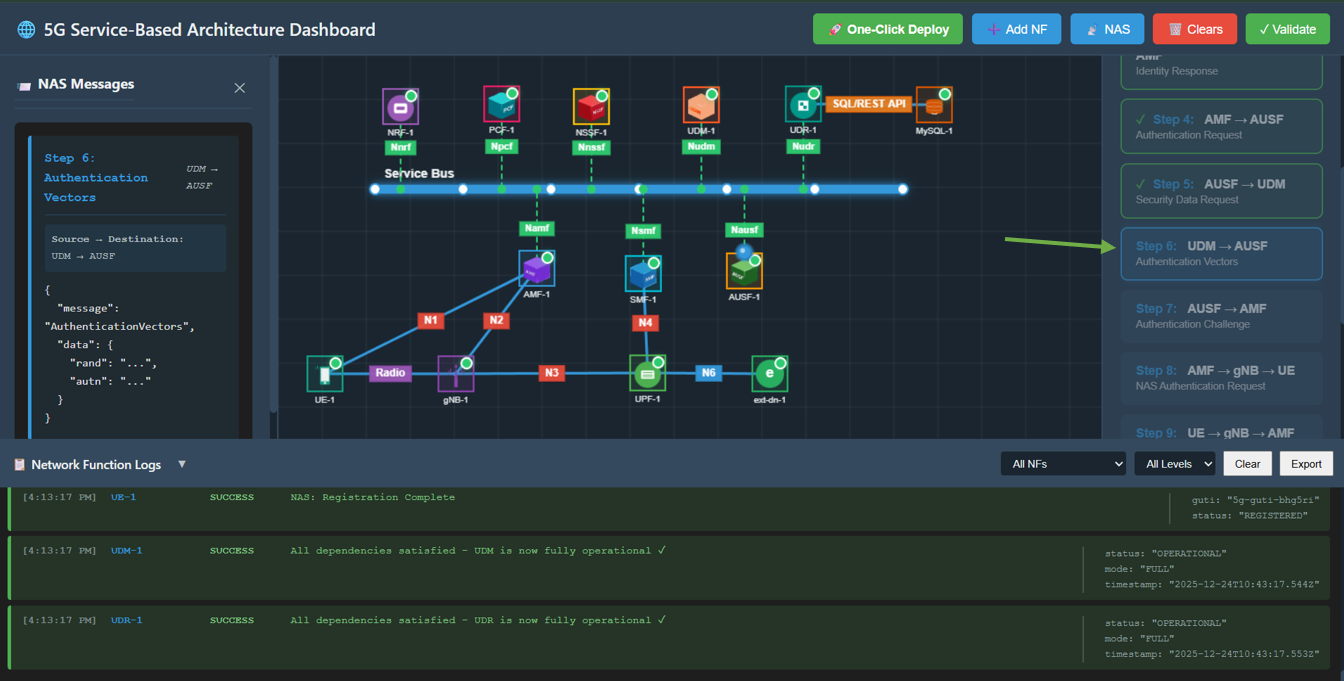
Fig: Step 5: Security Data Request
Step 6: Authentication Vectors
Action: Click Step 6: UDM → AUSF.
Description: UDM generates and sends authentication vectors to AUSF.
Observation: Packet travels from UDM to AUSF. Message contains AuthenticationVectors (RAND, AUTN).
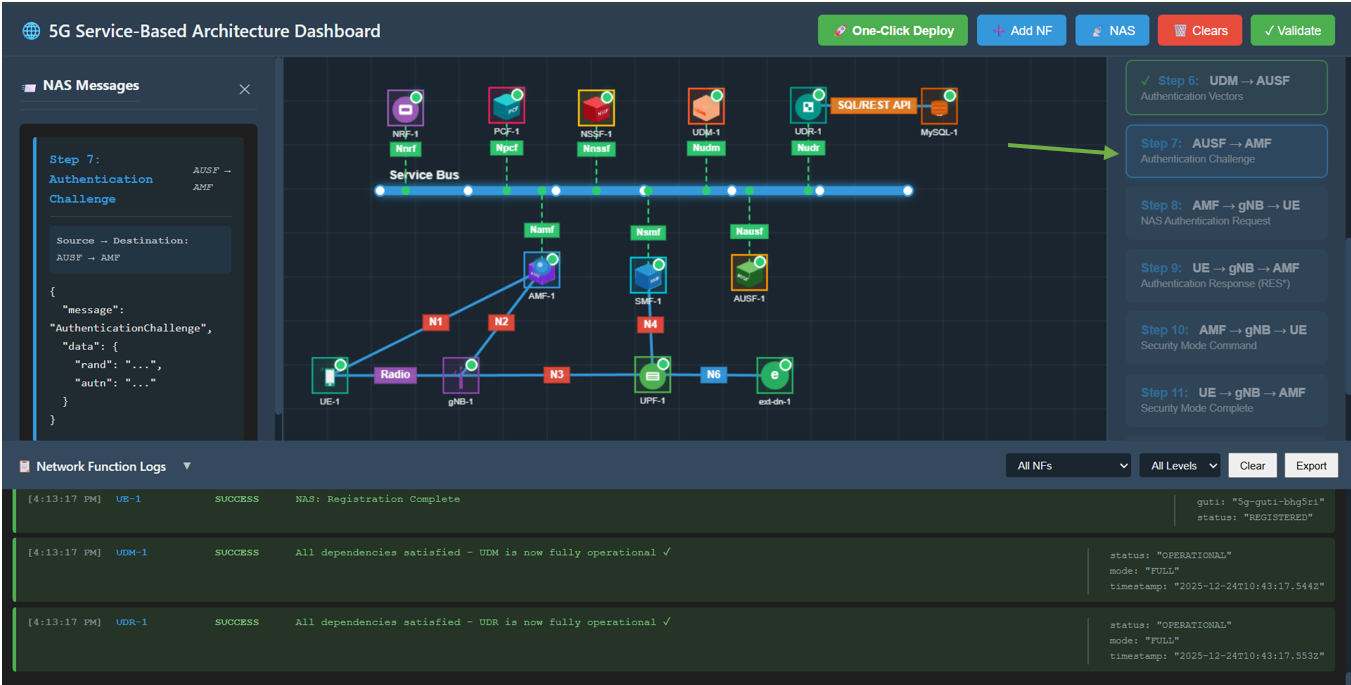
Fig: Step 6: Authentication Vectors
Step 7: Authentication Challenge
Action: Click Step 7: AUSF → AMF.
Description: AUSF forwards the authentication challenge to the AMF.
Observation: Packet travels from AUSF to AMF.
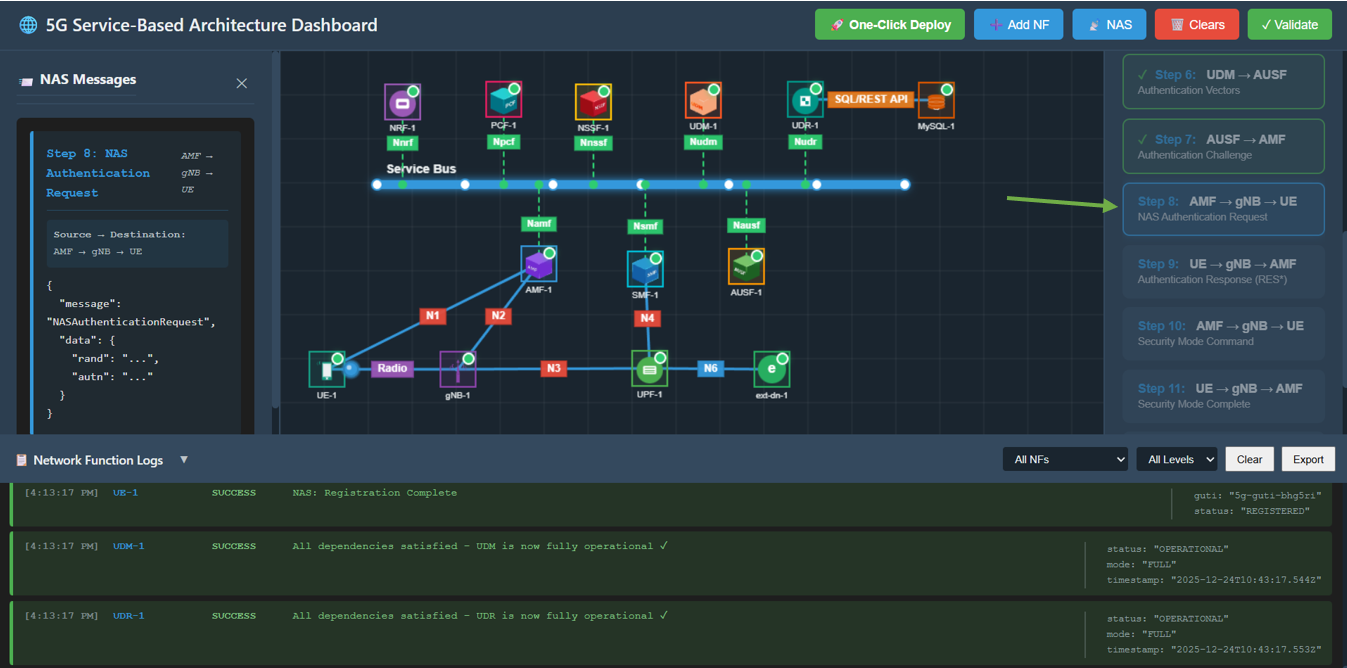
Fig: Step 7: Authentication Challenge
Step 8: NAS Authentication Request
Action: Click Step 8: AMF → gNB → UE.
Description: AMF challenges the UE to authenticate itself.
Observation: Packet travels from AMF to UE. Message is NASAuthenticationRequest.
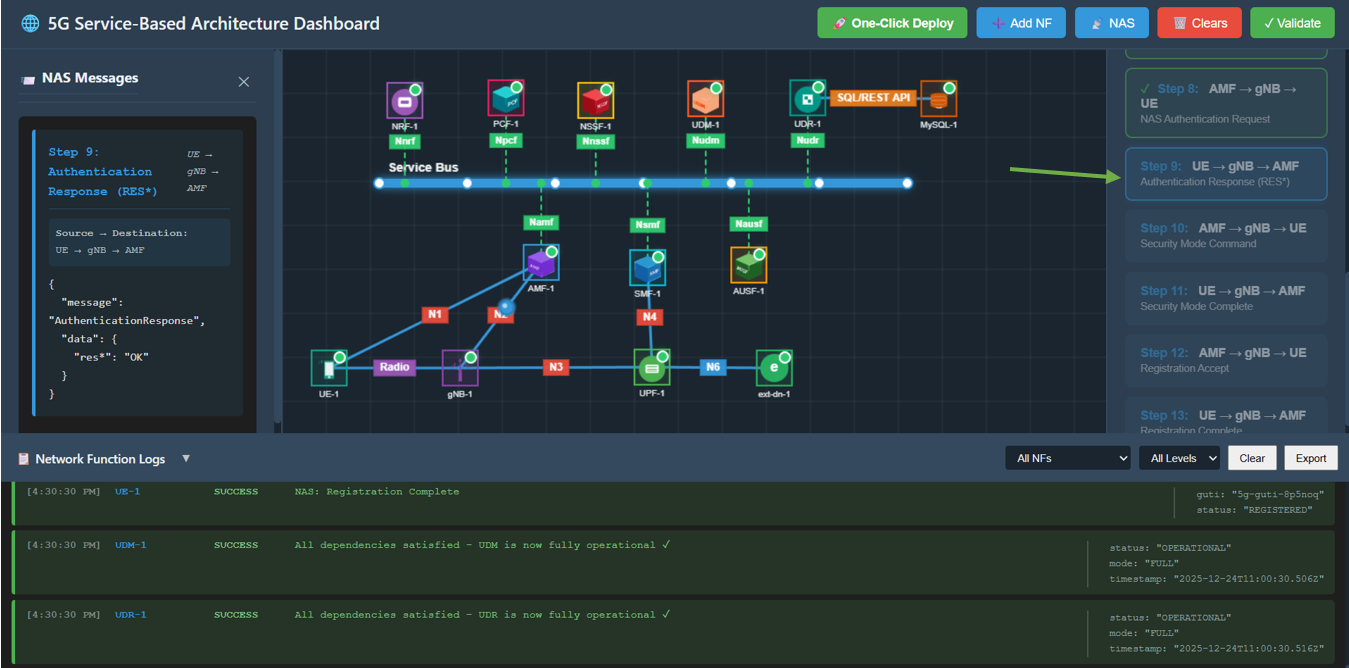
Fig: Step 8: NAS Authentication Request
Step 9: Authentication Response
Action: Click Step 9: UE → gNB → AMF.
Description: UE computes the response (RES*) and sends it back to AMF.
Observation: Packet travels from UE to AMF. Message contains AuthenticationResponse.
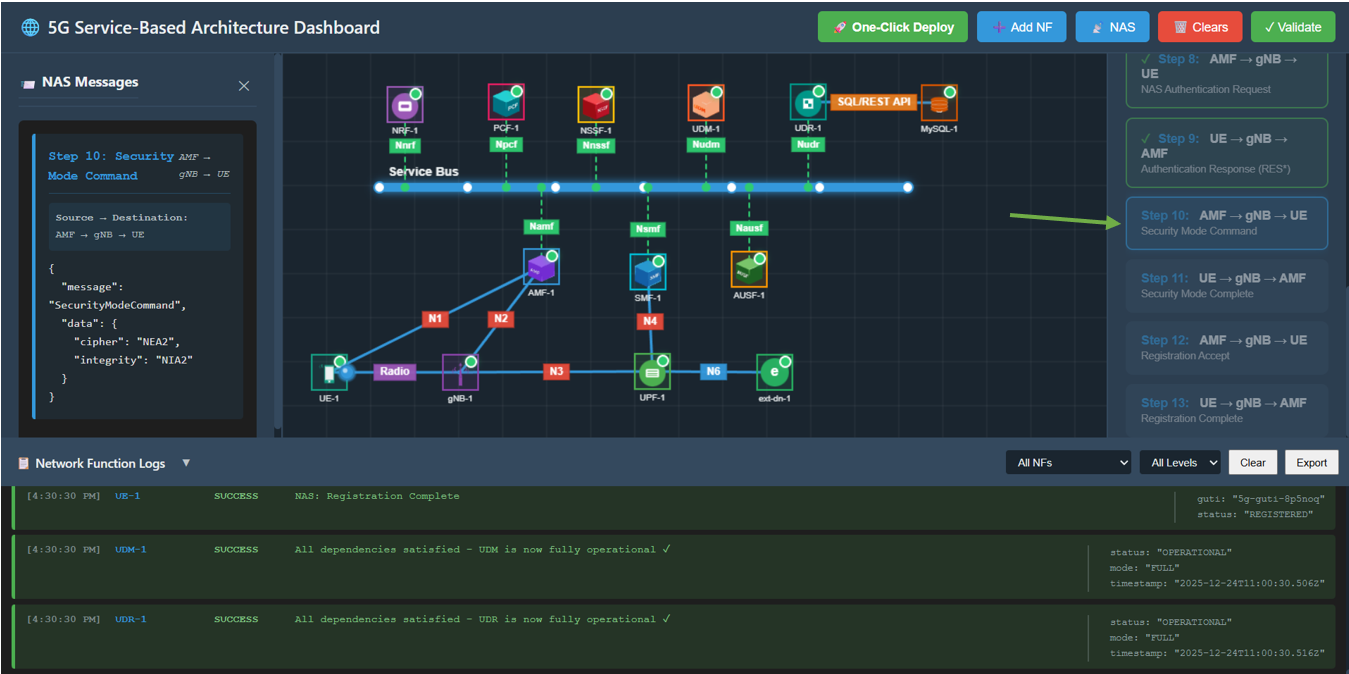
Fig: Step 9: Authentication Response
Step 10: Security Mode Command
Action: Click Step 10: AMF → gNB → UE.
Description: AMF creates a secure context and commands the UE to enable security.
Observation: Packet travels from AMF to UE. Message contains SecurityModeCommand (ciphering/integrity algorithms).
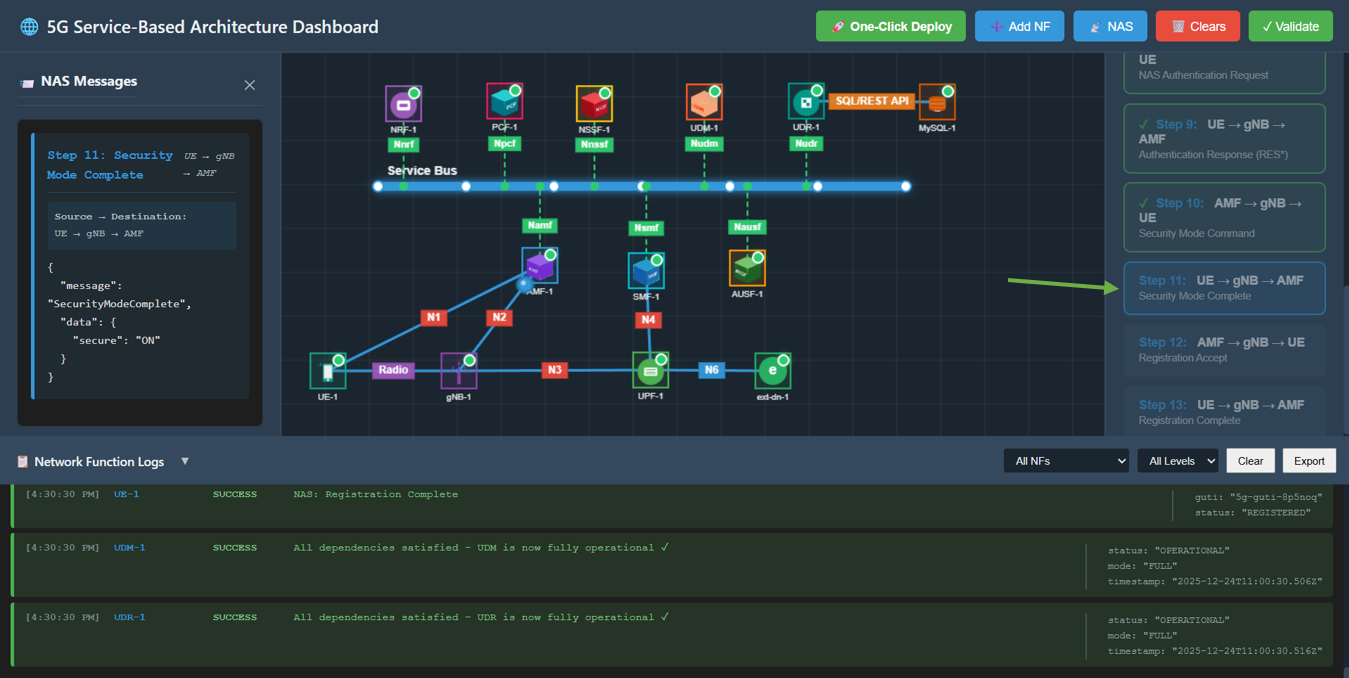
Fig: Step 10: Security Mode Command
Step 11: Security Mode Complete
Action: Click Step 11: UE → gNB → AMF.
Description: UE confirms security is active.
Observation: Packet travels to AMF. Message is SecurityModeComplete.
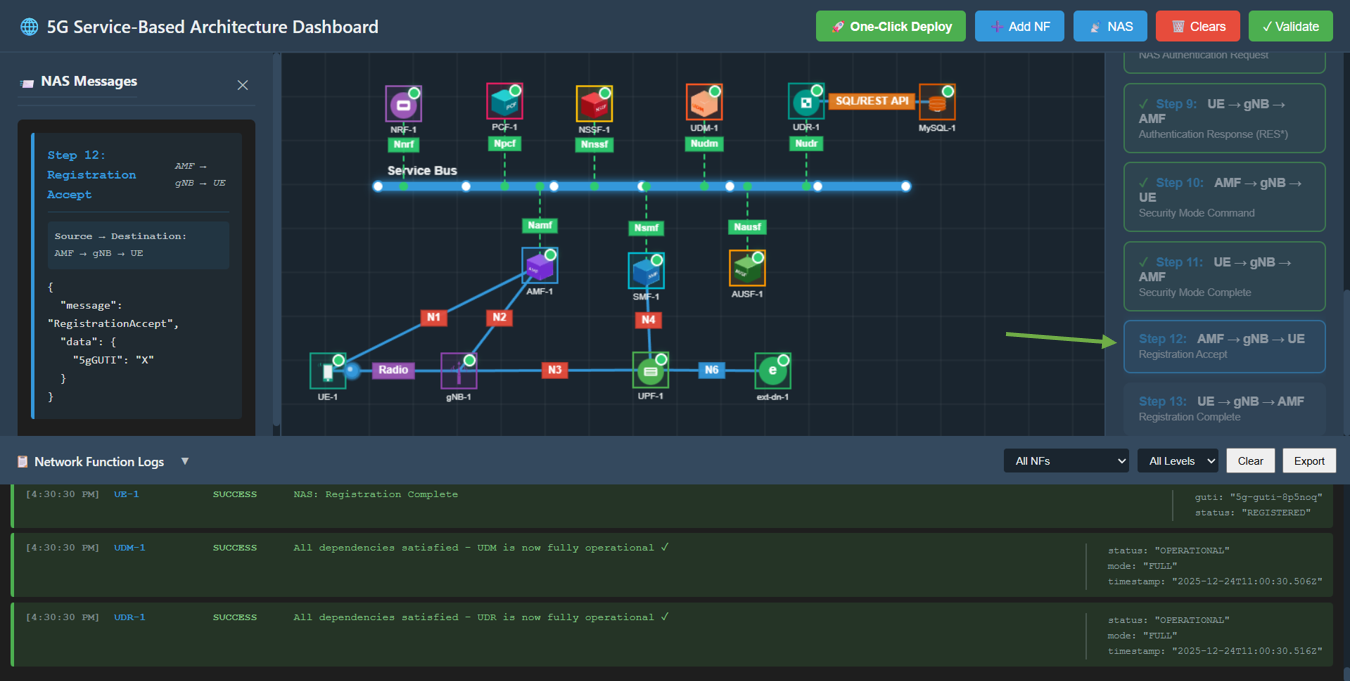
Fig: Step 11: Security Mode Complete
Step 12: Registration Accept
Action: Click Step 12: AMF → gNB → UE.
Description: AMF accepts the registration and assigns a temporary ID (5G-GUTI).
Observation: Packet travels to UE. Message is RegistrationAccept containing 5G-GUTI.
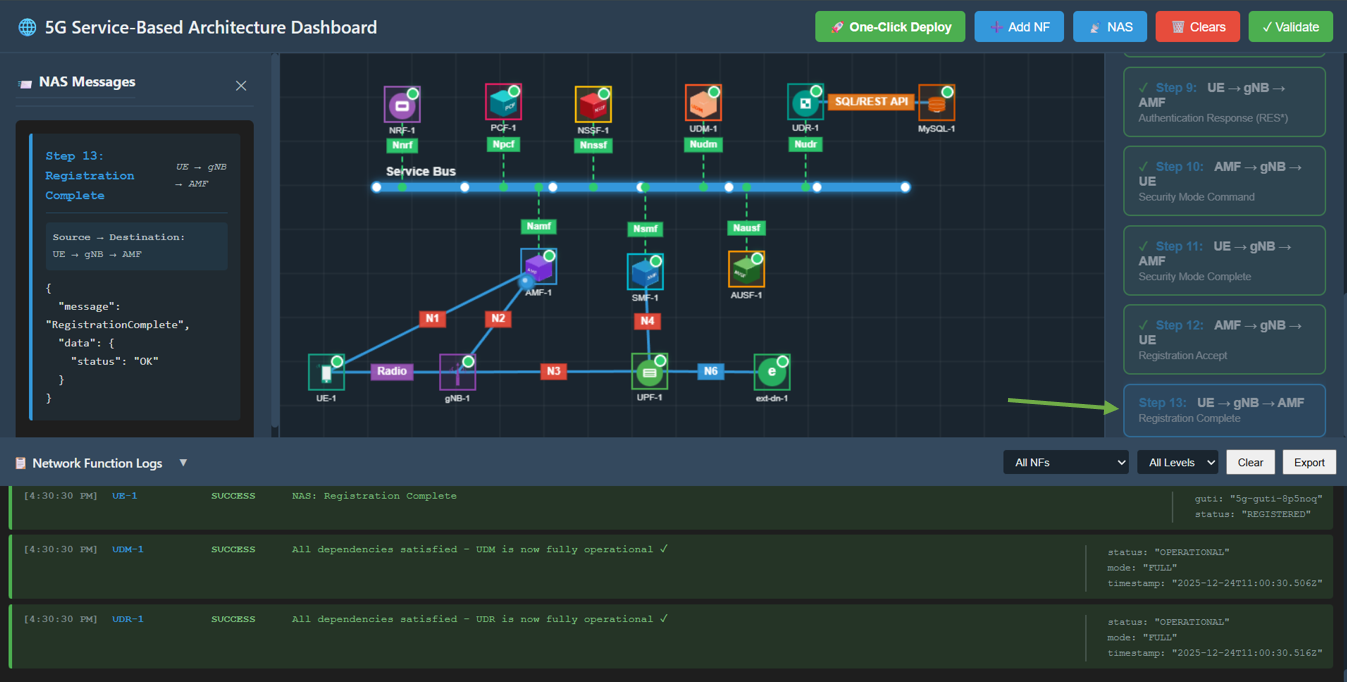
Fig: Step 12: Registration Accept
Step 13: Registration Complete
Action: Click Step 13: UE → gNB → AMF.
Description: UE acknowledges the registration is complete.
Observation: Packet travels to AMF. Message is RegistrationComplete with status OK.
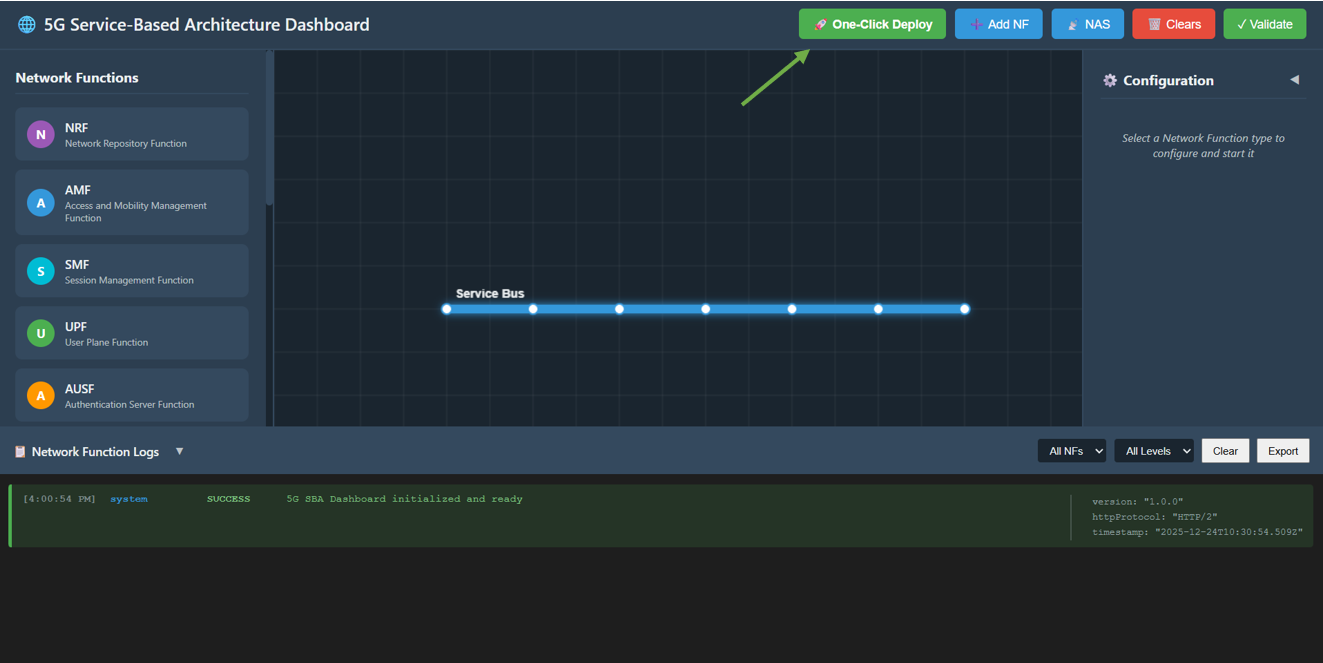
Fig: Step 13: Registration Complete