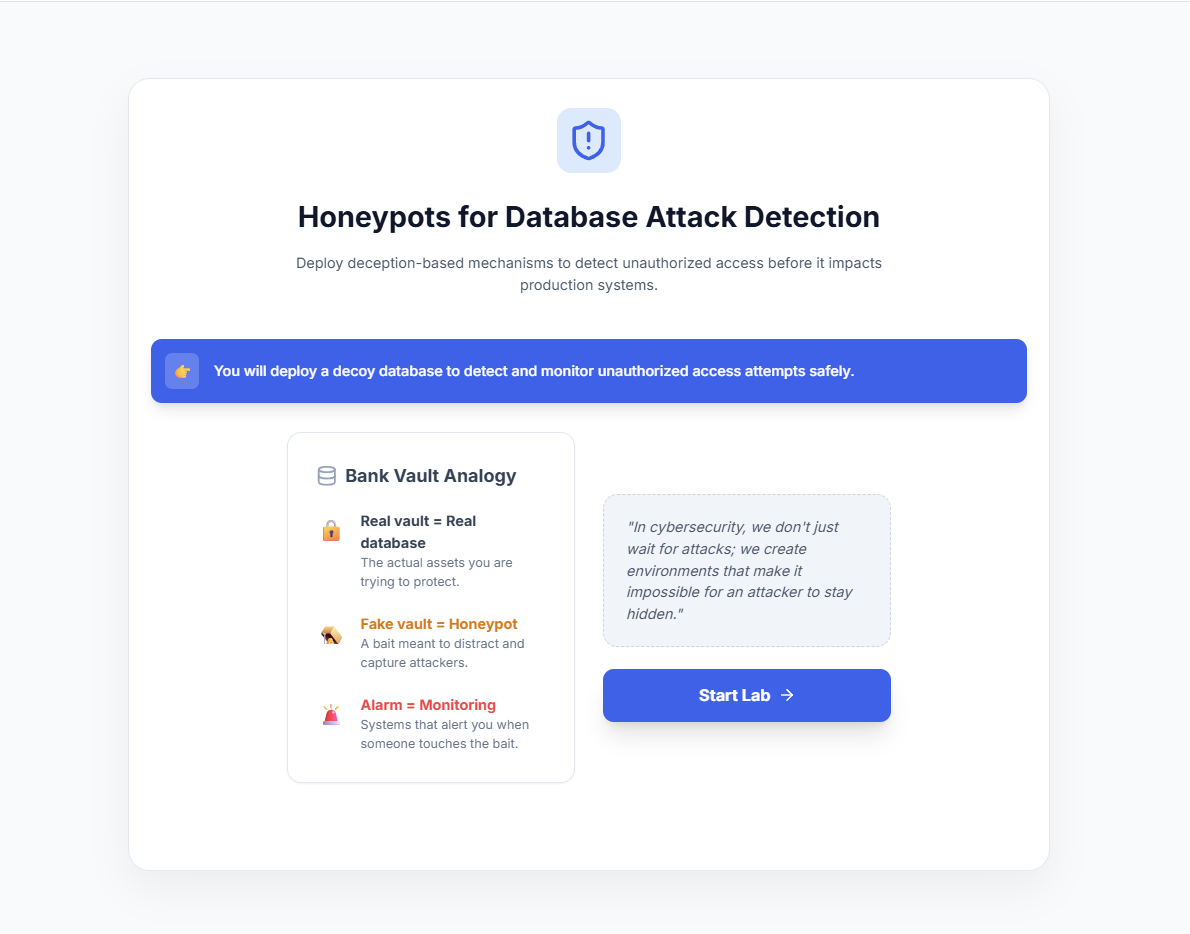
Honeypots for Database Attack Detection
Step 1: Introduction to Database Honeypots
- Read the introduction to understand the core concept of a database honeypot.
- Review the Bank Vault Analogy to understand how a decoy database helps protect the real production environment.
- Click Start Lab to begin the simulation.
Step 2: Create Fake Sensitive Tables
- Select one or more decoy data tables (e.g., Users, Credit Cards, Banking Records) to simulate sensitive data.
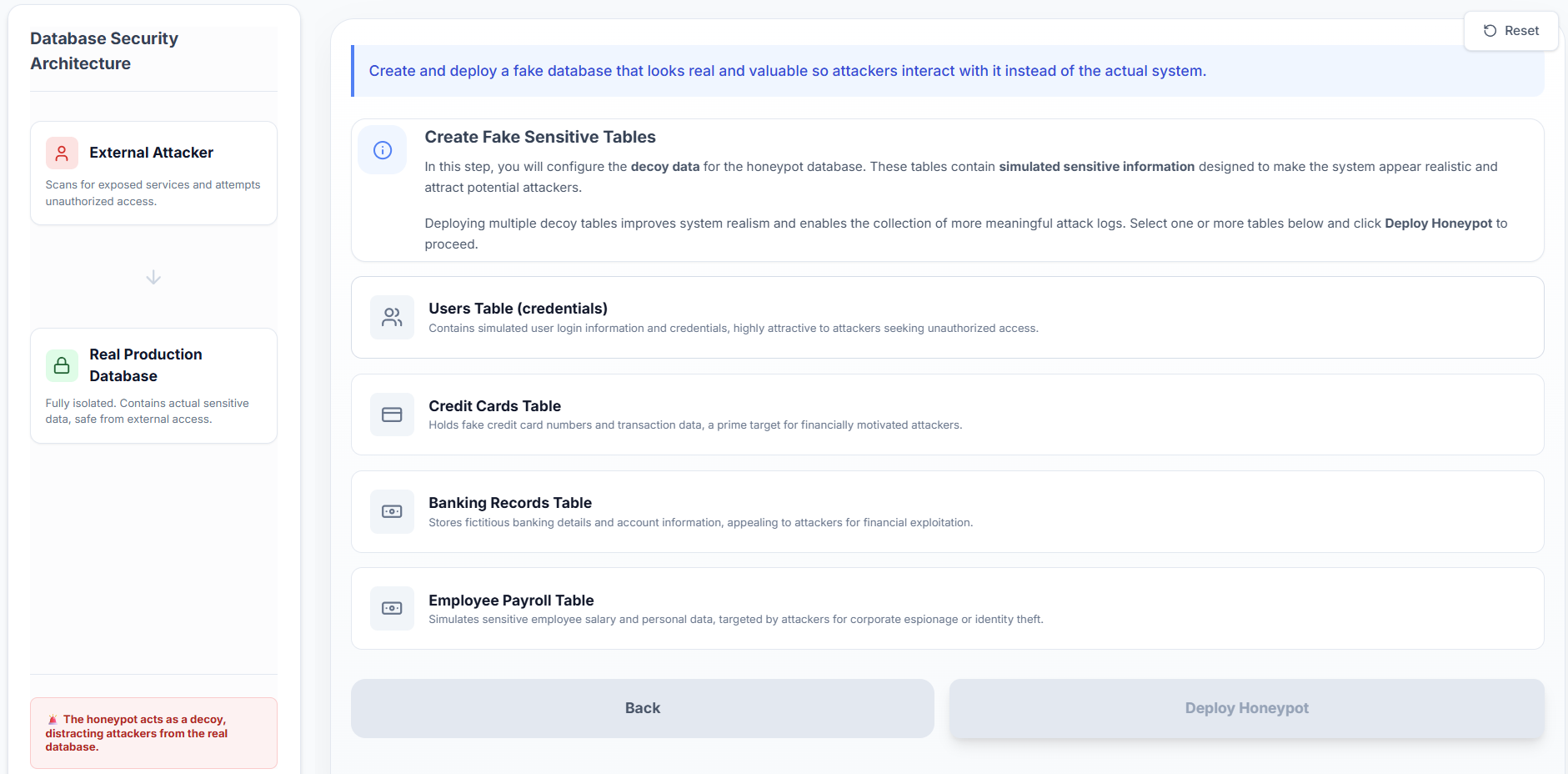
- Deploying multiple decoy tables makes the honeypot appear more realistic to potential attackers.
- Click Deploy Honeypot to initialize the decoy database.
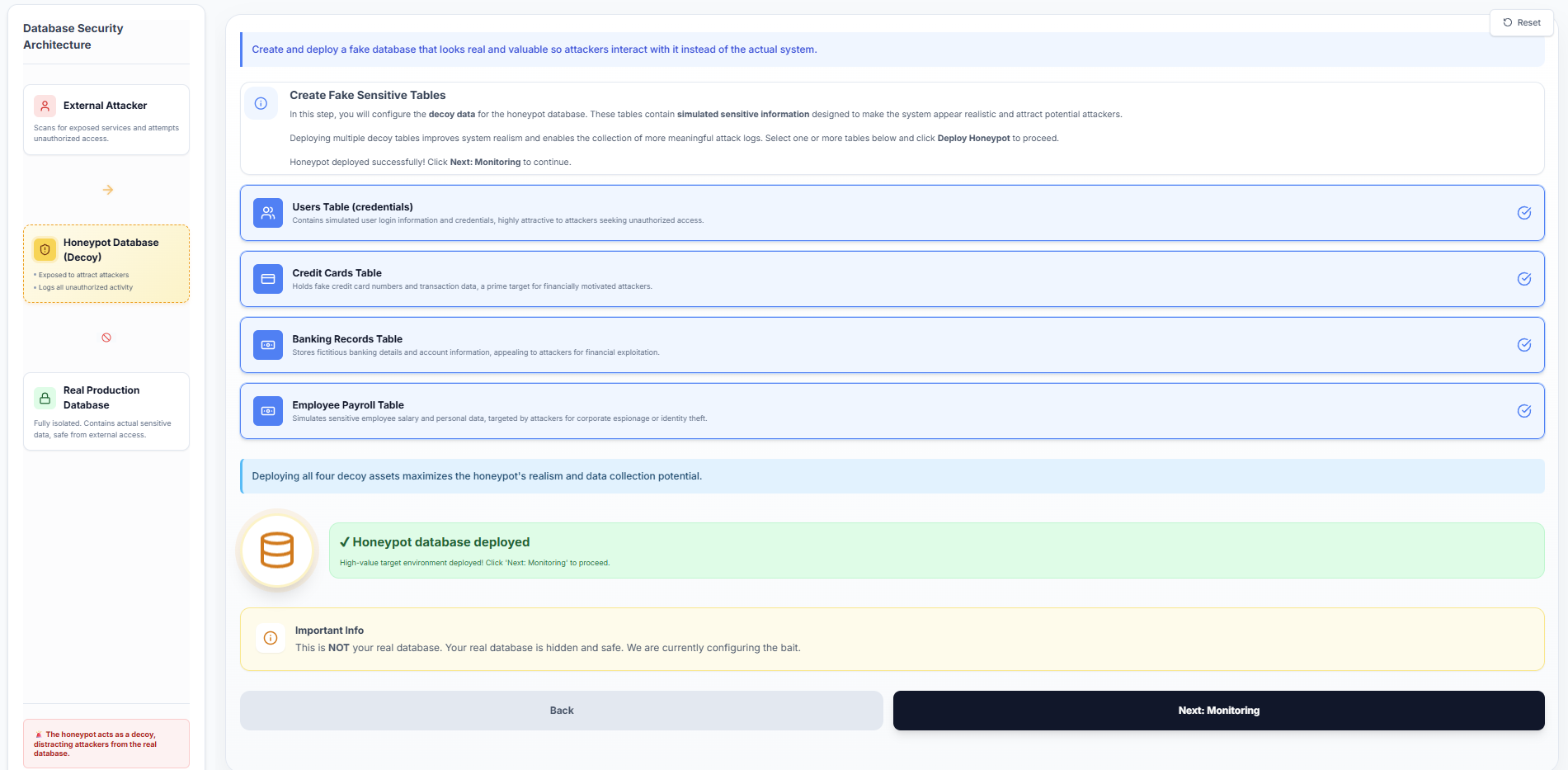
- Click Next: Monitoring to proceed to the monitoring configuration.
Step 3: Configure Security Monitoring
Choose the security monitoring tools required to observe the honeypot activity:
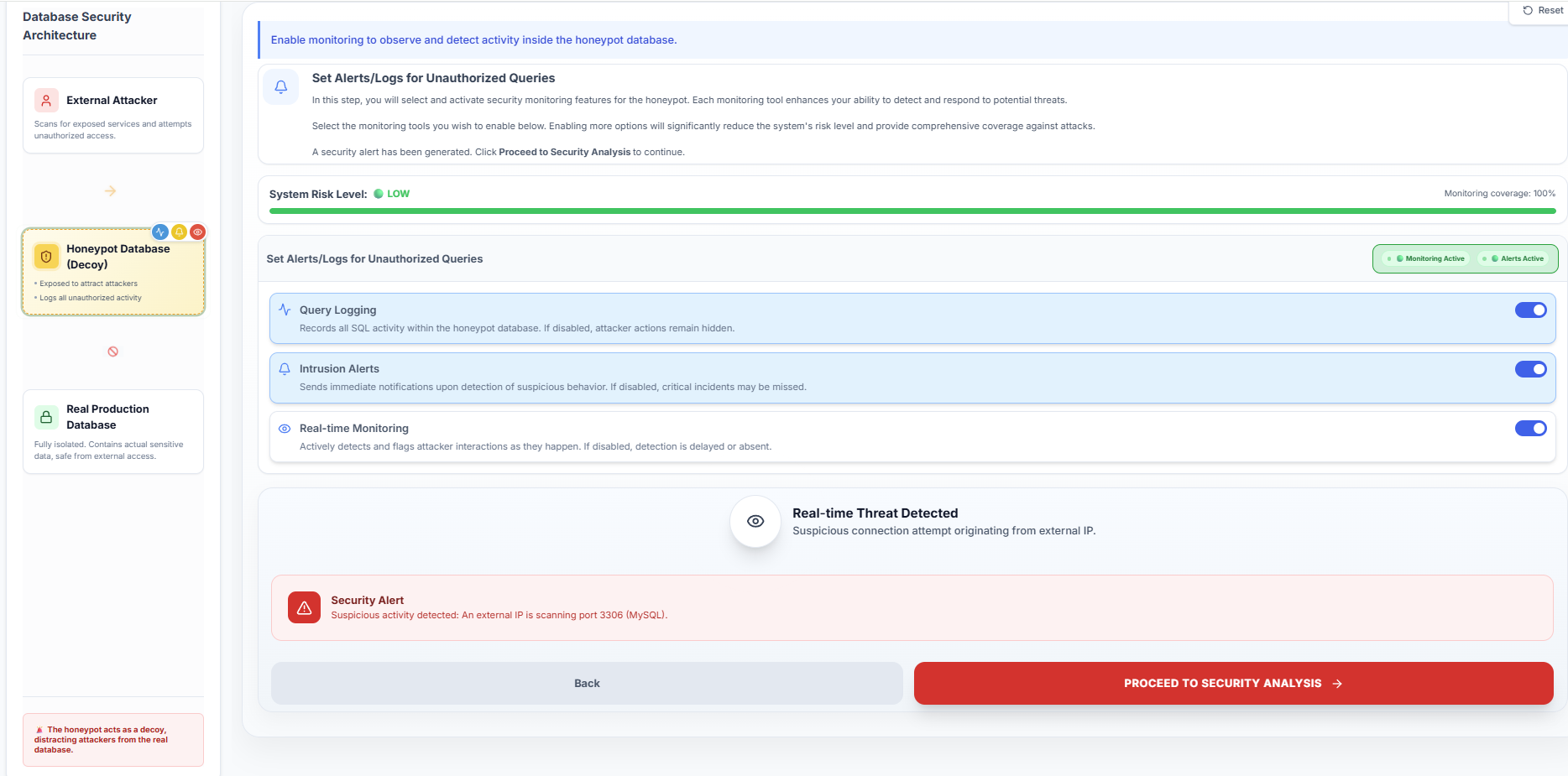
- Query Logging: Records all executed SQL queries for analysis.
- Intrusion Alerts: Sends immediate notifications when suspicious activity is detected.
- Real-time Monitoring: Actively detects and flags attacker interactions as they occur.
Enable the desired monitoring options to maximize system visibility and security coverage.
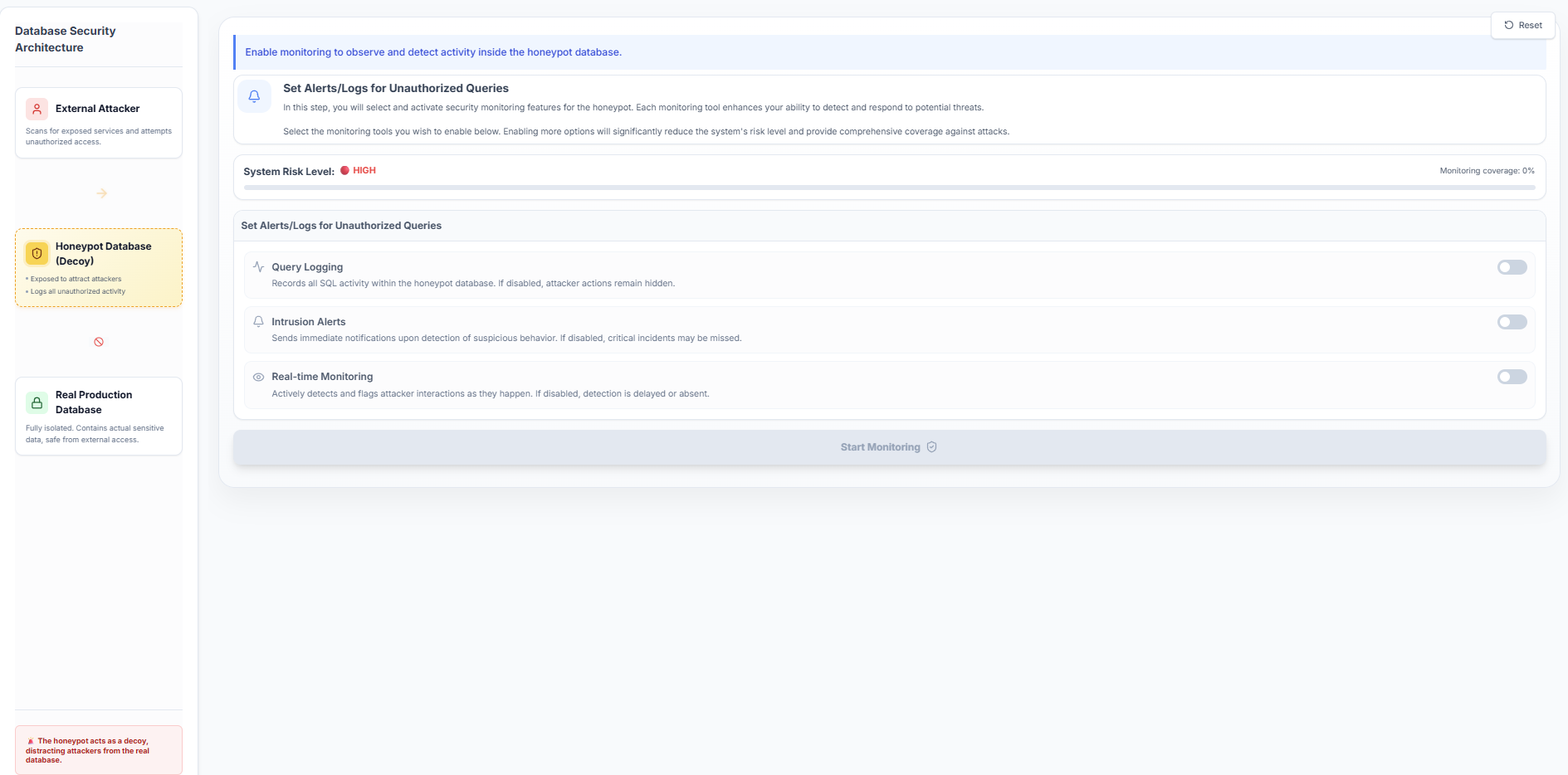
- Click Start Monitoring to activate the selected security measures.
- Once a security alert is triggered, click Proceed to Security Analysis.
Step 4: Monitor Attack Interactions
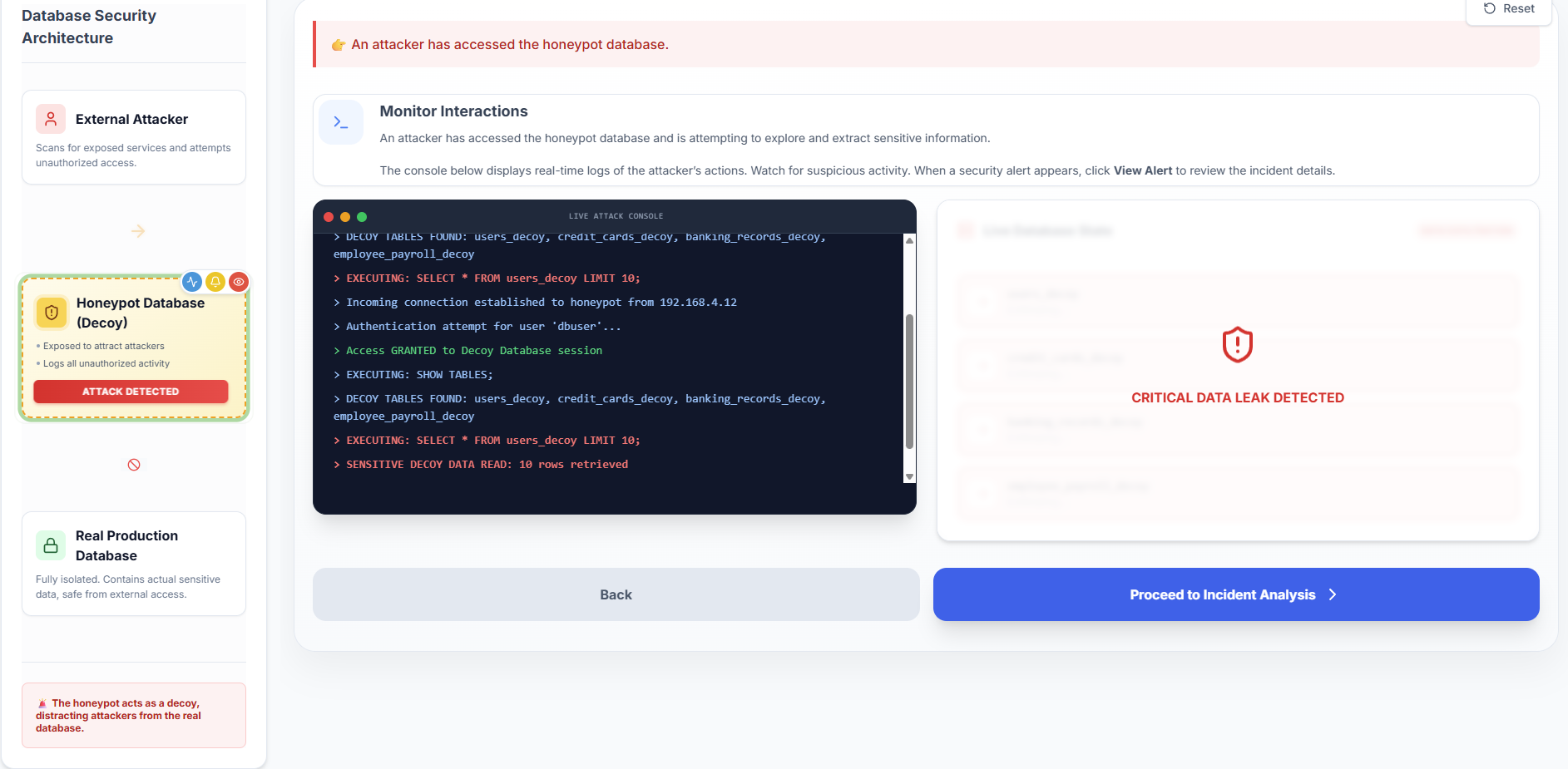
- Observe the Live Attack Console as it simulates a real-time external intrusion attempt.
- Monitor the execution of unauthorized queries (e.g.,
SHOW TABLES;,SELECT) targeting the decoy database.
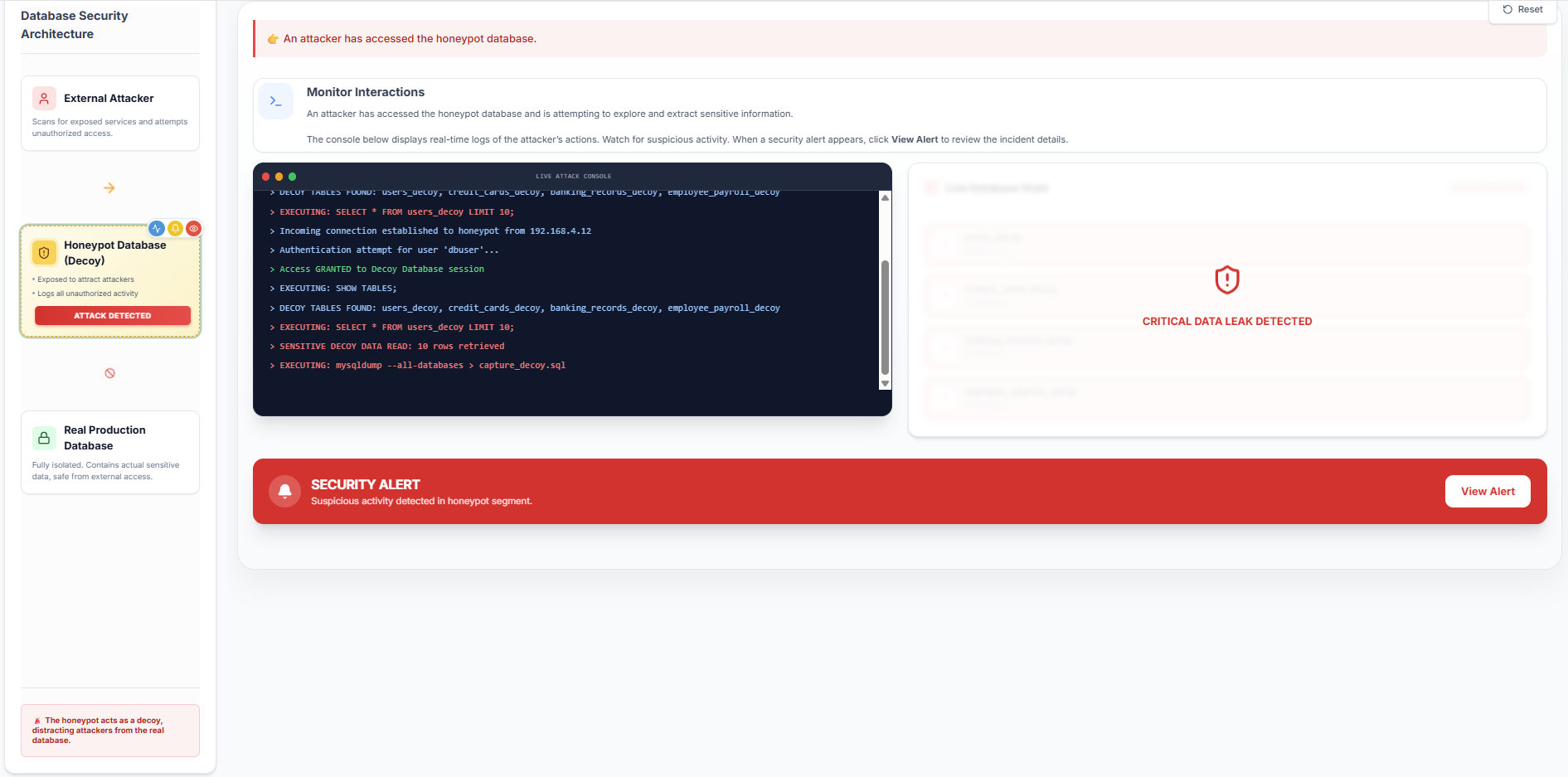
- Wait for the system to detect the intrusion and trigger a Security Alert, then click View Alert.
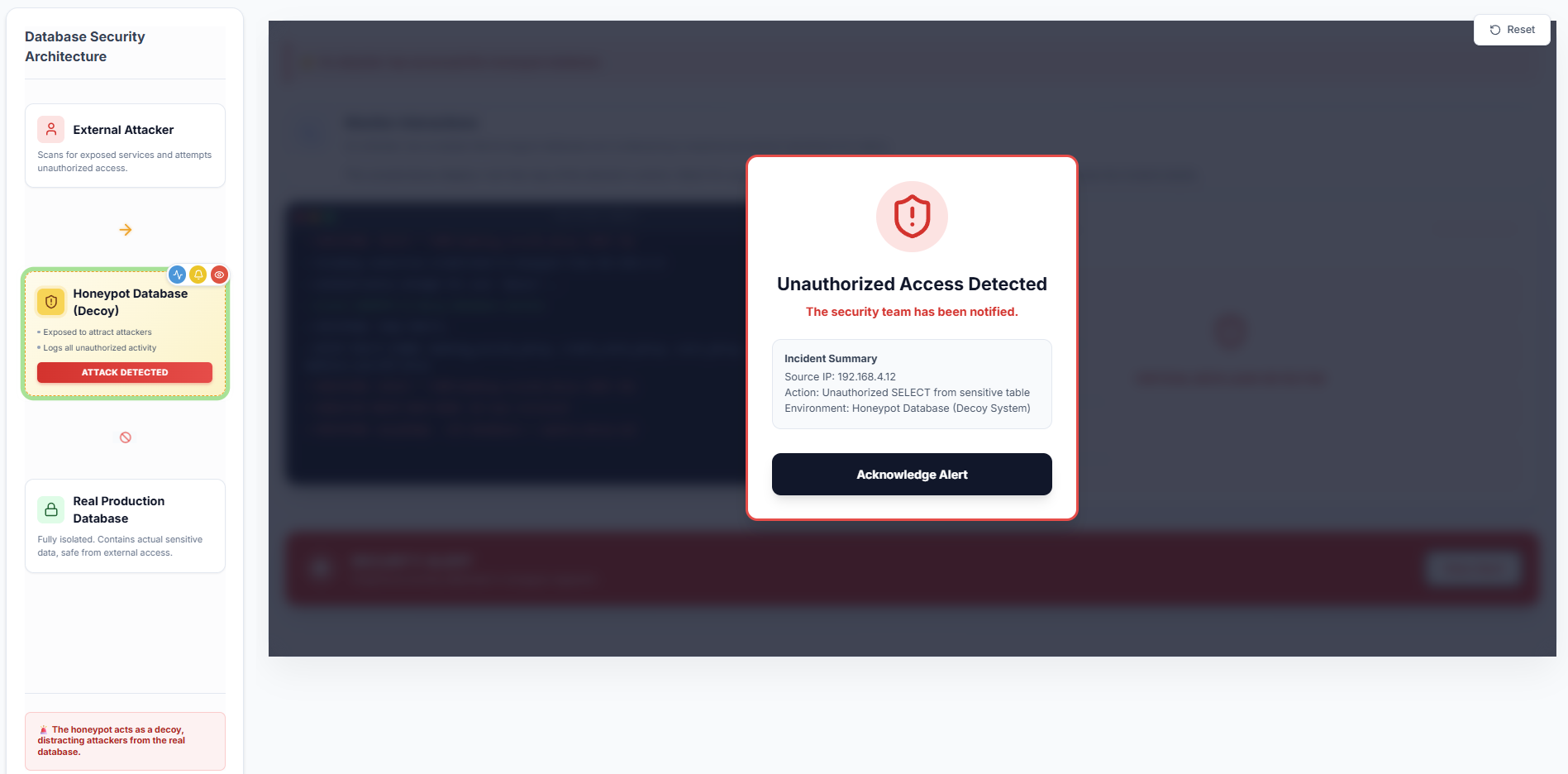
- Review the incident summary details and click Proceed to Incident Analysis.
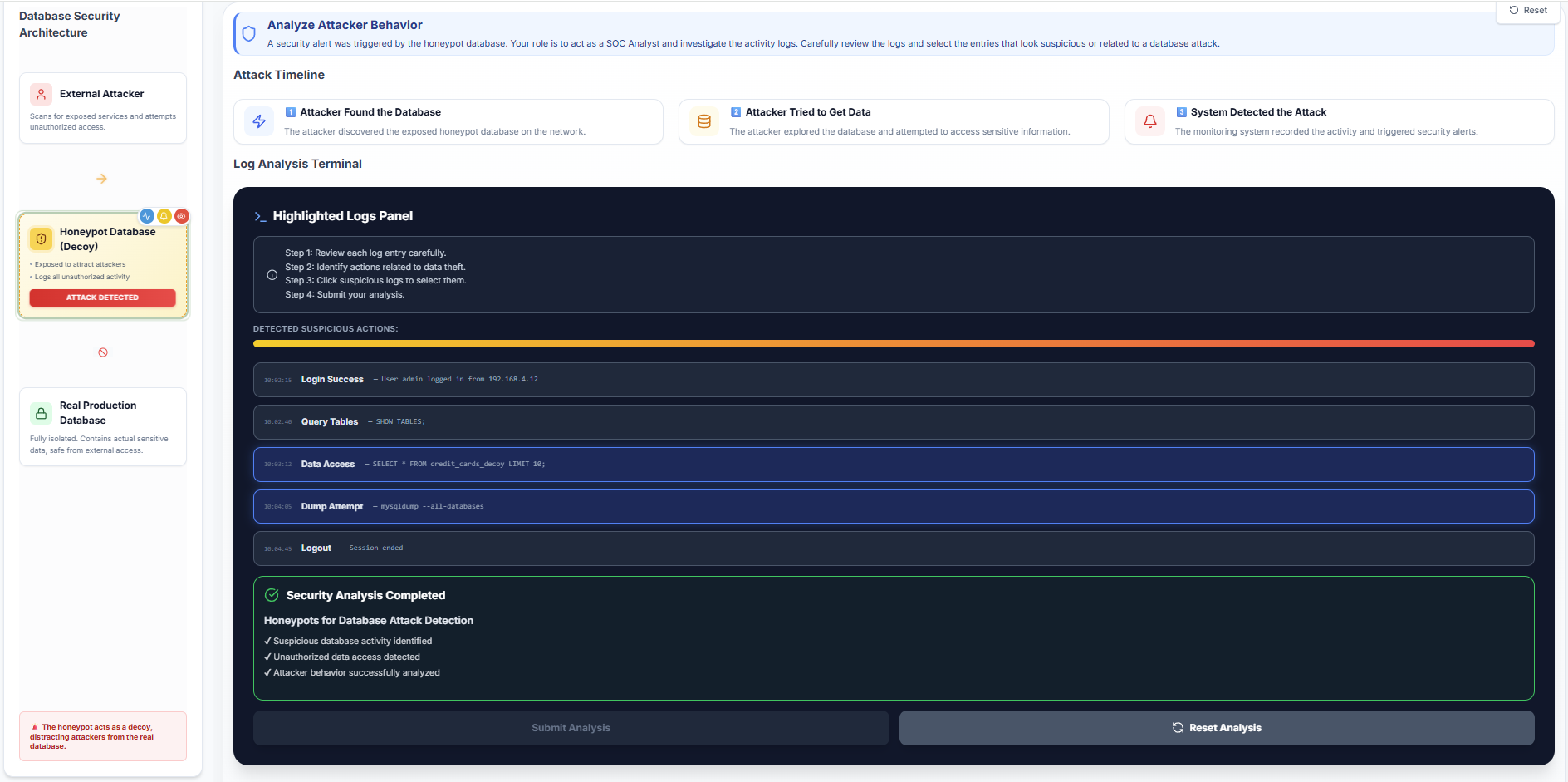
Step 5: Analyze Attacker Behaviour (Log Analysis)
- Assume the role of a Security Consultant and investigate the attack activity logs.
- Review the attack timeline to understand the sequence of events from initial discovery to attempted data access.
- Analyze the log entries displayed in the Highlighted Logs Panel.
- Identify and select the specific log entries that indicate suspicious data access or database dumping.
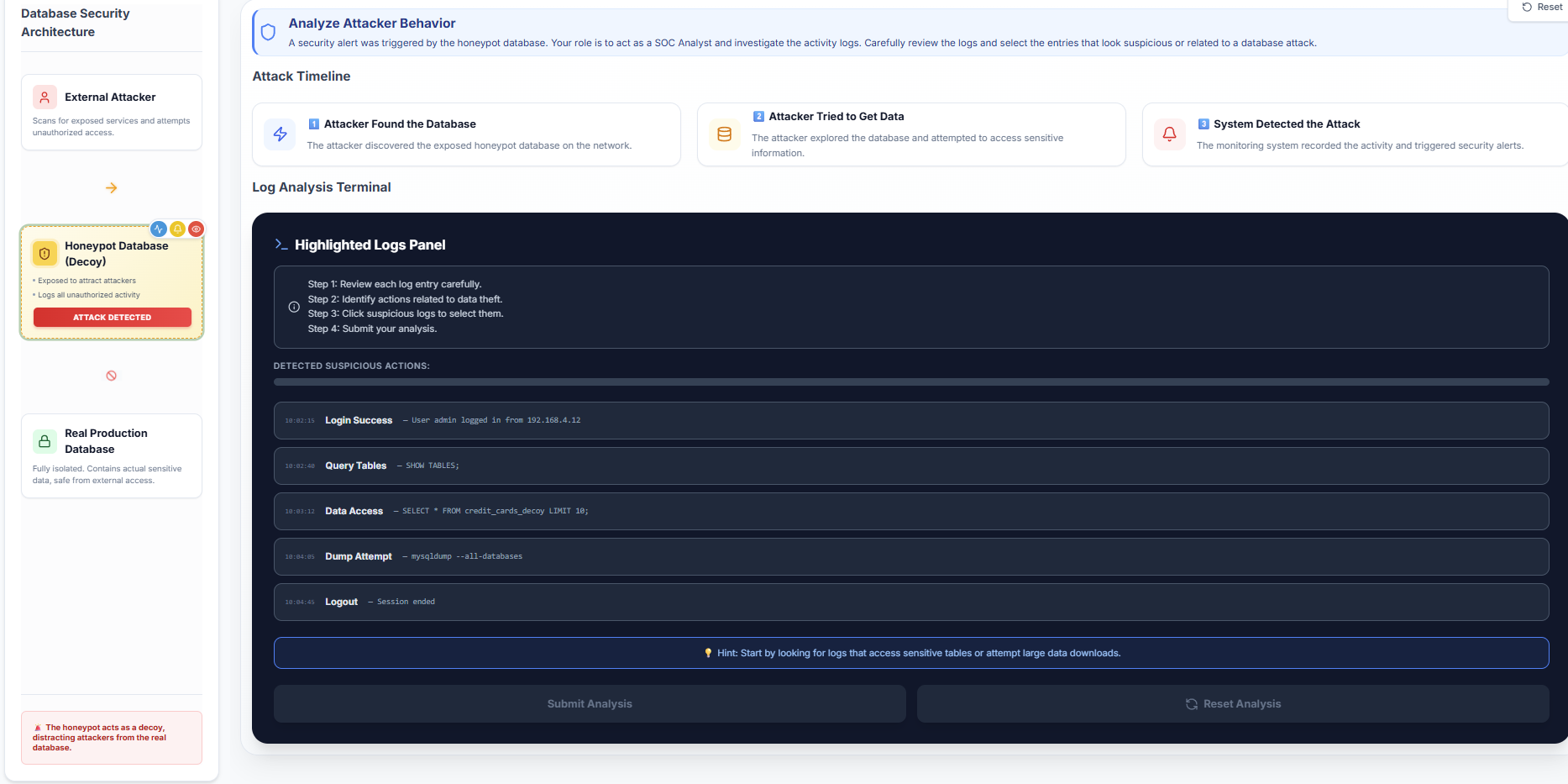
- Observe the Suspicion Meter, which helps validate the identification of malicious log entries.
- Click Submit Analysis to verify your investigation.
- You can click Restart to retry the simulation using different configurations.