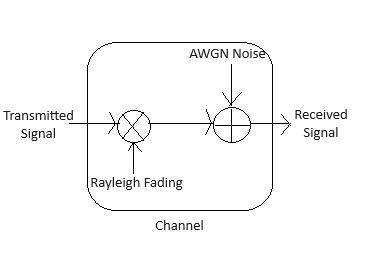
Instructions for BASK Simulation (with AWGN + Rayleigh)
Note: Use the input fields to enter the Number of Bits, SNR (in dB), number of multi-paths, excess delay (in ms), bit rate (in bps), symbol duration (in ms / cs), and the carrier frequency (in Hz)
Step 1: Click 'Generate Message' to generate the original message signal
Step 2: Click 'Generate BASK Signal' to generate the BASK modulated signal
Step 3: Click 'Generate Rayleigh Channel Multipath (CIR)' to plot the Channel Impulse Response (CIR) for the Rayleigh fading channel
Step 4: Click 'Convolve with CIR' to generate the output after convolution with the channel
Step 5: Click 'ADD AWGN Noise' to add AWGN noise
Step 6: Click 'Plot BER vs SNR' to compare BER with and without Rayleigh fading
BASK Simulation (with AWGN + Rayleigh)
BER vs SNR (AWGN + Rayleigh)
SNR (dB)
BER
BER vs SNR (AWGN only)(without Rayleigh
SNR (dB)
BER
Instructions for BASK Demodulation Simulation (with AWGN + Rayleigh)
Step 1: Click 'Demodulated Signal' for demodulation
Step 2: Click 'Demodulated Signal without Rayleigh' to see the signal unaffected by Rayleigh Fading