General Instructions

  1. Click on the components to start interacting with them in the connection area
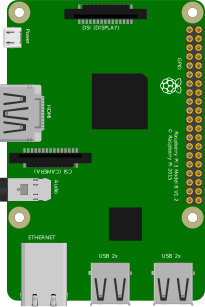
  2. Hover over the Raspberry Pi connections to get information about various connection pins
  3. Double-click on various connection points to make connections
  4. Double-click on the empty space in the connection area to extend and bend wire connections

How to Connect

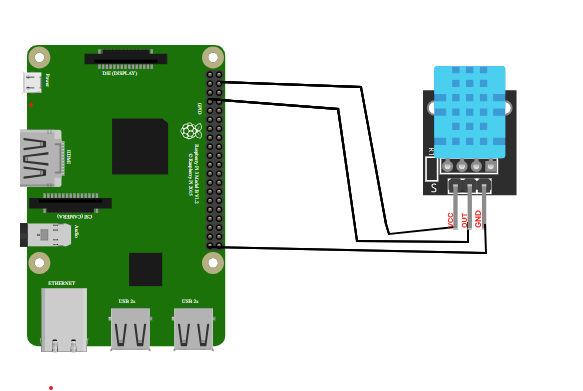
connection_diagram
  1. Connect VCC pin of DHT11 sensor to 5V pin of Raspberry Pi
  2. Connect GND pin of DHT11 sensor to GND of Raspberry Pi
  3. Connect the Data Out of the Sensor to GPIO4 (Physical Pin 7) of the Raspberry Pi
  4. After completing the circuit, click the "Code" button, observe the code, and submit it.
  5. Adjust the temperature with the slider and observe the resulting change in the display area.

Connections Logs

    Raspberry Pi
    DHT11 Sensor

    CONNECTOR INFO Temperature Controller 0-100 *C
          import sys
          import Adafruit_DHT
          import time
          while True:
          humidity, temperature = Adafruit_DHT.read_retry(11, 4)
          print 'Temp: {0:0.1f} C  Humidity: {1:0.1f} %'.format(temperature, humidity)
          time.sleep(1)